
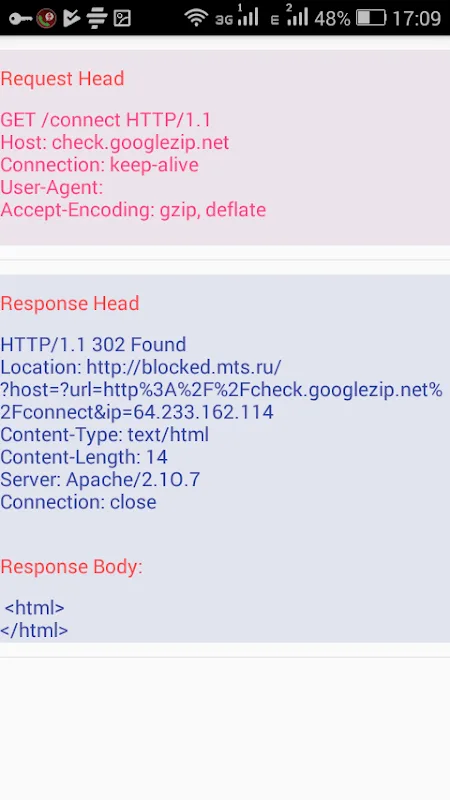
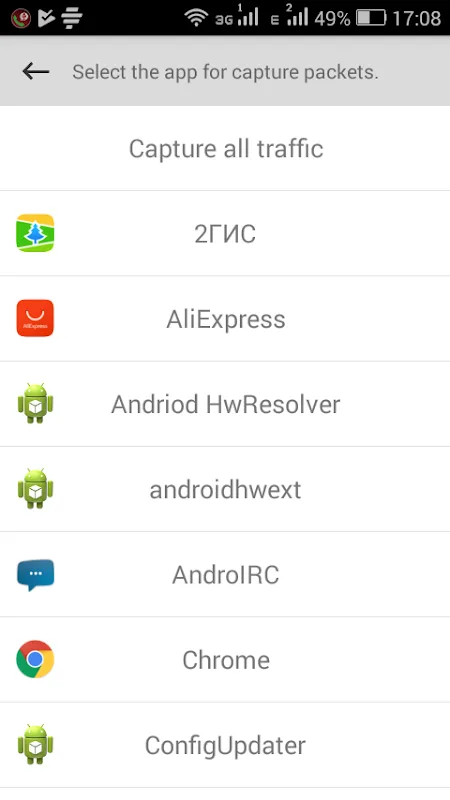
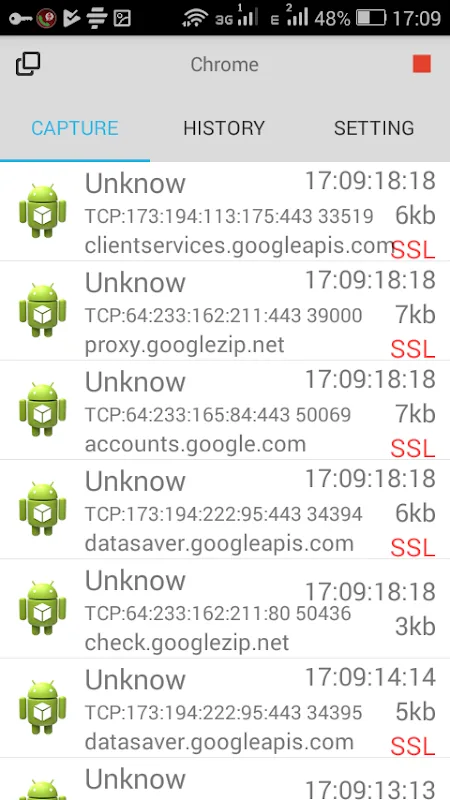
Sniffer is a network sniffer designed for Android users. It's a powerful tool for verifying the effectiveness of internal control systems, analyzing network issues, detecting network intrusion attempts, and more. With Sniffer's real-time network monitoring, users can easily analyze and optimize wireless network connections. It also includes many powerful tools to help users troubleshoot network issues and make informed decisions. Download Sniffer! This lightweight, easy-to-use network sniffer is your go-to for network assessments.
Click to load YouTube / 点击加载视频
YouTube ↗Overview:
WiFi Analyzer is an application designed for Android devices that assists users in analyzing and optimizing their wireless network connections. This app provides a range of tools to help users understand their Wi-Fi environment better, making it easier to manage and improve connectivity.
Features:
The primary function of WiFi Analyzer is to visualize the surrounding Wi-Fi networks. It displays a graphical representation of the networks in range, indicating their signal strength and channel usage. This feature allows users to identify which channels are crowded and which are less congested, enabling them to select the optimal channel for their own network. By analyzing the Wi-Fi landscape, users can enhance their network's performance and reduce interference from neighboring signals.
In addition to channel analysis, the app offers detailed information about each detected network. Users can view various parameters, such as the network's SSID (Service Set Identifier), signal strength, frequency band, and security type. This data helps users make informed decisions about connecting to networks or troubleshooting issues with their own connection.
WiFi Analyzer also includes a feature for measuring signal strength over time. This can be particularly useful for identifying dead spots within a home or office. By walking around the environment while monitoring the signal strength, users can determine where connectivity is weak and take steps to improve it, such as repositioning their router or adding Wi-Fi extenders.
Highlights:
The app provides real-time monitoring of network performance. Users can observe the current data transfer rates and overall network usage, which assists in identifying any unusual activity or slowdowns. This monitoring capability is valuable for users who want to ensure their network is operating efficiently and to detect any potential issues quickly.
Security is another aspect that WiFi Analyzer addresses. The app can help identify security vulnerabilities in a user's network by providing insights into the encryption type used by detected networks. Users can evaluate whether their own network is using adequate security measures and make necessary adjustments to safeguard their data.
For those interested in tracking network trends, WiFi Analyzer offers historical data logging. This feature records signal strength and performance metrics over time, allowing users to analyze changes in their network environment. By reviewing this data, users can observe patterns or fluctuations that may affect their Wi-Fi experience.
Advantages:
The app’s user interface is designed to be straightforward and intuitive. Users can easily navigate through various sections and access the information they need without confusion. The layouts are organized logically, making it accessible for both beginners and those with more advanced technical knowledge.
Another useful aspect of WiFi Analyzer is the ability to compare multiple networks side by side. This feature enables users to analyze differences in signal strength and performance between various connections, which can aid in selecting the best network to connect to at any given time.
WiFi Analyzer is also beneficial for users who manage multiple devices on a network. The app provides insights into how many devices are connected to the network, helping users monitor their bandwidth usage and ensure that no unauthorized devices are accessing their connection.
Furthermore, the application can assist users in troubleshooting connectivity issues. By providing diagnostic tools and detailed information about network performance, users can identify and resolve problems more effectively. This can lead to a more reliable and stable internet connection.
Conclusion:
The app is available for download on the Android platform, making it accessible to a wide range of users. Those looking to enhance their Wi-Fi experience can easily find and download WiFi Analyzer to get started.
With its array of features, WiFi Analyzer serves as a valuable tool for anyone looking to optimize their wireless network. From channel analysis to real-time monitoring, the app provides essential information that can lead to improved connectivity and overall network performance. Users can benefit from the app’s capabilities whether they are troubleshooting issues, enhancing security, or simply trying to understand their Wi-Fi environment better.
Ultimately, WiFi Analyzer combines functionality and ease of use, making it a practical choice for individuals seeking to take control of their network situation. By utilizing the insights and tools provided, users can create a more efficient and secure wireless environment tailored to their specific needs.








