
Activity Launcher is an excellent tool for Android devices. It directly launches specific functions (also known as "activities") within Android apps and creates desktop shortcuts. Users can quickly customize icons, names, and display themes, bypassing the standard app portal for efficient operation. It also supports hiding private activities on non-rooted devices, greatly enhancing phone convenience and personalization. Download and experience it now!
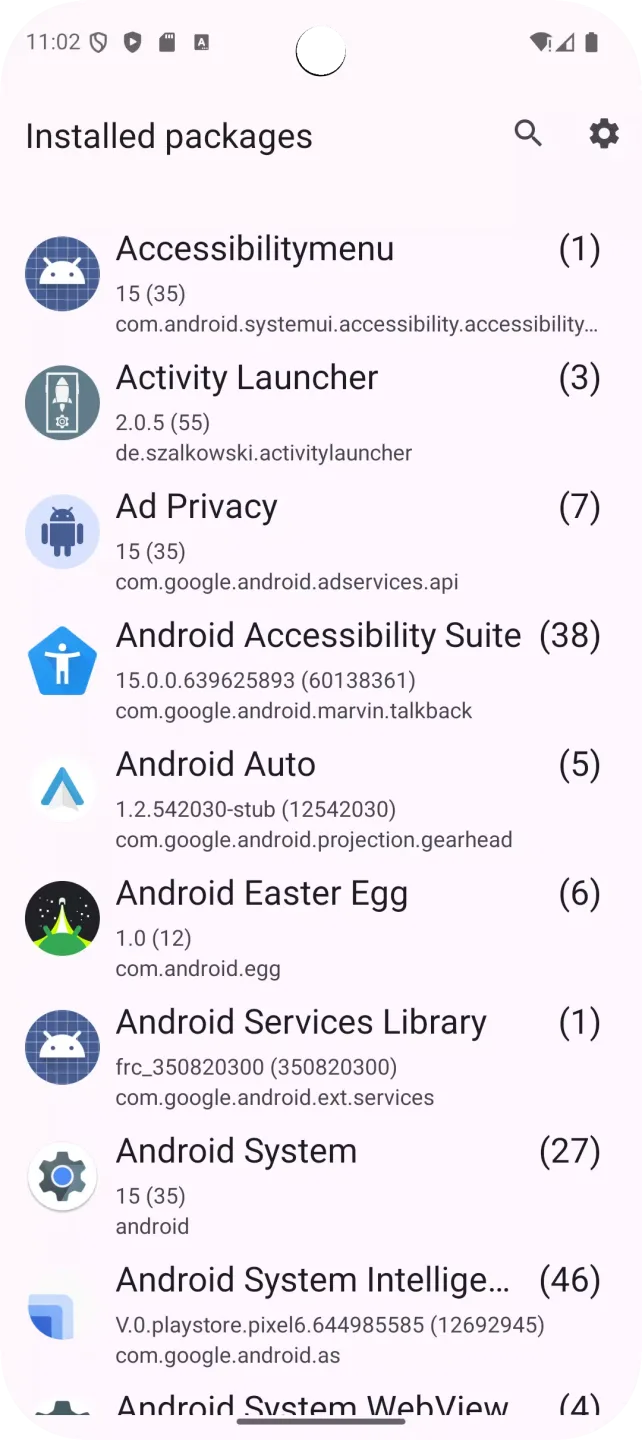
Features:
Access Hidden Activities: Unlock hidden features of apps and system tools without any hassle.
Easy-to-use Interface: Navigate through a user-friendly interface that makes launching activities a breeze.
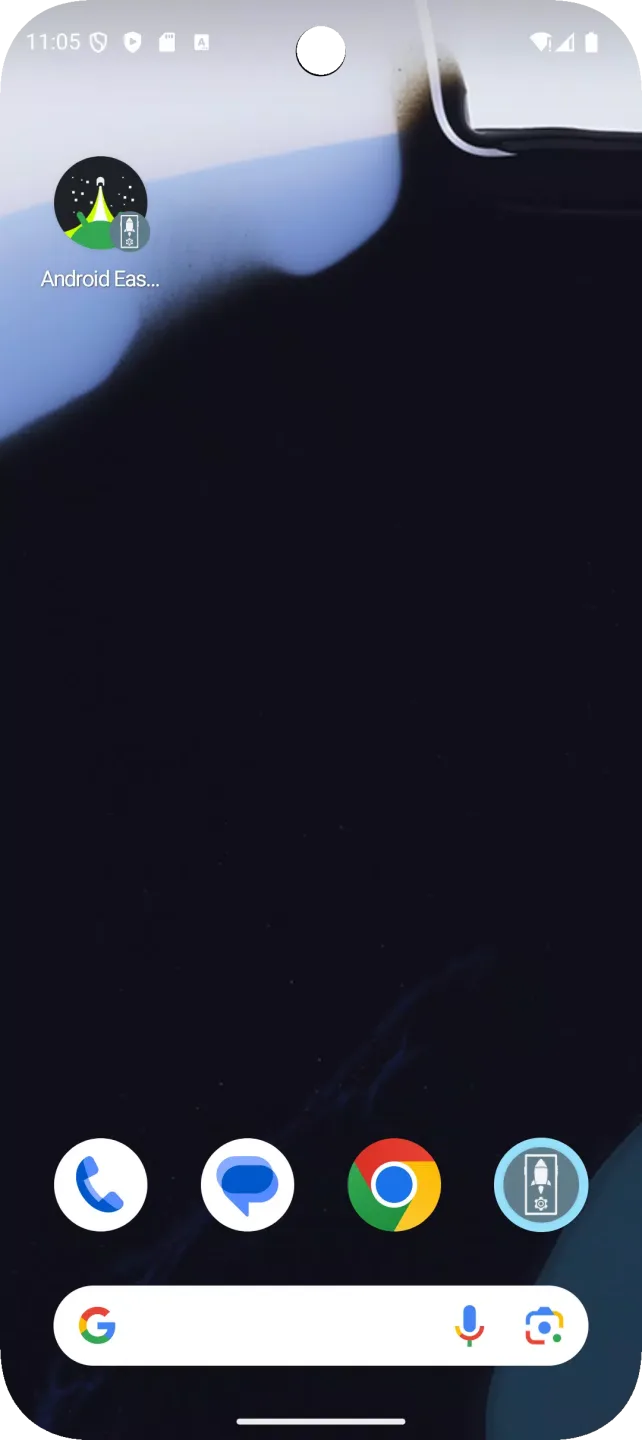
Create Shortcuts: With a single tap, you can create shortcuts to launch specific activities right from your home screen.
Perfect for Power Users: Ideal for those who like to dive deeper into their device's functionality and explore beyond the basics.
Constant Updates: The app receives continuous updates, adding more functionalities and improvements to ensure a smooth experience.
Open Source: As an open-source project, Activity Launcher encourages contributions from developers to improve its features and translations.
Shortcuts for anything:
Whether it's the built-in ones that ship with your devices or third-party options, app launchers are great for quickly launching applications or games straight from your home screen. However, there are times when you're looking to open special system applications and activity windows that are usually hidden, and this is where Activity Launcher comes in to help facilitate and accommodate these types of situations.
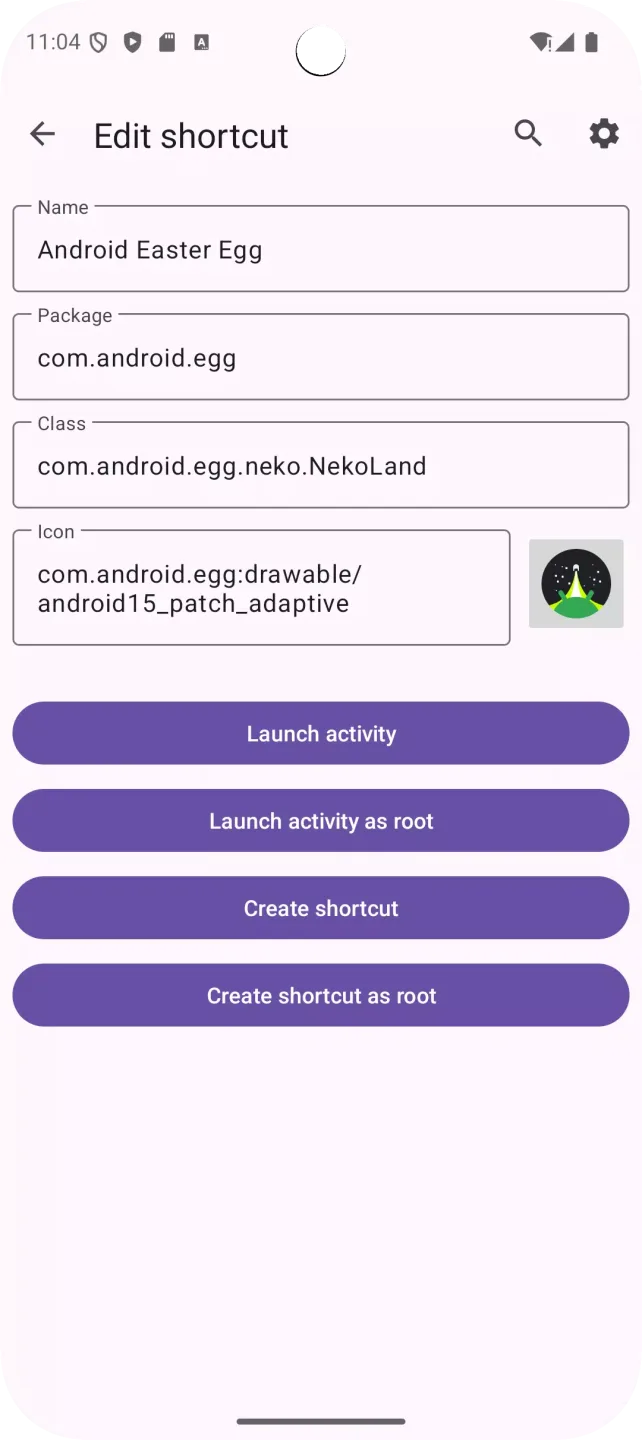
Upon first launch, this program can be used to create app shortcuts like any launcher. However, you'll notice each entry has a drop-down menu for sub-processes and tasks to open and view. Some of them include configuration menus or detailed logs that keep track of their activity. Select the one you need, and you can set a custom name and even pick a specific icon for it.
If you need to change anything, you can simply select the edit shortcut option to set a different process, name, or icon as needed. Having said all of that, though, this app serves a specialized group of users and won't be all that useful for everyone else. If you understand what it is and does, it will come in handy when the need arises.
FAQs:
Can I customize the shortcuts created by Activity Launcher APK?
Absolutely! You can create custom shortcuts to any activity from your apps and add them to your home screen. You can even give them unique names and adjust their icons to personalize your Android experience.
Do I need to root my device to use Activity Launcher APK?
No, you do not need to root your device to use Activity Launcher APK. The app works with standard, non-rooted Android devices, allowing you to access hidden activities without the need for root access.
How can I contribute to Activity Launcher APK?
As an open-source project, Activity Launcher APK encourages contributions from the community. You can contribute by submitting bug reports, feature requests, or even directly contributing to the codebase. Visit the GitHub page of Activity Launcher APK to learn more about how you can get involved.
Conclusion:
Activity Launcher is an app that allows you to directly run some of the activities from your installed apps, and you can even create a shortcut for each of them. "Activities" are basically specific functionalities of an app. One activity of the official Uptodown app, for example, would allow you to directly open your Downloads panel, instead of having to open the app first and then access this panel. Download the Activity Launcher APK if you want to save time when using some of the most common features within your favorite apps. Thanks to this app you can create fully customized shortcuts for your most frequent activities. You can even customize the shortcut icon and change its name to hide or obscure its presence on your Android device.








