
Want to protect the important information and files on your phone? Download CrookCatcher. When a stranger repeatedly unlocks your phone, it automatically records the device's location and sends it to the user via email, making it easy to track and recover the stolen device. Custom settings are also available, including a fake home screen and warnings to deter thieves. The software will be continuously updated with more security features and improved algorithms to continuously protect your phone's information.
Click to load YouTube / 点击加载视频
YouTube ↗Features:
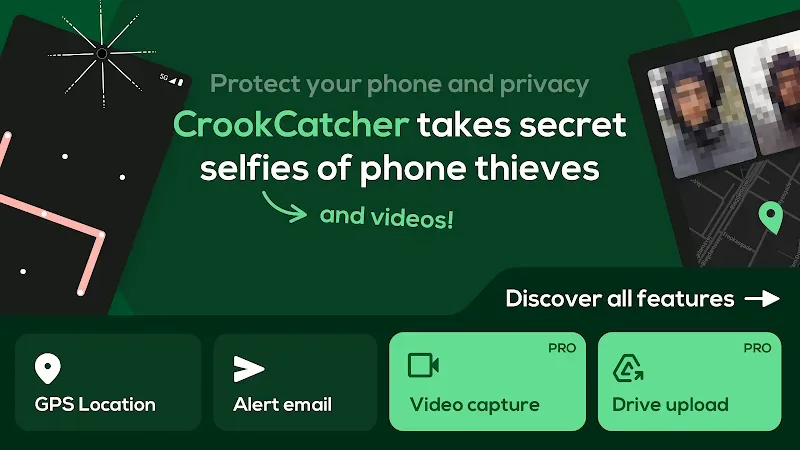
Instant Photo Capture: The image of the intruder is secretly recorded by the application. Users will receive this image in the email that the application will send. The alarm not only contains a photo of the intruder but also updates information about the time and location of the photo.
Email Alert Details: Users need to enable email notifications to receive information about the intruder at any time. The application allows users to set multiple emails. They can improve the ability to receive and detect the intruder as soon as possible.
Post-Unlock Trigger: The system identifies the information thief when it detects unusual access. The password will be entered multiple times with low accuracy. The warning will be sent to the specified email address even if the thief has successfully broken in.
Hidden App Icon: The applications in the device will be hidden to avoid information leakage. This feature will be activated when the warning system detects unusual access. Users can be more proactive in preventing the risk of personal information theft.
Pattern Lock Access: Many types of pattern locks will be launched to prevent intruders from accessing. Users can protect their information by locking it with special lock types. Intruders will have to declare their login information and password continuously for confirmation.
Functions:
Snap Sneaky Photos: If the wrong code gets entered, your phone’s front camera secretly takes a quick photo—nobody has a clue (unless you want them to know).
Flexible Unlock Monitoring: Works with any lockscreen option, whether you use a pattern, PIN, or password.
Browse Events Easily: Inside the app, see photos paired with map locations, so it’s simple to figure out where and when someone tried to get in.
Stealth Mode: It operates in silence—no notifications or obvious clues unless you change its settings.
No Extra Drain on Battery: CrookCatcher only jumps into gear when there’s a failed unlock attempt, so your battery’s safe.
Customizable Security: You get to choose how many wrong attempts trigger a photo, and even fine-tune how GPS works for you.
Get Instant Email Alerts: The moment a photo is taken, you get an email with the pic and your device’s precise GPS location—complete with accuracy info, a map, and a link to track your device in real time.
FAQs:
Q: Does it work without an internet connection?
A: It can capture photos and location data offline, but email alerts and cloud uploads require an internet connection to send or upload the evidence.
Q: Will the app drain my battery?
A: No, the app is inactive primarily and only triggers when wrong unlock attempts occur, so normal battery impact is minimal.
Q: Can thieves uninstall this app?
A: It offers options to hide its icon and require a pattern to open the app, which makes it harder for a thief to find and remove it. However, a determined thief with physical access may still uninstall it if they can access settings or reboot the phone.
Q: Is video capture available in the free version?
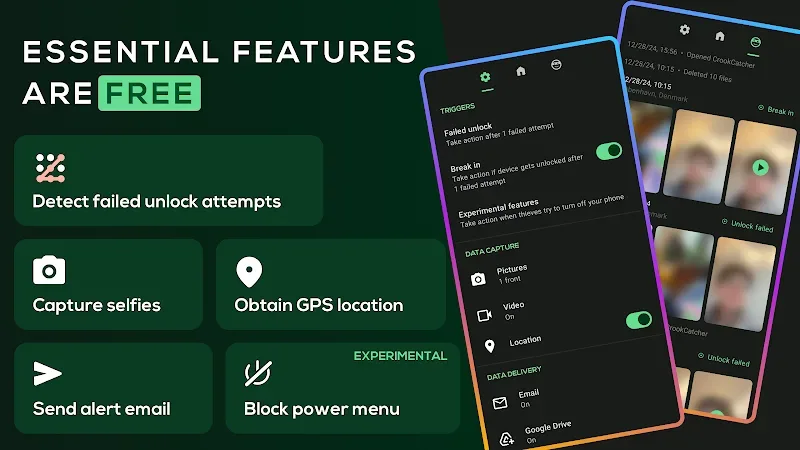
A: Video with sound and some advanced features are part of the PRO upgrade; basic photo capture, GPS tagging, and email alerts are available for free.
Q: Is the power menu blocking feature reliable on all devices?
A: That feature uses accessibility permissions to try to prevent shutdown/quick settings on the lock screen, but it is experimental and may not work on every Android model or software version.
Q: How do I get alerts if the intruder changes my SIM or removes the SIM?
A: Email alerts depend on network connectivity. If the intruder removes the SIM or disables connectivity, logged photos and location will still be saved locally and can be uploaded later when the device reconnects or accessed via auto-upload to Google Drive.
Guidelines:
The guided setup walks you through the setting of the app as a device administrator and granting the necessary app permissions.Once you have gone through that, you'll find a simple three-tab interface.
The Home tab lets you deactivate the service and read a bit more about it.
On the right, you'll see the Photos tab that collects pictures of intruders who want to unlock your screen. Each picture comes with a map with your device's location,you just need to click the location symbol to see exact coordinates and an estimated address of the intruder through location.
Also for adjusting more options you can use the Settings tab on the left. Here you can set the Attempts limit anywhere from one to five.
CrookCatcher will activate even if you enter the right passcode a few seconds after a mistake. Below this, you can also toggle email and device notifications, change options for the photo taking and location, and show an alert message when CrookCatcher takes a picture.
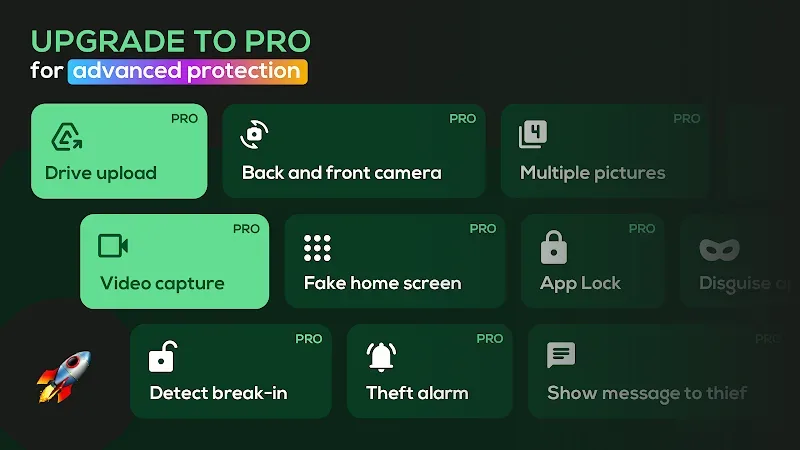
Coming to its last feature and several more options it requires CrookCatcher Premium. After that you are also able to detect SIM changes, change the subject of the alert email, and more. It also removes the ads in the app, which are pretty annoying.
Final words:
CrookCatcher is an Anti-Theft Security App that helps you to keep your mobile device safe and secure from intruders and potential theft. It uses your device's camera and captures anyone who tries to unlock your device with the wrong password, pin, or pattern.The app also sends an email alert with the photo of the intruder and the device's current location. You can also set a custom alarm sound and message that will be displayed when the wrong password is entered.








