
Blurrr is a powerful, high-performance video editing app for Android. Download it for free and create stunning media content with Blurrr. Easily create stunning video effects with Blurrr's professional-grade editing tools, allowing you to create studio-quality videos. Blurrr allows users to easily manage and edit audio, images, and video clips, and offers a robust library of inspiration and templates for you to choose from. Experience a personalized and engaging editing experience with Blurrr!
Click to load YouTube / 点击加载视频
YouTube ↗Brilliant Function
Free Track Layer Mixing
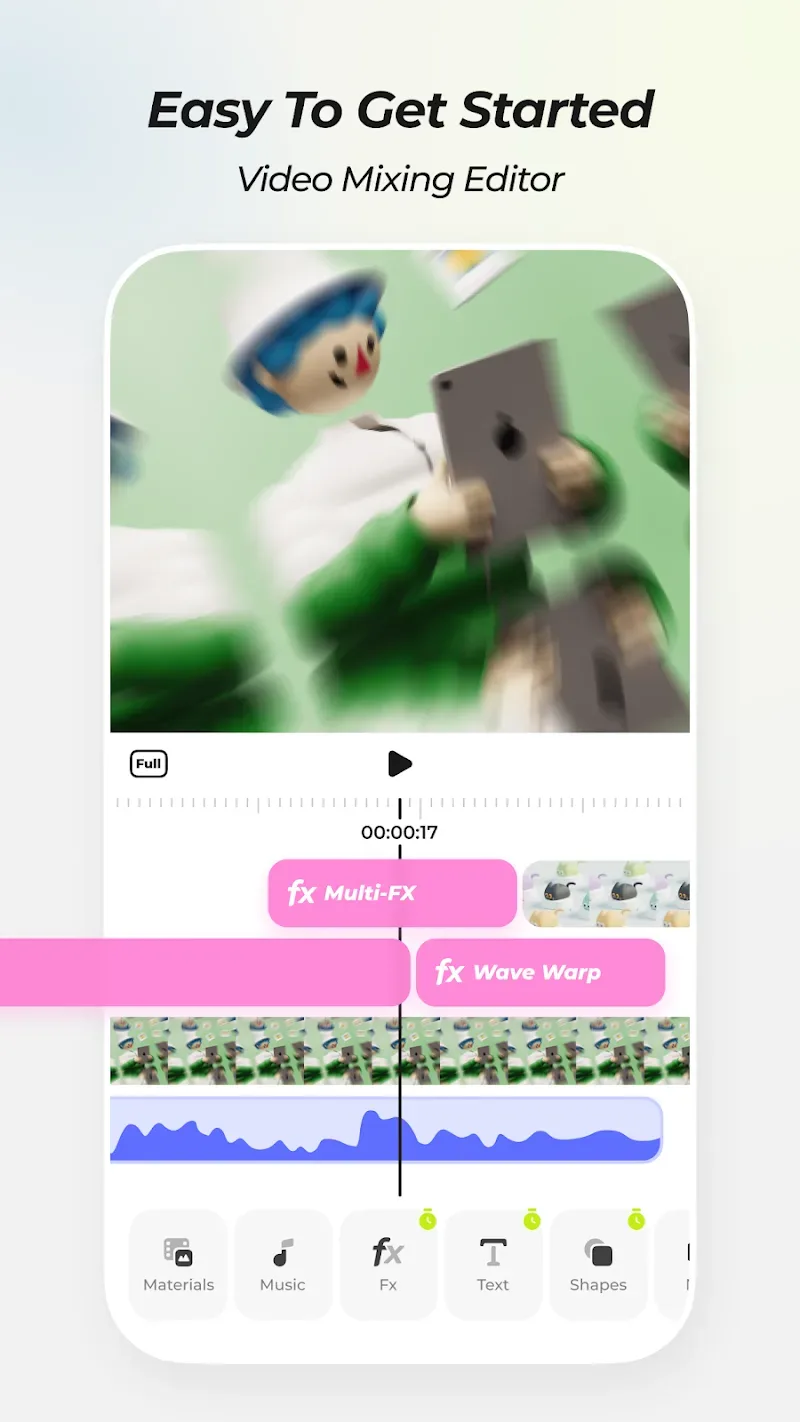
Mix multiple video, audio, and image layers to achieve a wide variety of video effects. You can also combine multiple effects to create richer visuals and make your videos more vivid and engaging.
Custom Keyframes and Curves
With custom keyframes and curves, you have complete control over the changes and animations in your videos. Use keyframes and curves to make your videos more vivid and engaging, unleashing your creativity.
Crafted Effects
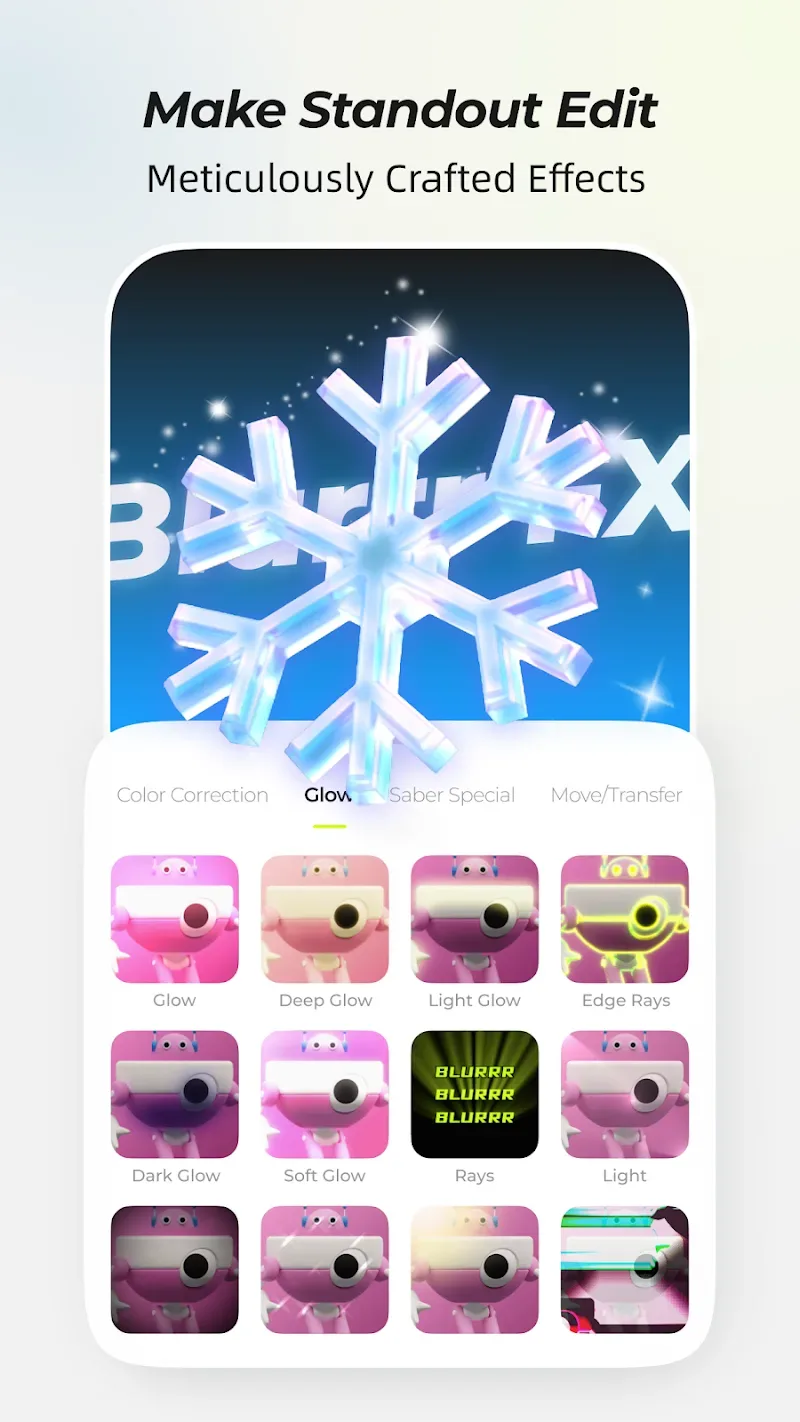
Over 80 special effects, meticulously crafted by a team of visual effects experts, will make your videos even more captivating and engaging. Use special effects to enhance your videos and impress your viewers or fans. Layer adjustments allow you to create multiple effects and filters on the same track and freely adjust the order of layers.
Extreme Groove
Provides variable speed keyframes: time remapping, linear speed change (time stretching), and more. With variable speed keyframes, you can flexibly control the timing and rhythm of your videos, easily syncing music and image, and creating more engaging videos. Use variable speed keyframes to add a rhythmic feel to your videos and get your viewers or fans dancing to your beats.
AI Smart Cutout
Use the smart cutout feature to break free from background constraints and give you greater creative freedom. Smart Cutout lets you easily cut out images, making your videos even more stunning.
3D and Camera
Support for 3D and camera features gives your videos a more three-dimensional and engaging experience. Whether you're creating a 3D tunnel, a 3D conveyor belt, a 3D cube, or even building visual effects, Blurrr can handle it. Use the 3D and camera features to make your creations even more realistic and give your viewers and fans an immersive experience.
AI Smart Interpolation
Use AI smart interpolation to make your videos smoother. Enjoy creative effects like slow motion while your viewers and fans enjoy a fantastic viewing experience.
Null Object and Parent-Child Subset
Use the Null Object and Parent-Child Subset features to easily control the image and achieve more sophisticated video production. Make your audience love it.
Wonderful Highlights
Different Editing Layers
One of Blurrr's most advanced features is its ability to combine different layers of video, audio, and images to create audiovisual files. Simply import the files you want to use, and Blurrr will organize them into layers on the timeline. You can then easily edit your videos. Add filters, text, stickers, or special effects to give each project a unique touch.
AI Support
In addition to Blurrr's default options, the app allows you to experiment with brightness settings, color curves, and saturation. If you're new to video editing, Blurrr offers an AI-powered option that recommends optimal settings based on the content type. However, if you'd like to personalize your project, exploring the manual editing options and trying a few different combinations is also a good option.
User's Comments
The results are good and the options are plentiful, but the best ones are all paid versions. After editing, adding subtitles, and dubbing, it's incredibly slow. If you can get through that, you should be fine. Also, they have a lot of tutorials on their social media with detailed explanations. If you need help, check their social media or search for questions; their tutorials should be the first to appear! It's a great, easy-to-use entry-level editing app, but I really need a desktop platform.
I like this app because it's the only mobile editor that allows frame-by-frame precision, and it's hard to believe such a simple feature is so hard to find on a mobile platform. However, the app has so many other features that it's clunky to use, with random bugs and crashes. It would be great to have better control over export settings. It ends up making each file 1,000 times larger in the worst case, which is unacceptable to me. There's also very little online tutorials or support.
Hi, I'm having trouble with the audio. I've seen other people's videos using it, and it seems to work fine. I think it might be a problem with my phone. If anyone has experienced similar issues, please let me know. Otherwise, this app is great, and even the free version has a lot of features!
Final Words
Blurrr is an app that offers simple yet professional-grade video editing. Blurrr features an intuitive interface and offers a variety of options for customizing your videos. Blurrr is a comprehensive, powerful video editing tool that helps you create customized video projects. Even if you're not an expert, Blurrr makes it easy to get started and create high-quality videos with just a few taps on the screen.