

PDF Tools – PDF Utilities is a lightweight and easy-to-use PDF utility application. Its biggest advantage lies in its simplicity and ease of use; anyone with basic application knowledge can easily get started. There are no complicated instructions or cumbersome interfaces; simply open the application and start using it immediately. It boasts a variety of practical functions such as merging, splitting, locking, unlocking, extracting, rotating, reordering, and deleting specific pages, completely changing the way you work with PDF documents. Download and experience it now!
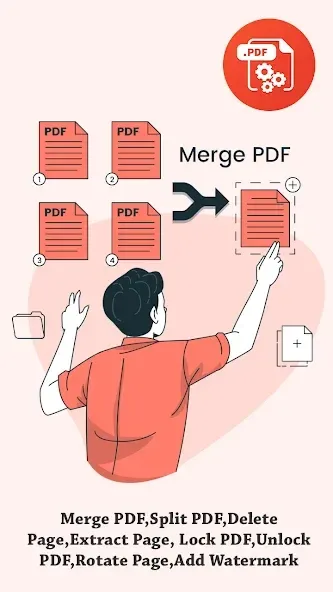
Highlights:
Merge PDF Files: Combine multiple PDFs into a single high-quality document using our PDF merger tool.
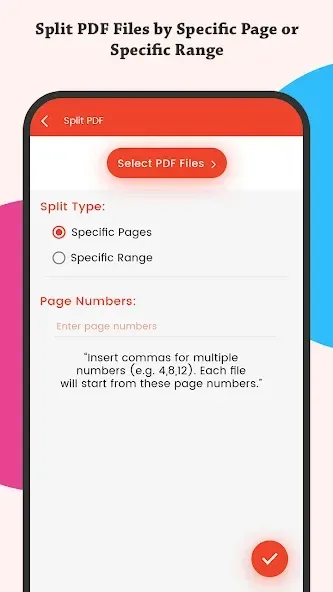
Split PDF: Easily split large PDFs into smaller parts by page range, number of pages, or custom points.
Unlock PDF: Remove password protection from secured PDF files with our PDF unlock tool.
Lock PDF with Password: Encrypt and protect sensitive PDFs with strong passwords for enhanced privacy.
Images to PDF Converter: Convert JPG, PNG, and other images to high-quality PDFs. Ideal for receipts, documents, and photo collections.
Rotate PDF Pages: Rotate one or more pages in 90°, 180°, or 270° angles with a simple tap.
Delete Pages: Remove unwanted or blank pages from your PDF file quickly and accurately.
Extract Pages: Pull out specific pages from your PDF and save them as a new file.
Reorder Pages: Drag and drop to change the order of pages in your PDF easily.
Add Watermark or Page Numbers: Insert text watermarks, headers, footers, or page numbers. Customize font, size, and transparency.
Compress PDF (Coming Soon): Reduce file size without losing quality—perfect for email or upload optimization.
Fast, Lightweight & Offline: Enjoy a free PDF editor that works offline, no internet required. Designed for performance and speed.
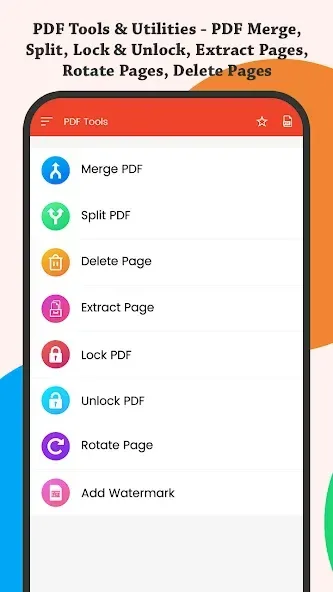
Features:
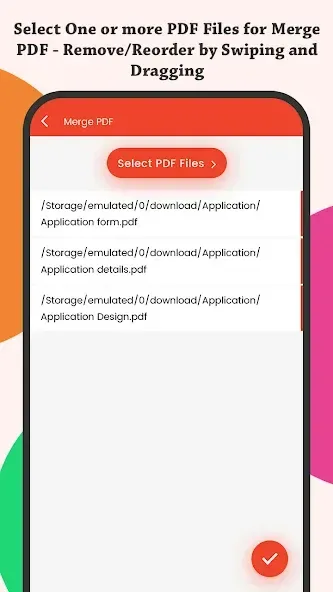
Merge PDF: Easily select and merge two or more PDFs into a single document. No more hassle of dealing with multiple files.
Split PDF: Break down a large PDF file into multiple smaller files at a specific page. Say goodbye to the limitations of file size.
Lock PDF: Protect your PDF documents by encrypting them with a password. Ensure unlimited privacy and secure access.
Unlock PDF: With just a few clicks, remove the password from a PDF. Enjoy hassle-free access to your documents.
Extract Pages and Images: Extract specific pages or images from a PDF. Take out only what you need and save it separately.
Rotate PDF Pages: Easily rotate specific pages of a PDF to adjust their orientation. Choose between portrait and landscape with various angle options.
Tips and Tricks:
Combine Multiple Files: The application supports users in merging related documents. This feature enables users to combine up to 50 different PDF documents into a single file. Document storage space will be freed up for more storage.
Restructure Large Documents: Merging related documents also aims to restructure the storage system. Users will clean up the archive and synthesize PDF files that are useful to them. In addition, restructuring large document files also helps users set up and check the files that are being stored.
Customize Document Appearance: The interface of large files will be decided by users. They can customize the interface for all documents stored in the system. This helps the archive have a synchronous interface, and users can easily distinguish files.
Pros & Cons:
Pros
Unlocked premium features for free
No watermarks or ads
Lightweight and mobile-friendly
Offline usage supported
Advanced OCR and editing tools
Cons
Potential legal and ethical concerns
Security risks from unofficial sources
No support from official developers
Frequent updates may be unavailable
Conclusion:
PDF Tools – PDF Utilities offers a wide range of features to simplify your PDF management needs. With the ability to merge and split PDFs, add watermarks, extract pages, and rotate pages, this app provides an all-in-one solution for modifying and creating PDFs on the go. Its user-friendly interface and convenient sharing options make it the perfect tool for anyone looking to enhance their PDF experience. Don't miss out on the opportunity to download this lightweight and versatile app today.








