
Krita is an outstanding multimedia image tool. Offering a wealth of tools and features, it's an excellent alternative to expensive paid software, allowing artists to create stunning illustrations and digital paintings with complete freedom. With this software, you can create beautiful illustrations from scratch, using either pixel or vector graphics, according to your preferences. With tools such as a brush engine, stabilizer, and animation support, Krita provides a smooth and enjoyable painting experience for artists of all levels. Download now and start creating your own artwork!
Click to load YouTube / 点击加载视频
YouTube ↗Features:
Create Artistic Illustrations
This app lets you create beautiful illustrations with the features they provide. In this app, you can create different kinds of designs, such as Comics, Manga, Storylines and much more. You can also choose the templates to get a better understanding of the design.
Pick Colour and Depth
You can choose different colour modes such as RGB, CYMK and SPOT. Having a great depth of colour choices helps you create a perfect design. You can also choose the depth of design and colour to create vector design in Krita App.
Vector & Text
You can add text to your design in Krita App. There are 100+ fonts available to choose from with different designs such as Bold, Sans, Corporate, Handwriting, Vintage, Cool, Retro, Minimal, Comic, Funky, Geometric, Narrow, Graffiti, Futuristic, Cyrillic, Display and much more. You can also download the text pack to get more fonts in Krita Apk.
Beautiful Brushes
There are more than 100 brushes available in this app, where you can create anything that comes to your mind. You can use brush stabilizers to change the tone and depth of the brush and use brush engines to smudge the colour in your artwork.
Amazing Filters
There are many filters available to create designs easily, with guides that help you understand the app usage to get more output. You can add filter layers in Krita App to make your artwork look good. The FIlter layer consists of many features such as brightness, Contrast, Blur, Enhance, Artistic and much more.
User-Friendly Interface
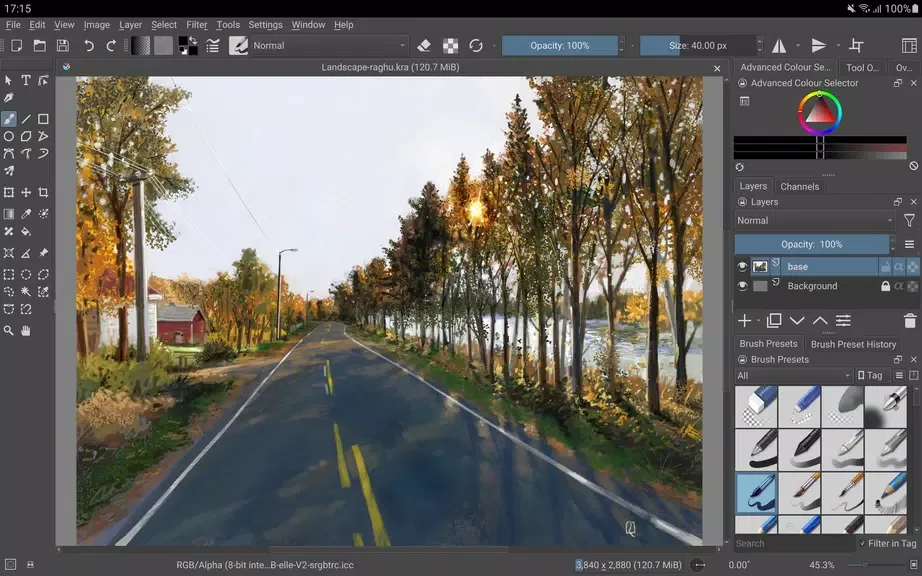
The interface is specially made for android and ChromeOS devices. If you use it on your smartphone, then it might be hard to use since you won’t have much space to create illustrations on the small screen, but bigger screen devices like tablets provide a clear interface when we use Krita App on them.
Free of Cost
There is no subscription to use this app. You can get all premium features for free in Krita App. There are no trials or hidden charges in this app.
Benefits:
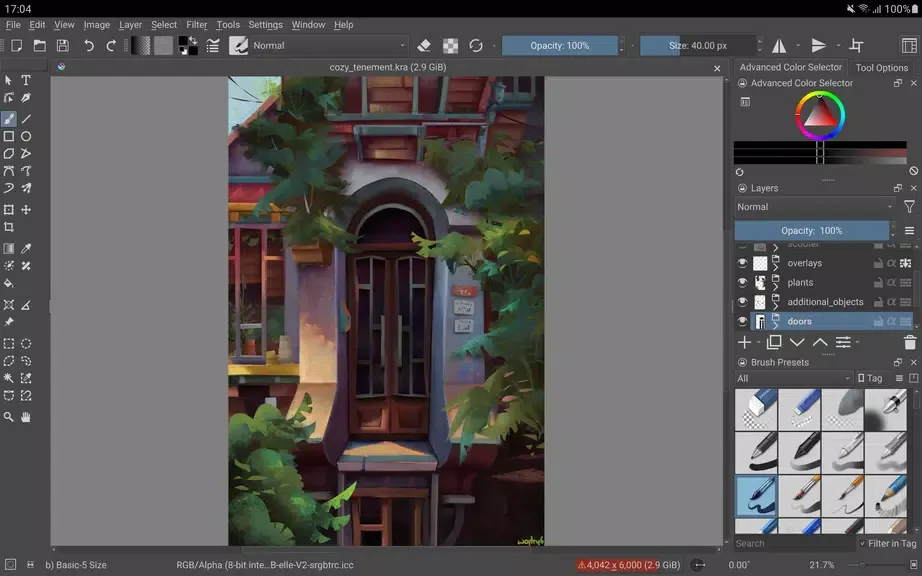
Full-featured digital painting application designed for artists.
Great brush engines for sketching and painting.
Stabilizers for freehand inking.
Distraction-free canvas-only mode for painting without bother.
Supports animation with onion skinning, storyboarding, and comic book project management.
Flexible workspaces and color managed workflows.
Tips for Users:
Experiment with Different Brush Engines: Try out the various brush engines in the app to find the perfect tool that suits your artistic needs.
Utilize Stabilizers for Clean Lines: Use stabilizers when inking to achieve smooth and precise lines, especially for detailed illustrations or comics.
Explore Non-Destructive Editing: Take advantage of clone layers and transform masks to experiment with different effects and styles without altering your original work.
Dive into Animation Features: Explore the app's animation capabilities by trying out onion skinning and storyboarding for creating dynamic visual stories.
Pros & Cons:
Pros
Full-featured digital painting tools
Open-source and free to use
Highly customizable brushes and interface
PSD file compatibility
Active development and community support
Cons
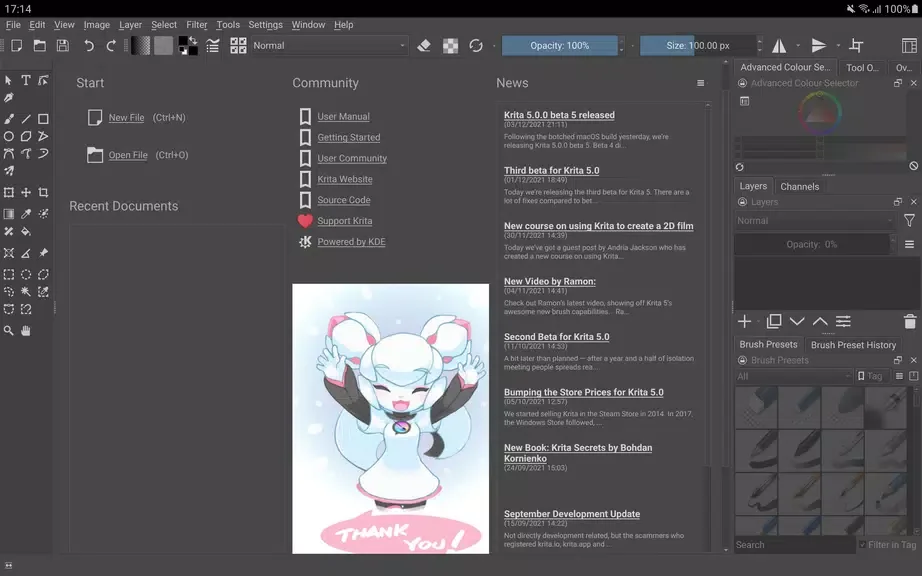
Primarily optimized for tablets and Chromebooks, not phones
Beta release may include bugs or instability
User interface can be dense for new users
Touch gestures and shortcuts need further refinement
FAQs:
Is the app suitable for beginners?
Yes, Krita is suitable for artists of all levels, from beginners to professionals.
Can I use the app on my phone?
Currently, the app is optimized for big screen devices like tablets and Chromebooks, but not available for phones yet.
Does the app offer customer support?
The app is part of the KDE community, and users can find support through online forums and resources.
Conclusion:
Krita is a professional and completely free open source raster graphics editor. Despite the initial focus of Krita on creating images from scratch, there are enough opportunities not only for artists, but also for photographers. Krita supports non-destructive editing of layers and masks, working in different color spaces and with different color models, in a mode from 8 to 32 bits with a floating point per channel. In addition, popular filters, adjustment layers, masks and dynamic filters are implemented, as well as a series of tools for retouching and much more.








