
droidVNC-NG VNC Server is a free remote control software. Users only need to pair their computer and mobile phone to remotely control devices, easily achieving screen sharing, remote power on/off, and text management, meeting diverse user needs. The software is simple to use, requires no root access, and provides detailed beginner tutorials to help users easily master all its functions. Users seeking a convenient control experience shouldn't miss it!
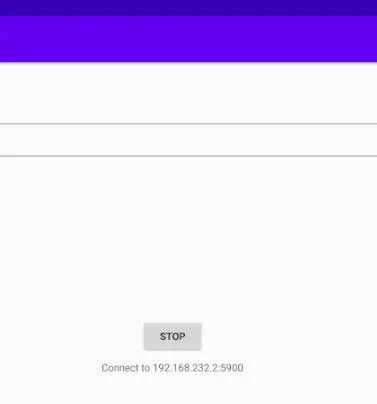
Features:
Screen Sharing: Easily share your device's screen over the network with optional scaling for better performance.
Remote Control: Take control of your device using your VNC client, including mouse and keyboard input.
Special Key Functions: Trigger key functions like 'Recent Apps,' Home button, and Back button remotely.
Text Copy & Paste: Copy and paste text from your device to the VNC client for seamless interaction.
No Root Access Required: Enjoy the benefits of this app without the need for root access on your device.
Open Source: Benefit from the transparency and flexibility of an open-source app like droidVNC-NG VNC Server.
Strengths:
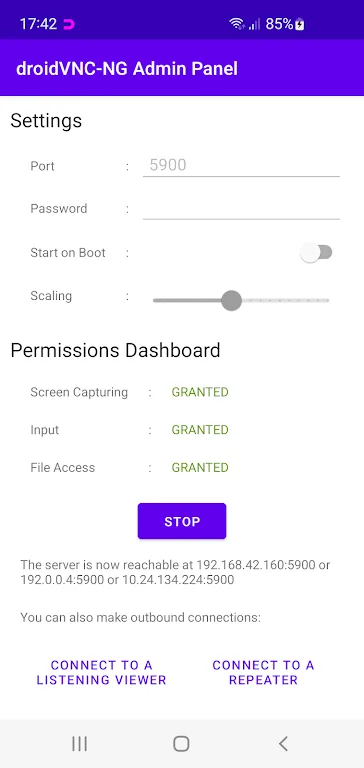
Text Copy & Paste: Easily copy text to your VNC client, supporting Latin-1 text encoding.
Web Browser Access: Control your device from any web browser—no extra VNC client required.
Auto-Discovery: Use Zeroconf/Bonjour for seamless server discovery.
Password Protection: Secure your VNC connection with a strong password.
Startup on Boot: Automatically launch the VNC service when the device powers on.
Reverse VNC: Initiate connections from your device to a client.
Repeater Support: Utilize UltraVNC-style Mode-2 for enhanced networking adaptability.
Useful Tips:
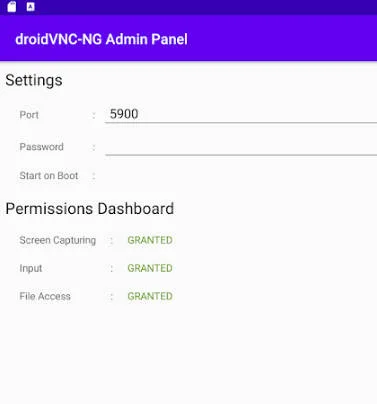
Enable Accessibility API Service: To utilize the remote control feature and access special key functions, make sure to activate the Accessibility API Service on your device.
Adjust Scaling for Better Performance: When sharing your screen over the network, consider adjusting the scaling on the server side for improved performance and clarity.
Explore Remote Control Options: Experiment with using your VNC client to control your device, including testing out different mouse and keyboard input methods for a personalized experience.
Final words:
Are you seeking a way to remotely access your Android device's screen? droidVNC-NG, an open-source Android VNC server app, might just be the solution. It provides network accessibility to your device's frame buffer and even includes optional server-side scaling.Unlike many other apps, droidVNC-NG doesn't demand root access. It forwards a VNC client's pointer events, handles text copy & paste from client to server, and even includes special keys to access the 'Recent Apps' overview, Home button, and Back button.








