
Rotation Control Pro aims to personalize your screen, allowing you to customize the screen rotation direction and method of different applications to your liking, providing a more immersive user experience. Furthermore, Rotation Control Pro boasts strong compatibility, running smoothly on most mobile signals. Whether it's software or games, users can customize the settings to meet their individual needs. Interested users can download Rotation Control Pro from this site.
Click to load YouTube / 点击加载视频
YouTube ↗Features:
Individual App Settings: The screen rotation command will be set by the user for the applications they want. The system will immediately apply the rotation command to these applications. Users can rotate the screen when they start and access those applications.
Starts With Preset: The system will record the settings commands performed by the user. Each command will be set for many different applications. Users can activate the screen rotation command for any application that they frequently use.
Force Fixed Apps: The device screen will be rotated in the direction requested by the user. However, some marked applications will keep the default screen. It all depends on the command activated by the user. The system will follow everything the user requests.
Convenient Notification Bar: The function key will be pre-installed on the notification bar. Users just need to slide and search for it on the device’s notification bar. This makes activating the screen rotation system much easier.
Smart Event Detection: Users will receive a smart application that can detect abnormalities. The screen mode will rotate to the default direction when the application detects a charger or headset. Users will need to adjust the screen if they want to continue using the application’s service.
Reverts On Closing: Screen rotation enhances the user experience with that application. When accessing applications that have been installed with the screen rotation command, users can rotate the screen as desired. This command is also removed when the user closes the application and returns to the home screen.
Highlights:
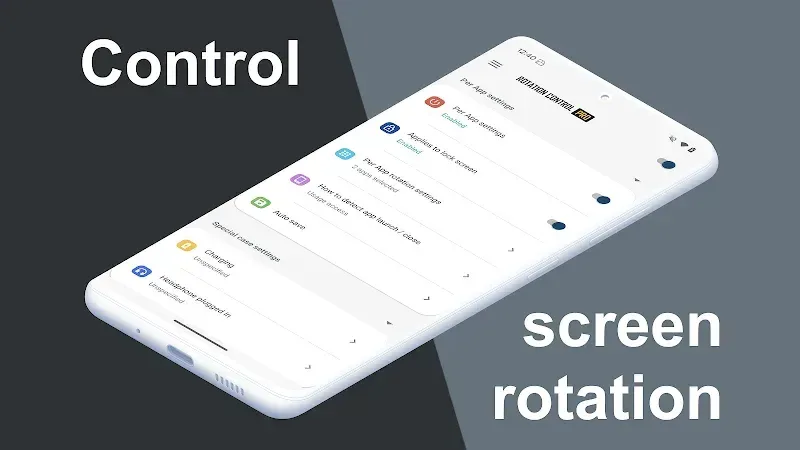
Special Condition Handling: Automatically adjust the screen orientation based on specific conditions, such as when a charger or headset is connected. This feature ensures that your device rotates to your default orientation in these scenarios and reverts to the previous orientation once the accessory is disconnected.
Notification settings: You can take advantage of the notification bar to rotate the screen. Instead of using an application to operate, you can take advantage of this helpful tool. We must pull down the notification bar and press the screen rotation button. So you can easily set the screen in landscape or portrait mode. This method even becomes more effective than usual. It helps you be flexible in changing viewing directions. Apply to websites or watch movies as desired. When we are in a comfortable state, we are also completely relaxed—no need to use cumbersome operations to rotate the screen anymore.
Settings for the application: Don’t you want to have to find the most suitable rotation every time you use the application? So, let’s always set the default settings for each frequently used application. You need to go to settings and select the application you want to adjust. Next, you will set it to default to boot according to the screen with the appropriate orientation. The remaining applications will be similar to these operations. So when you open that application, the device will automatically adjust to the desired direction. Of course, while using it, if needed, you can also change it. This style will also be convenient for us in many ways. Avoid screen rotation errors when the application starts.
Rotation:
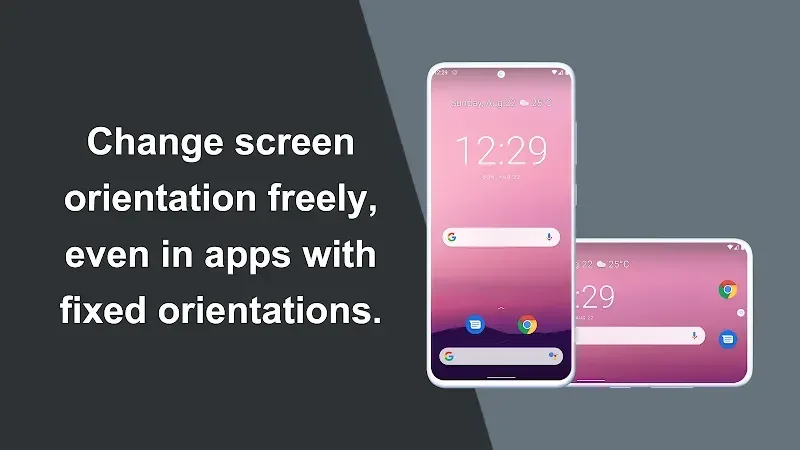
Automatic: the screen rotates based on a sensor.
Landscape: the screen is fixed to a horizontal orientation.
Landscape (Reverse): the screen is fixed horizontal upside down.
Landscape (Auto): rotates automatically to a horizontal orientation based on a sensor.
Portrait: the screen is fixed to a vertical orientation.
Portrait (Reverse): the screen is fixed vertical upside down.
Portrait (Auto): rotates automatically to a vertical orientation based on a sensor.
Conclusion:
You are probably familiar with portrait/landscape mode on every smartphone we’ve used, but maybe it’s not enough for some apps that don’t have support. If you want to have landscape or portrait adjustments on different apps or just use one of the two modes, there’s an app that helps you do that. The app is called Rotation Control Pro, also known as Rotation, Orientation. This is an advanced screen rotation lifter app for mobile devices.








