

Universal Copy is a practical tool application. It boasts powerful copying capabilities, allowing users to quickly and easily copy various documents. With Universal Copy, you simply launch it and use the default long-press function to select and copy your favorite content. No need to worry about website restrictions; bypass their protection and select any text you're interested in to copy it to your clipboard. Click to download Universal Copy now and enjoy a convenient copying experience.
Click to load YouTube / 点击加载视频
YouTube ↗Highlights:
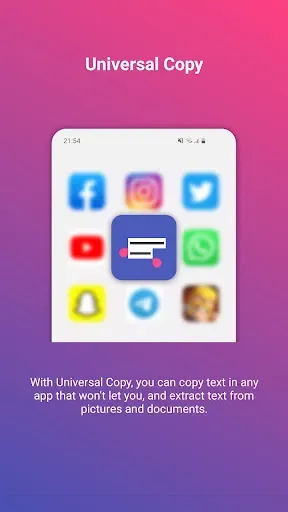
Normal mode: copy text from any application such as Facebook, Twitter, Instagram, Youtube, Chrome, WhatsApp, Tumblr, News Republic, Snapchat...
Scanner mode: copy text inside images (OCR technology). It currently works with Chinese, Devanagari (Hindi...), Japanese, Korean and Latin (English, Portuguese...) character sets.
Smart detection of entities: addresses, emails, phone numbers, @, #... are automatically detected by Universal Copy.
Copy-Paste in 1-tap: perform quick actions (translate, locate, share…) on the text you selected. This saves a lot of app switching.
Scroll mode: select texts from multiple screens or apps to copy them all.
Harvest mode: launch Harvest mode and capture all entities that you encounter while you navigate.
Benefits:
They will be able to copy content on platforms that they normally cannot copy with simple operations.
App permission is necessary to take full advantage of the features and modes to ensure the user’s copy process.
Depending on the copy target, users will take advantage of different copy modes and manipulations to handle the content they copy.
Those annoying ads can be dealt with quickly when upgrading to the Plus version for a smooth experience.
In the new version of the application, the OCR scanning feature has added support for four new languages and increased its recognition capabilities.
Features:
Copy any text from your applications
For those of you who’re in need of a universal copy tool, Universal Copy will certainly impress you with its useful copy features. Just choose whichever text content that you want to copy from any of your mobile applications, including Facebook, Instagram, Twitter, and many others. The app will enable quick and effective copy options for any of your selected texts with ease. Hence, you can collect certain content that wasn’t available before.
Interactive and accessible in-app features
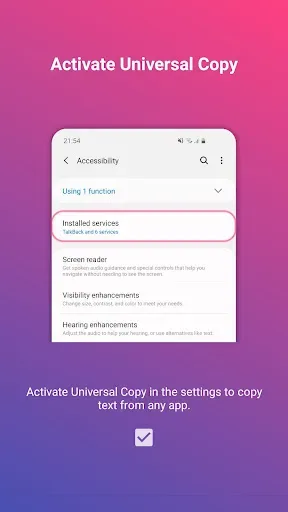
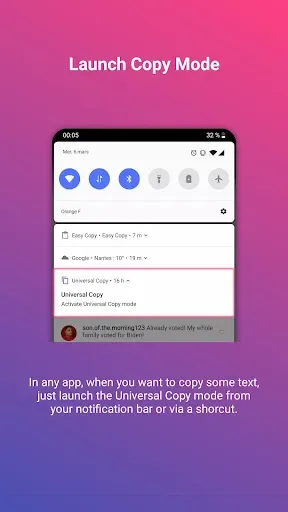
And to start using the app, all you need to do is to access Universal Copy and enable the single switch in the app. Turn on the in-app features and you can start seeing the Universal Copy notification bar on the notification center. Here you can enjoy the exciting features from Universal Copy with just a simple tap on the enable button. Then, proceed to select whichever texts that you want to copy on the certain apps or files.
Choose whichever content that you want to copy
Once you have had the application enabled, Universal Copy can access whichever text content that’re currently being displayed on your mobile devices. All you need to do is to select them and attempt to copy whichever texts that you find interesting.
Copy text from even your images
And now with the OCR feature being available on Universal Copy, Android users will find themselves enjoying the ultimate copy functionality. Here, you can easily turn your texts from certain images into editable content with the available OCR button on Universal Copy. Feel free to make uses of the powerful features as you progress in the app.
Enjoy the full version of the app for free
To make the app more interesting, Android users in Universal Copy will now find themselves enjoying the full version of the app on our website. Here, you can pick up the completely unlocked content and all of the premium features on the app for absolutely free. Just download the Universal Copy Mod APK, follow the provided instructions, and you should be ready to go.
FAQs:
Is Universal Copy free to download and use?
Yes, Universal Copy is available for free on the Google Play Store.
Can I copy text from websites with copy protection?
Yes, Universal Copy allows you to copy text from websites with browser protection or restrictions.
Will copied text disappear if I close the app?
No, the copied text is saved to the clipboard within the app, so you can access it anytime.
Final verdicts:
Universal Copy is an app to copy text snippets from any app you're using. This means you can copy text even if the app you're in at that moment (Instagram, Facebook, Twitter, etc.) doesn't let you do it by default. All you have to do to use Universal Copy is open your notifications bar, tap the button for the app, and then select the lines of text you want to add to the clipboard. That's it. So easy to copy any snippet. With it installed, no app can stop you from copying text and adding it to your clipboard.








