

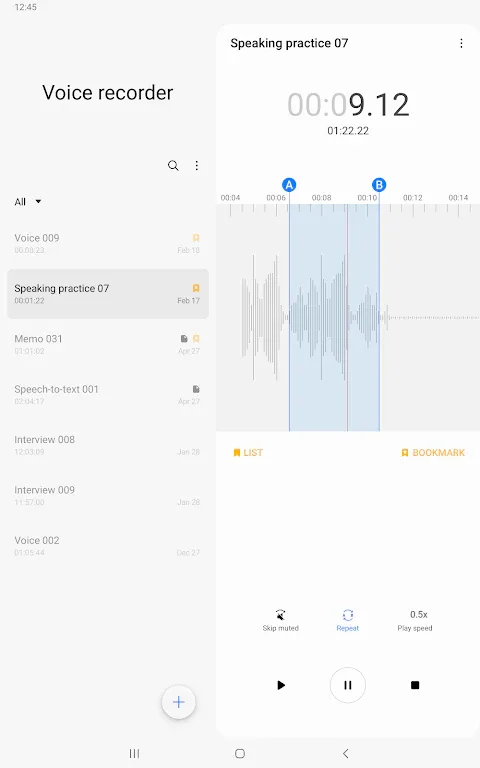
Samsung Voice Recorder is a recording software that allows users to record various high-quality audio files, edit and transcribe them to create smoother audio productions. It supports multiple recording modes and displays the audio waveforms of different voices for easy playback and editing. Samsung Voice Recorder also supports sharing, allowing users to share their edited recordings with friends or within the software, catering to personalized usage needs.
Click to load YouTube / 点击加载视频
YouTube ↗Features:
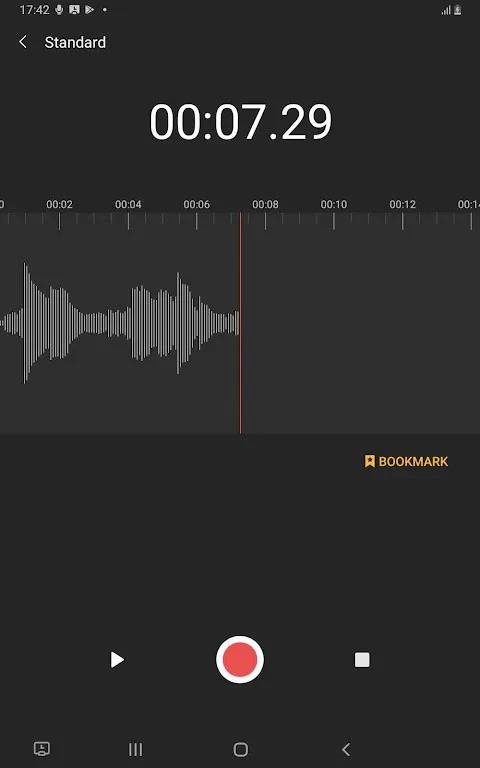
Record easily anytime, anywhere: Start recording quickly and easily from anywhere, including from your Galaxy smartphone, tablet, or watch.Record through the built-in microphone, a Bluetooth headset, or a compatible external microphone.
Record in various recording modes: [General] It allows you to record easily. It shows the waveform of the audio.[Interview] Record yourself and another person’s voice using the microphones on the top and bottom of your phone. It shows the waveform for each voice, which you can play back separately.
Bookmark important moments: You can add bookmarks to easily find important content.You can also collect only the snippets you bookmarked or play them right away.
Block calls while recording: When you get a call while you’re recording, you can continue recording without answering.
Share only the data you need: Share your recorded audio or transcribed text by selecting only the data you want to share.
Highlights:
Organizing, bookmarking, and editing: Beyond capturing sound, the app helps you manage what you have recorded. You can store, name, and organize files, and there is support for categories if you want to keep work, study, and personal notes separate.There is, however, a notable limitation in the current layout. Earlier versions offered an uncategorized list, which acted as a default bucket for new recordings. Recent updates removed that view, leaving only an “All Recordings” list and whatever categories you define. If you relied on that neutral space to spot fresh or uncategorized clips quickly, the new structure can feel clumsier.Bookmarks are a more successful feature. While recording or listening, you can mark important moments, then jump back to those points later. The app can gather only the bookmarked snippets or play them in sequence, so you can focus on the highlights without scrubbing through long files manually.Editing is intentionally light. You can trim and manage recordings enough for everyday use, but it does not try to compete with a full audio editor.
Transcription and sharing options: A key extra is its transcription ability. The app can turn spoken audio into text, then let you edit that text directly. For meetings, lectures, or dictated notes, this can save time compared with typing everything out.Accuracy is generally solid for clear speech, although it is not flawless and will occasionally misinterpret words or phrases. For quick drafts or reference notes, it is very handy; for final documents, you will still need to review and correct the output.Sharing is flexible. You can send the full audio file to other apps, or share just the transcribed text. The option to choose only what you need, either audio or text, keeps things efficient and avoids sending unnecessary data.
Extras for everyday convenience: The app is designed to fit into day-to-day phone use. A useful touch is its ability to keep recording while calls are blocked and set aside. That way, an incoming call does not break your recording session.It can also work across different Galaxy form factors, including phones, tablets, and watches, which helps if you like to record from whichever device is nearby. Permissions such as microphone, audio storage, Bluetooth device access, notifications, contacts, and call log are used to support features like microphone input, saving files, recording via Bluetooth headsets, showing ongoing recording alerts, blocking calls during recording, and importing call recording files.
Final Verdict:
Samsung Voice Recorder is the original recording software for Samsung phones, it is designed to give you an easy and wonderful recording experience and high-quality sound, while also providing playback and editing functions. In order to meet the daily needs of users, this software has developed a convenient [Voice Memo] recording mode so that you can convert your voice to text (speech voice recorder). With this advanced recording app, your work and life will be more convenient and colorful.








