
gDMSS Lite is a convenient security product. This application uses advanced technology to allow users to manage any security camera in their home, enabling them to monitor their home with peace of mind even when they are not there. With gDMSS Lite, you can store recorded videos in the cloud and on your local hard drive for viewing anytime, anywhere, without worrying about data loss due to theft or natural disasters such as fire. Furthermore, this application integrates real-time monitoring, remote playback, and PTZ control, providing a powerful toolkit for security management.
Features:
One of the notable capabilities of gDMSS Lite is its remote playback feature. This allows users to review recorded footage from their cameras directly through the app. By accessing the playback function, users can select specific time frames to view events that have been recorded, which is particularly useful for security monitoring. The playback feature enhances the app's effectiveness in providing security oversight.
Additionally, gDMSS Lite includes a PTZ control feature. This allows users to remotely control cameras that support pan, tilt, and zoom functionalities. By utilizing this feature, users can adjust the camera's position and focal length to capture specific areas of interest or to follow movement within the monitored environment. This level of control is beneficial for comprehensive surveillance setups.
The app also provides notifications for various events, keeping users informed about potential security breaches or important occurrences. These alerts can be customized based on user preferences, ensuring that individuals receive relevant notifications without unnecessary distractions. This feature helps users stay vigilant and responsive to their surveillance needs.
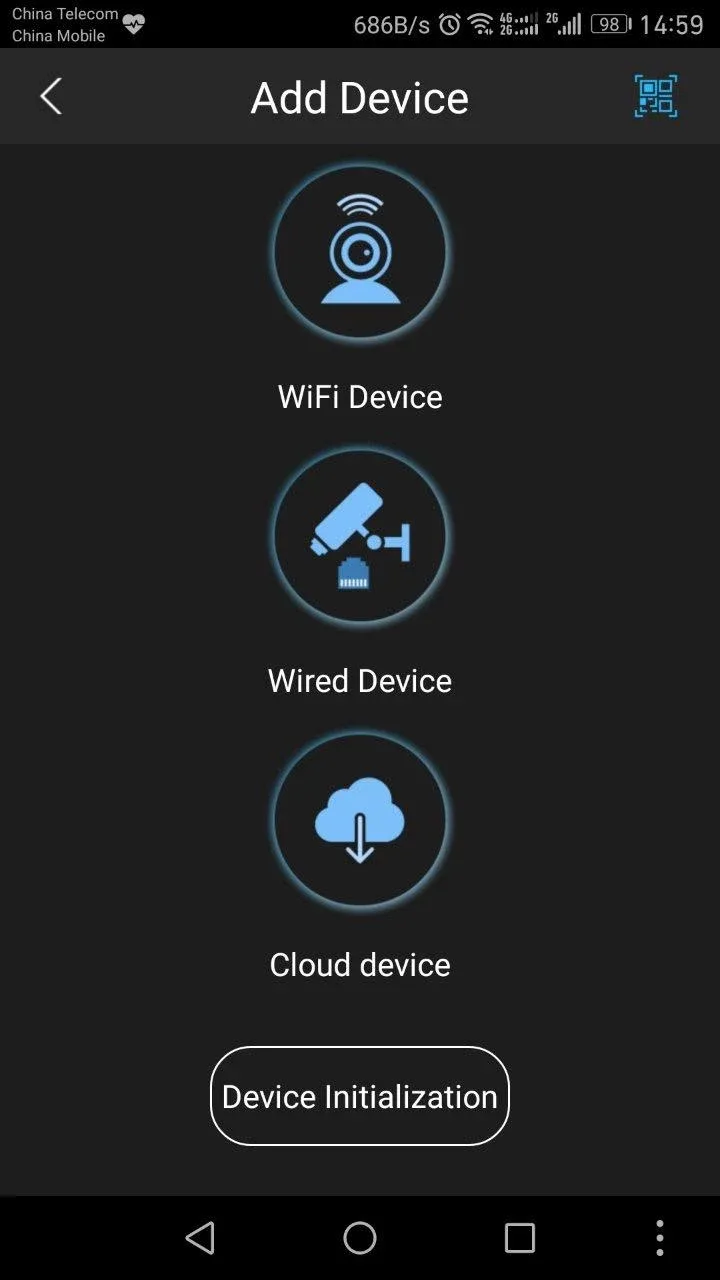
For those who require a more tailored experience, gDMSS Lite offers options for camera management. Users can add multiple cameras to their account and manage them from a single interface. This is particularly advantageous for users overseeing multiple locations or those with extensive security systems. The ability to easily switch between cameras enhances the overall user experience.
Tips for Users:
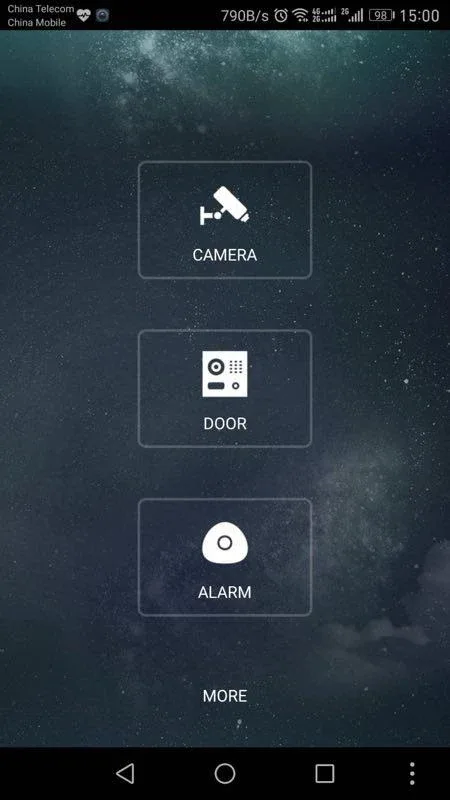
Upon launching gDMSS Lite, you need to enable permissions for file access to your media and GPS location tracking. Then, you’ll need to select your country from the displayed list. You’ll be sent to the Home menu, which simply displays four icons: Camera, Door, Alarm, and More. The first three are where you can check out the live feed of your registered devices. The Camera function, in particular, lets you playback videos.
If your devices are capable, you can also use their microphones to speak through them or record your voice. When you open up each of these tabs, you can access a side panel menu for more settings, like Device Manager, Local Files, and the like. Take note that these will vary between the three—Camera, in particular, has more configuration options available. It’s easy enough to add devices but you may often encounter problems like corrupted playback.
Meanwhile, the “More” button opens up more settings like Protection, Reset Device Password, and information about the app. Compared to gDMSS Plus, there aren’t a lot of other advanced features included here since it’s designed for casual users. However, it constantly pesters you with different issues. It will sometimes ask for permissions already previously enabled. Some of your settings might not save properly. Your live feed quality will also drop even though you’re connected to the Wi-Fi.
Pros and Cons:
Pros
Easy to use and navigate.
Allows users to access multiple DVRs from a single application.
Supports remote playback of recorded footage.
Offers real-time monitoring with PTZ control capabilities.
Provides motion detection alert notifications for added security.
Cons
Limited features compared to the full version of Gdmss.
Not compatible with all Android devices and versions.
Poor customer support for users who encounter problems or have questions about using the app.
No cloud storage option is available, so data must be backed up manually in case of device failure or theft.
Conclusion:
Download gDMSS Lite if you have installed Dahua Technology surveillance devices and want to get the most out of them. Thanks to this app, you can see everything your cameras and door devices are recording in real-time from the comfort of your Android device. Everything you need to manage home security in one app.








