

App Freezer is a freezing tool designed specifically for mobile devices. It helps users freeze unwanted pre-installed software, reducing junk files on their devices and allowing for easy restoration later when needed. The software boasts a rich collection of pre-installed resource packages; simply enter keywords to easily freeze the corresponding apps. Furthermore, it offers strong compatibility, installing and running on various mobile devices without requiring root access. What are you waiting for? Use this software now to make your device run smoother!
Features of App Freezer:
The primary function of App Freezer is to enable users to freeze or unfreeze applications with a single tap. This feature helps users to disable unwanted pre-installed apps without needing to uninstall them entirely. By utilizing this functionality, users can effectively reduce clutter on their devices while maintaining the option to restore any frozen applications at a later date.
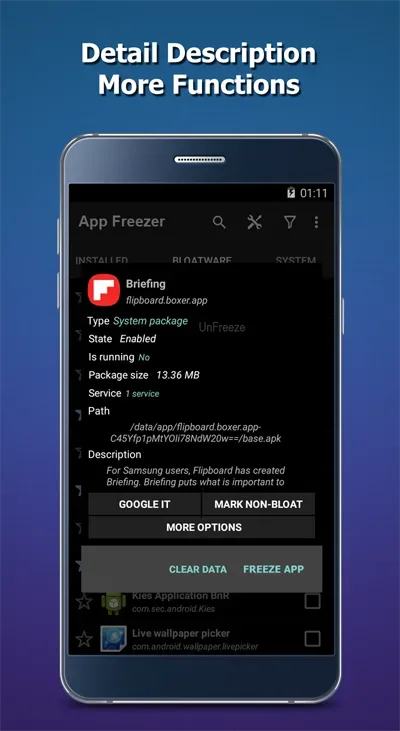
One of the significant characteristics of this application is its compatibility with both rooted and non-rooted devices. For users with rooted devices, App Freezer can utilize more advanced features, including the ability to uninstall applications directly. Those without root access can still benefit from the app’s basic functions, which include viewing package details and managing applications.
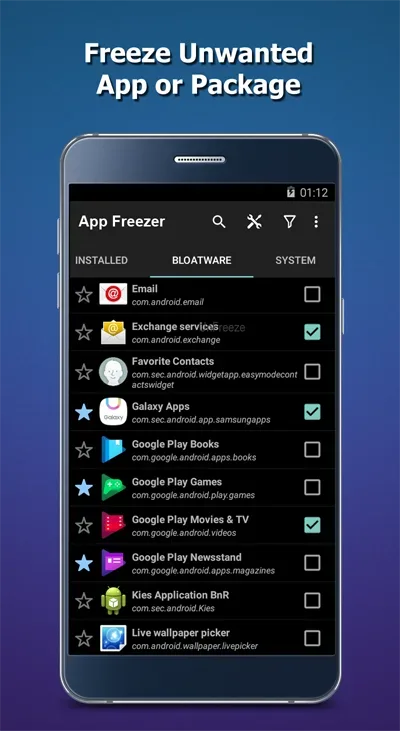
Managing bloatware is simplified with the app's ability to support over 300 pre-installed packages. Users can easily navigate through their installed applications to identify which ones they wish to freeze. This efficient organization helps streamline the user experience, making it easier to access and manage applications effectively.
Another important aspect of App Freezer is the export and import functionality. Users can export a list of frozen applications to an external storage device, allowing easy backups and restoration in case of data loss or when switching devices. This feature ensures that users can maintain their preferred application settings without hassle.
The app also includes a favorite list feature, where users can save frequently used applications for quick access. This capability enables users to freeze or unfreeze their preferred applications without navigating through the entire list each time. The efficiency of this feature contributes to a more user-friendly interface and a smoother experience.
Functions of App Freezer:
Freeze and unlock apps or app groups: Users can quickly disable unnecessary system apps, pre-installed apps, or unnecessary software on their phone.
Freeze and unlock with a single tap: You can also quickly manage unnecessary software packages with a simple operation.
Export and import lists (XML format): You can back up and restore the list of frozen apps to external storage.
Favorites List: This feature helps you save frequently used app packages for faster access.
Smart Filters: Easily view a list of disabled apps, running apps, or favorite apps.
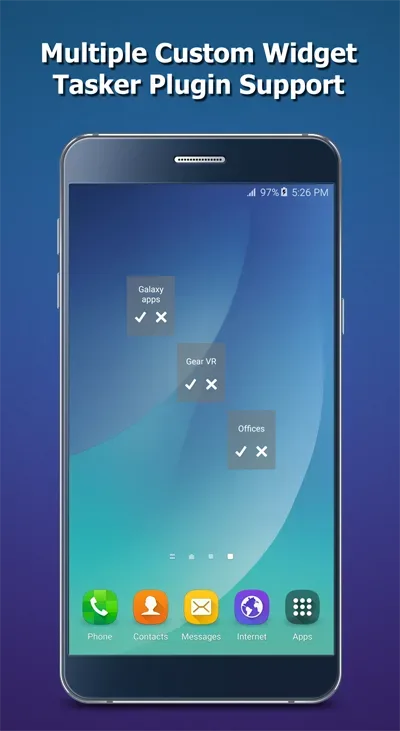
Custom Home Screen Widgets: Freeze or unlock selected apps or app groups without opening the app.
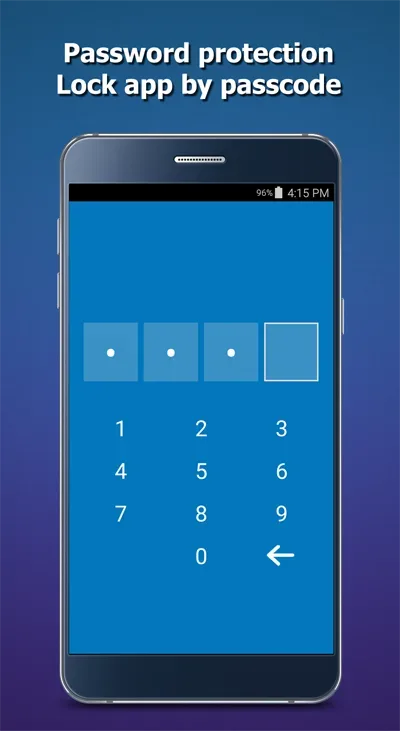
Fingerprint Authentication: Set up fingerprint authentication to protect this app from unauthorized access.
Advanced options: You can view app details, launch the app, or uninstall the app package; however, this feature is only supported on devices that have granted access permissions to the app.
How to Use App Freezer:
Install and Launch the App: After installing the Freezer App APK, launch it and grant it the necessary root permissions.
View App List: The app will display a list of all installed apps, including user apps and system apps.
Select an App: Tap on the app you want to freeze.
Freeze the App: Click the "Freeze" button. The app will be disabled, meaning it will no longer run in the background or consume system resources.
Unfreeze an App: To unfreeze an app, simply tap on it again and select "Unfreeze."
Batch Freeze: To freeze multiple apps at once, select the apps you want to freeze and use the batch freeze option. This is particularly useful for bloatware removal.
Use Widgets for Quick Access: Set up widgets for frequently frozen apps, so you can freeze/unfreeze them directly from your home screen.
FAQs of App Freezer:
How does App Freezer work?
App Freezer works by creating a virtual container where selected apps are moved to. These apps are effectively 'frozen' and cannot be accessed or used until they are unfrozen.
What are the benefits of using App Freezer?
Some benefits of using App Freezer include improving device performance by reducing resource usage, preventing selected apps from running in the background, and enhancing privacy by restricting access to certain apps.
Can frozen apps still receive notifications while they are frozen?
No, when an app is frozen using App Freezer, it is essentially prevented from running in the background, which means it will not receive notifications until it is unfrozen.
Is it safe to use App Freezer?
Yes, App Freezer is designed to be safe to use and does not require root access on Android devices. However, users should exercise caution when freezing important system apps.
Final words:
App Freezer gives you powerful control to freeze and disable unwanted apps and bloatware on Android devices without root. Easily freeze pre-installed packages with one tap, import and export custom lists, and access handy widgets for quick actions. Setup flexible fingerprint authentication or utilize ADB for deeper device administration controls. With robust app freezing, customizable lists, handy widgets and optional advanced features like fingerprint unlocking, App Freezerprovides accessible and versatile app optimization for casual users and power users alike.








