

SHAREit Lite Fast File Share is an ultra-small and fast file sender that can transfer all types of files you can imagine. It's simple and easy to use, can be linked to your contacts, and allows for easy, lossless file transfer, saving you time. Tired of waiting for transfers? The app thoughtfully includes a short video module to help pass the time.
Click to load YouTube / 点击加载视频
YouTube ↗Key Features
Simple and Unique User Interface
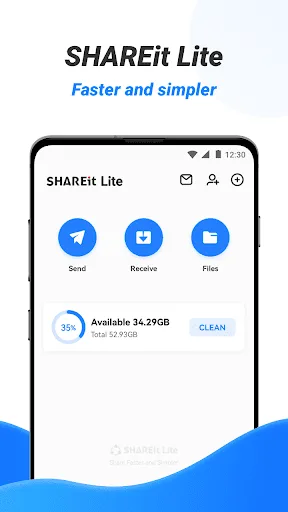
A clean and simple interface provides a comfortable file transfer and sharing experience. The file transfer app boasts a simple, clear, and easy-to-use interface.
High-Speed File Transfer
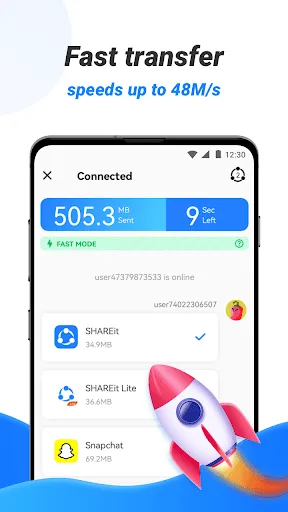
Now you can share your favorite videos, music, photos, and mobile apps through the file transfer app. Transfer speeds can reach up to 42MB/s. With this sharing app, you can send and receive files of any size. Movies, videos, and more are transferred 200 times faster than Bluetooth. You can send large numbers of apps, files, and media files at once.
Unrestricted Sharing and Sending of All Types of Files
Transfer all types of files (apps, music, PDFs, Word documents, Excel files, ZIP files, folders, etc.) anytime, anywhere. File transfer perfectly meets all your transfer needs. Connecting your phone to your computer is incredibly simple when you need to send files, especially large ones.
Completely Secure File Transfer Process:
The entire file transfer process uses encryption technology to fully protect your privacy. Furthermore, unlike other file transfer apps, we will never transmit any malicious software to you without your permission.
Fast Downloader:
Supports downloading videos and photos to your device. Video to MP3 – Video to Audio:
Easily convert videos to MP3 files, and convert MVs/lectures to MP3. This app is ideal for converting videos to audio and storing them on your device in a compressed format (smaller file size, saving storage space).
File Manager:
The file manager gives you a clear overview of the number of files and apps on your phone. This easy-to-use file manager allows you to view, move, or delete received files.
Cleaner:
Clean up junk files, uninstall apps, and delete unhealthy or unnecessary photos and videos based on various scenarios. Block third-party app notifications set by the user and prompt the user to clean up.
Advantages
Extremely fast file sharing speed
Easy to use
File type and size don't matter—you can use this feature to send files
Faster and more powerful than previous versions
SHAREit Lite's advantages over others
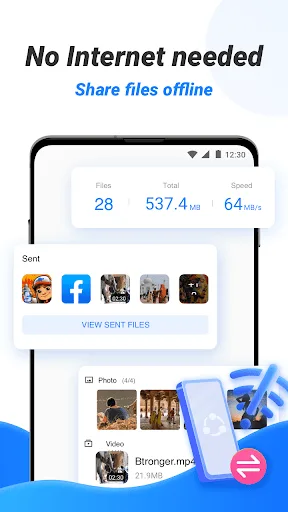
SHAREit Lite can transfer almost any type of file, regardless of size. The app supports a wide range of data types, from photos and videos to documents, ebooks, music files, and even application packages (APKs). It allows users to share large files without restrictions. Furthermore, SHAREit Lite offers a library feature, allowing all users to store received files for later access, which is extremely useful when storage space is limited.
The app's overall layout is clean and consistent with the full version. The interface is easy to navigate, featuring large, eye-catching fonts and a two-tone color scheme. Ensure that both the sender and receiver have the same app installed on their smartphones. After granting location, Wi-Fi, and Bluetooth permissions, you can start transferring any files you want, compared to the potentially slower speeds of traditional Bluetooth transfers.
How to Send Files
Sending files only takes a few steps. First, select the file you want to share. Then, connect to the recipient's device.
- Start the Sharing Process
First, open the SHAREit Lite app.
Next, tap the "Send" button. Now your phone is ready for sharing.
- Grant Permissions
The app requires certain permissions. You must grant it storage access. This allows the app to read your files.
Additionally, you must grant the app location access. The app will use this permission to create a Wi-Fi hotspot and connect devices through it.
- Select the File to Send
Now you can browse your phone's storage.
Select the file you want to share. You can choose photos, videos, or apps.
Finally, you'll see a screen waiting for the recipient.
- Connect and Transfer
Wait for the recipient to be ready. They must also open the application.
Find the recipient's device icon on the screen.
Then, tap their device icon to start the connection.
The transfer will start automatically, and you'll see a progress bar.
In summary
SHAREit Lite is a good choice for users who frequently need to share files, especially when the network connection is unstable or unavailable. The application is fast, cross-platform compatible, and a comprehensive tool.








