

KwaiCut is a user-friendly video editing software that allows you to enhance videos shot on your phone with simple steps. You can add your favorite filters, subtitles, reduce noise, and trim video clips to create beautiful video works. The software supports importing and exporting video files in various formats and comes with tutorials that allow users to easily edit on their mobile screens, making it ideal for creators. The software is also continuously updated, adding more editing tools and materials to provide users with a more comprehensive video production experience.
Click to load YouTube / 点击加载视频
YouTube ↗Features of KwaiCut:
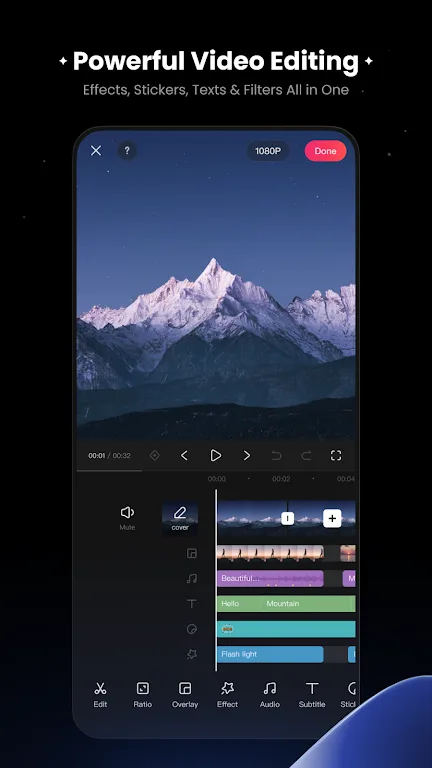
Free, precise core editing: KwaiCut lets you trim, crop, split, and splice clips with accurate control. You can reverse a segment for a quick rewind effect and change playback speed for slow or fast motion. The timeline responds to taps and drags, so arranging and refining cuts stays quick on a phone screen.
High quality export options: When the edit is done, KwaiCut exports in multiple resolutions, including ultra high definition. Aspect ratio and size presets help fit common social video formats, reducing extra adjustments. This keeps your file ready for upload after export.
Audio tools for clear sound: You can apply built in noise reduction to reduce background sounds and make spoken parts easier to hear. A music and sound effects library offers several styles for different moods, and volume controls help balance tracks with voiceovers.
Subtitles and styled text: KwaiCut supports manual captioning so you can type and place text exactly where it is needed. There are many text styles and dynamic effects available, which makes it simple to match fonts and motion to the look of each clip.
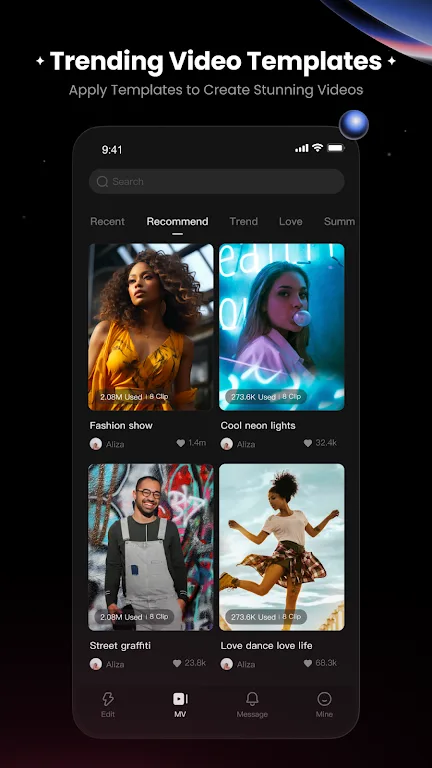
Filters, effects, and creative assets: Beyond basic edits, KwaiCut includes adjustable filters and advanced visual effects to shape the look of your footage. You can add static and dynamic stickers, plus import your own assets for custom branding. The Inspiration Center provides one tap access to trending materials and templates to speed up a consistent style.
Highlights of KwaiCut:
Seamless Editing: Trim, crop, split, reverse, change speed in a few clicks. KwaiCut Video Editor not only help beginner to edit easily, but also provide whole process from shooting to export in deeper adaptable service for direct that exports directly to ultra-high definition without losing quality across all platforms.
Superior Audio: As much as the visuals count in, interms of sounds too there counted, and the KwaiCut offers professional noise reduction and a big library of sound effects. Voiceovers keep crisp and background tracks drop right in sync, for cinematic views.
Dynamic Text Styles: It is easy to insert subtitles as there are over 300 styles available. Manual edition in KwaiCut allows you to refine while using pre-established templates in a fast way, meaning you can use it for tutorials, reels and storytelling videos.
Creative Visuals: From movie filters to an enormous library of stickers, the KwaiCut makes a grand success of visual storytelling. Adjustable filters keep videos polished, and support for custom stickers provides editors with endless creative options.
Useful Tips of KwaiCut:
Experiment with Transitions: Try out different transitions to give your videos a professional touch.
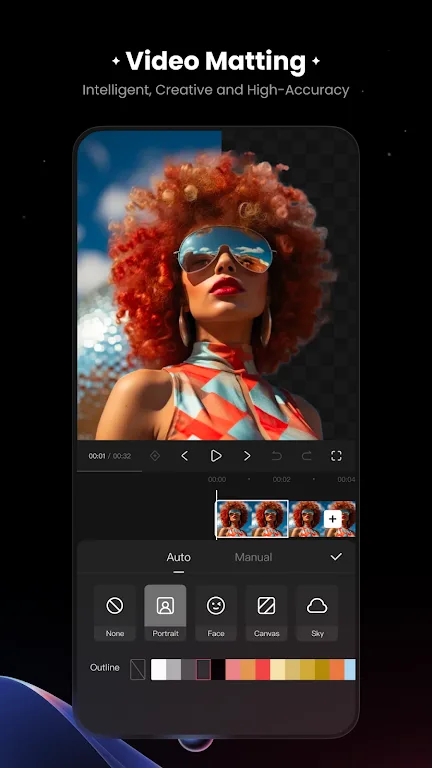
Utilize Chroma Key: Use the intelligent Chroma Key feature to create visually stunning effects.
Customize Audio: Play around with sound effects and noise reduction to enhance the audio experience.
Beautify Videos: Enhance your videos with the Beautify feature for a polished look.
Get Creative with PIP: Add a creative touch by experimenting with Picture-in-Picture blending modes.
User Reviews of KwaiCut:
This is basically capcut but EVERYTHING is free, like effects, transitions,and lots of other stuff so I would recommend this since it's free and hasmore than what capcut has and is VERY simple to use, not like a light motionor after affects, W app(I'm also not a bot, I just really like the app as aneditor.
Amazing app i am im love! The only reason I'm giving it 4 and not 5 is bc of the fact thatthere isn't a lot of variety of graphs to use between key frames. I'd rlly love it if you guysgot create more graphic options and even a customizable one. You guys should also adda black light flash effect thats adjustable and glow text PLEASEEE!!
I have loved this app for a while now.. but these are a few complaints of mine.Please addmore font.The font library is so lacking. I can't believe I have to manually add fonts everytime I want to edit .I just got a new phone and lost all the fonts I had previouslysaved.Also the fonts become wacky after a few edits.. huhh??? Telling me resources notloaded.Please Add more sound effects. And please recategorise the sound effectsplease.
Conclusion:
Unleash your creativity with KwaiCut, the all-in-one video editing app designed to help anyone create stunning videos quickly and easily. Whether you’re a beginner creating your first social media clip or a content creator producing professional-quality videos, KwaiCut provides powerful editing tools with an intuitive interface.








