

Lightroom is a professional photo editing app where you can quickly edit photos and videos anytime, anywhere using various functions. For beginners, Lightroom supports one-click filter addition, allowing you to achieve perfect results without professional skills. If you're a professional, there are a variety of advanced editing tools available to adjust all attributes of your videos or images to your liking. Lightroom has a clean and intuitive design, making it easy to use and providing the best experience anytime!
Click to load YouTube / 点击加载视频
YouTube ↗Use
Download the Lightroom app to your device from the App Store or Google Play Store.
If you don't have an Adobe account yet, please sign in or create one.
Add photos to your gallery by selecting the "Add Photo" button on the home screen or uploading from a folder.
Select the photo you want to edit and tap the "Edit" button to begin the editing process.
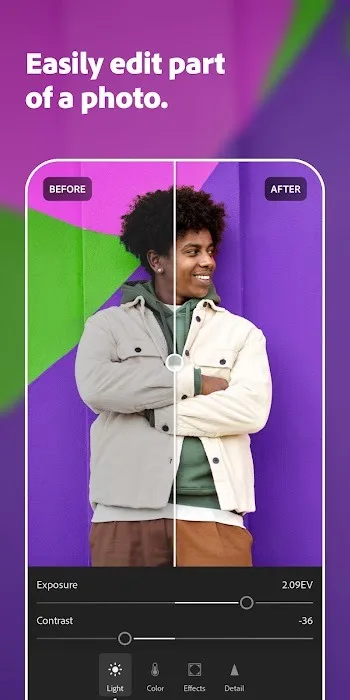
Use the editing tools to adjust the brightness, contrast, color, and other elements of your photo. These tools are displayed as icons on the toolbar.
Tap the "Done" button on the screen to save your edited photo.
If you want to share your photo, select it and then select the "Share" button to share it on social networking platforms.
To create an album, select a photo and then select the "Add to Album" button to create a new album, or add the photo to an existing album.
To save a photo in a specific file format, select the "Save" button and then select the file format you want to save it in.
If you want to use Lightroom on multiple devices, sign in to your Adobe account on each device and sync your photos and edits.
Features
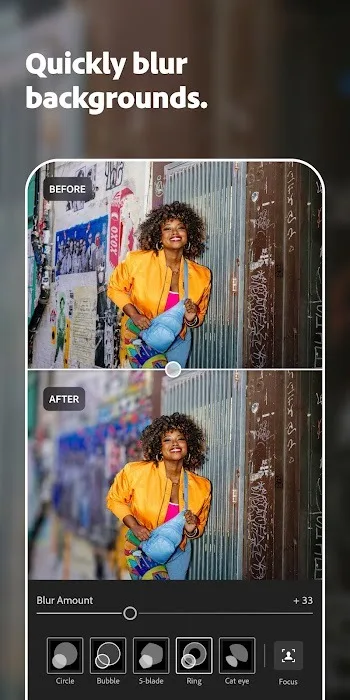
Quick Editing: Brighten dark images, remove blemishes, soften skin, or soften backgrounds with just a few taps.
One-Click Enhancement: Instantly and automatically adjust brightness, contrast, saturation, and more using quick actions or adaptive presets.
Custom Presets: Choose from built-in filters or create your own signature look and apply it to your photos.
Video Editing: Not just for photos—Lightroom also allows you to adjust the brightness and color of videos and apply presets for a consistent aesthetic.
Pros & Cons
Pros
Easy to use and with an intuitive user interface.
Fast photo syncing with the desktop version of Lightroom.
Powerful photo editing tools for adjusting exposure, color balance, sharpness, and more.
Enhance images with a variety of filters with a single click.
Supports RAW image files from DSLR cameras.
Advanced sharing options allow you to publish content directly from within the application.
Cons
Limited editing features compared to the desktop version.
No plugins or third-party extensions supported.
Managing large image libraries on mobile devices is difficult.
Performance instability can occur due to the limited hardware resources of Android devices.
Lack of RAW file format compatibility with some camera models.
FAQs
What is Adobe Lightroom?
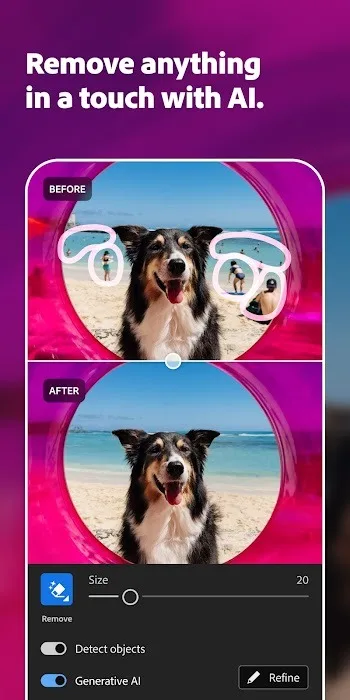
Adobe Lightroom is a mobile photo and video editor with built-in presets, AI tools, and professional-grade controls designed to simplify powerful editing anytime, anywhere.
Can Adobe Lightroom edit video?
Yes, Lightroom lets you edit, color grade, adjust audio, and export video in high resolution—ideal for creating short videos and short film content.
Is it safe to install the Adobe Lightroom MOD APK?
MOD APK versions usually remove ads and pre-installed software, but to avoid security risks, please always download from a trusted source.
Do I need an account to use the Adobe Lightroom MOD APK?
No! In the modified version, you can completely skip the login step and start editing without creating an Adobe ID.
Does Lightroom support RAW and HDR image editing?
Absolutely. Lightroom can shoot and edit RAW files, and even export HDR images that retain full contrast and color depth.
Summary
Lightroom is more than just a popular editing application; it's a toolkit designed for digital storytellers who value quality, control, and creativity. With its clean interface, AI-powered tools, and powerful customization features, Lightroom lets you easily master professional editing skills—and if you're using the modified version, no subscription is required. It respects your time, workflow, and style.








