

Settings App is a simple yet comprehensive utility. This application boasts powerful tools that allow users to personalize and optimize their Android device experience to their liking, enjoying a customized user experience. With Settings App, users can adjust basic smartphone settings, making your life easier. You can adjust many functions of your smartphone and create multiple profiles containing different settings, which can be activated at any time. Furthermore, this application has a powerful built-in search function, allowing users to quickly access the settings options they need.
Highlights:
Tweak advanced Android system settings without root: SetEdit allows you to modify system settings that were previously not accessible without root access.
Displays settings database content: The app shows the contents of the settings database in a list of key-value pairs, categorized into different tables like SYSTEM, GLOBAL, SECURE, or ANDROID properties.
Edit, set, or add new settings: SetEdit enables you to make changes to the settings database by modifying existing values, adding new ones, or setting specific configurations.
Enhance user experience (UX) and personalize UI: Users can customize the control center or toolbar buttons, change colors, enable blur backgrounds, and improve the system UI.
Unlock additional features and hidden settings: The app provides access to hidden settings, enabling users to gain free services, enable tethering and hotspot, and obtain themes and fonts without additional costs.
Important warnings and support: It alerts users about potential risks and advises caution with certain settings. It also offers support and guidance on granting necessary permissions and clarifies that the app does not take responsibility for any damages caused.
Features:
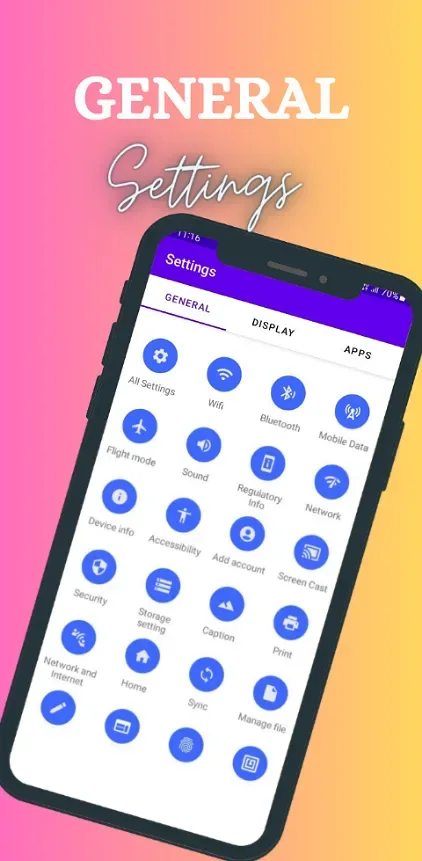
MOBILE DATA - This setting offers a seamless way to toggle mobile data usage on and off, helping users manage their data consumption effectively.
BLUETOOTH AND NFC - This settings enable hassle-free device pairing and contactless sharing, respectively. Users can connect their devices with ease and manage their connected devices effortlessly.
SOUND- This settings provide a variety of options for customizing notification sounds, ringtones, and volume levels, ensuring the perfect auditory experience.
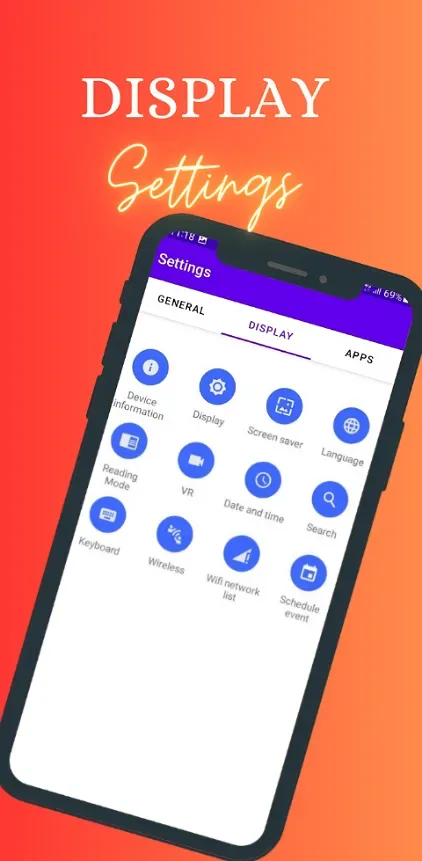
DISPLAY- This section lets users fine-tune their device's visual output, adjusting brightness, screen timeout, and even activating screen savers.
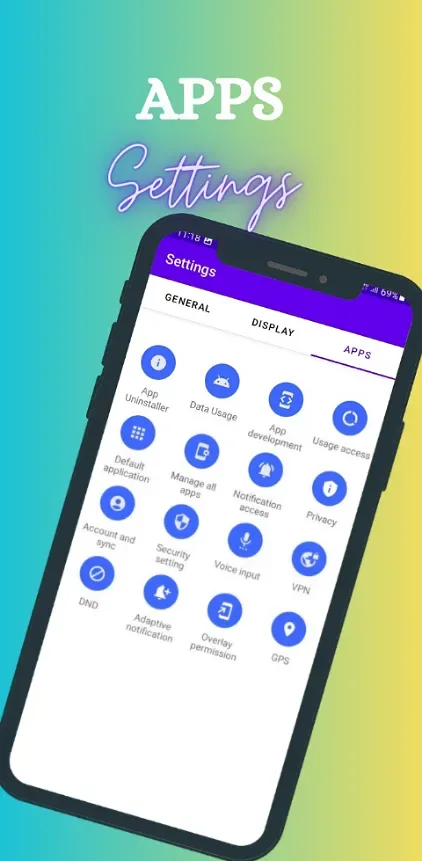
FINGERPRINT LOCK AND SECURITY SETTINGS - Where users can set up robust security measures to protect their device and personal information.
VPN AND PRIVACY- This sections provide additional layers of security and control over online activities and app permissions.
SCREEN CAST - This feature lets users mirror their device screen onto a larger display, while "Multi-Window" enables the use of multiple apps simultaneously.
GPS, LOCATION, AND SEARCH- Help users find their way and locate information efficiently.
WEB-VIEW - This feature seamlessly integrates browsing capabilities within apps, streamlining the process of accessing online content.
DATE AND TIME- This settings, allowing users to set their device's time zone and format.
SCHEDULE EVENT - This feature enables easy organization of appointments and tasks.
ACCESSIBILITY AND CAPTION- Enhancing usability for individuals with varying needs.
READING MODE- Adjusts display settings to reduce eye strain during prolonged reading sessions.
Benefits:
Per app profiles
Settings App lets you assign tailored settings for individual apps. You can set volume, screen orientation, brightness, Bluetooth, Wi Fi, and whether the screen should stay awake for that app. This approach separates sound, display, and connectivity into clear groups, which makes each profile easy to read and edit. It is designed for everyday scenarios like reading, watching videos, or gaming where each app benefits from its own setup.
Auto apply on launch
Profiles are applied automatically the moment your chosen app starts. Settings App detects the launch and switches to the correct profile without extra taps. As a result, you can open an app and find the right settings already in place. This keeps behavior consistent from one app to the next.
Default profile and polite defaults
Use the default profile as a fallback for every app that does not have its own profile and when the screen is off. Settings App encourages conservative choices in this default profile, such as lower brightness and disabling Bluetooth or Wi Fi when they are not needed. This helps avoid accidental drain when you are not actively using an app. It works alongside your device preferences rather than replacing them.
Battery and data saving
Profiles can reduce brightness and turn off connectivity when appropriate to conserve power and limit data usage. Settings App targets these changes when apps open or when the screen turns off, so heavy features do not continue running by mistake. Over time, this helps keep the phone responsive throughout the day. It is useful for users who want predictable battery behavior across different apps.
Conflict free setup
Settings App is designed to be a single profile manager on the device to avoid clashes. If you use another automation or profile tool at the same time, settings may compete and change unexpectedly. Keeping this app as the primary profile manager helps maintain clean, consistent behavior. It also makes troubleshooting simpler if something does not work as expected.
Conclusion:
With Settings App, you can even establish different settings for when you’re at work or the gym, for when you’re driving or when you’re asleep. Have it turn up your call’s volume when you need it to or turn down your screen’s brightness at night. This app can activate the WiFi when you get home or turn on the do not disturb mode while you’re driving. With a single click, you can create the right profile for every situation and save yourself the time that it takes to change these values one by one.








