

AudioRelay is designed to help users establish stable audio connections between mobile devices and PCs. Simply pair the devices to transmit sound from your PC to your PC, freeing you from the constraints of cable length and allowing you to share your PC's audio anytime, anywhere. The software boasts strong compatibility, running on most mobile devices and PCs. With the help of tutorials, users can easily connect and improve sound quality and stability to meet their needs. The software also supports logging in on multiple devices, allowing users to easily continue their connection to their PC.
Click to load YouTube / 点击加载视频
YouTube ↗Features of AudioRelay:
The app enables users to turn their Android devices into wireless speakers for their PCs. This functionality allows for receiving all PC audio over Wi-Fi or USB, ensuring a low-latency experience. Users can listen to their favorite media without dealing with significant delays, which is essential for activities like gaming or watching movies. The ability to connect via USB tethering is an added advantage, as it eliminates potential lag and provides a more stable connection.
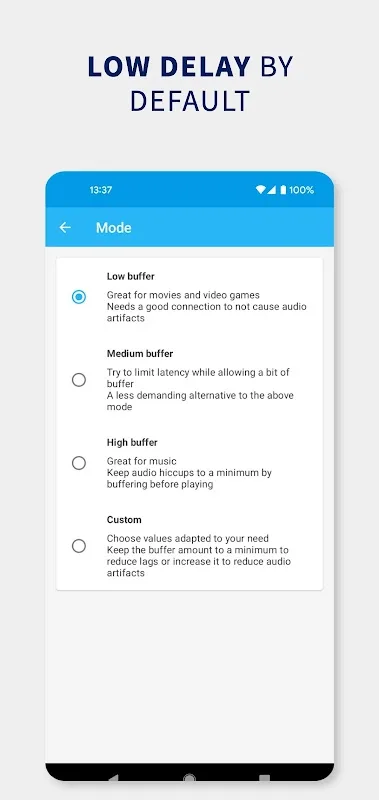
AudioRelay features audio compression technology to reduce network traffic, making it efficient for streaming high-quality audio. This is particularly beneficial in environments with limited bandwidth or when multiple devices are connected to the same network. The app also includes multiple buffer settings that users can customize according to their preferences, ensuring optimal performance based on their specific setup.
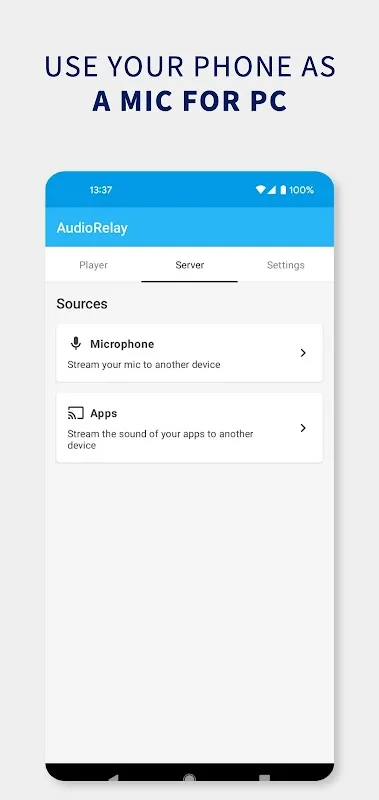
In addition to streaming PC audio, AudioRelay allows users to utilize their Android devices as microphones for their computers. This feature is useful for voice chats, online gaming, or recording purposes. Users can easily switch between listening to audio and using their phone’s microphone without needing additional hardware.
The app supports audio sharing between devices, enabling users to listen to their phone's audio on their PC or share audio with another Android device. This feature requires Android 10 or later, broadening the usability for users with compatible devices. By using AudioRelay, individuals can enjoy a more integrated audio experience across their devices.
AudioRelay also provides remote control capabilities, allowing users to adjust their device's volume directly from their PC. This feature adds convenience, as it eliminates the need to switch back and forth between devices when making adjustments. Users can also customize the names of their devices, making it easier to identify and manage multiple connections.
Strengths of AudioRelay:
Developed by Asapha Halifa, AudioRelay focuses on simple, low-latency audio streaming between PC and Android. It turns a phone into a wireless speaker or a handy microphone when gear is out of reach. A desktop companion handles connections over Wi‑Fi or USB for stable results. If you prefer a quick, cable‑free setup, the AudioRelay APK keeps things straightforward. Below are the features that matter in everyday use.
Stream all PC audio to Android over Wi‑Fi or USB with low delay.
Use the phone as a PC microphone or monitor the mic directly.
Route phone audio back to PC or another Android device; Android 10 required.
Adjust buffer sizes and Opus compression to balance quality and stability.
Control device volume remotely and rename devices for easy identification.
Premium enables multi-device listening, notification controls, quality options, and removes ads and limits.
FAQs of AudioRelay:
Is your audio sent anywhere?
The server only sends your audio data on your network to your connected devices. It's not sent anywhere else.
Is it possible to connect multiple devices?
Yes, you need to purchase premium in 1 of your Android devices.After purchasing premium, connect the device to the server. This will unlock the multi-connection feature until the server is restarted.The feature will stay unlocked even if the device with premium is no longer connected. But it will be locked again if you stop the server application.
Performances degrade when the app is in the background?
Some phone manufacturers try to increase battery life as much as possible. But it's sometimes to the detriment of long-running apps such as AudioRelay.
Why is there a lot of latency when listening through a Bluetooth device?
Unfortunately, audio played over Bluetooth is inherently going to have latency. You can observe the delay of your headset by playing with a soundboard app, or using this one.If you don't notice any latency when using YouTube, it's because videos apps can compensate for the lag by synchronizing both the image and the audio. You can still notice the audio delay by pausing and resuming a video.
How to listen to music or a call at the same time as AudioRelay?
By default, AudioRelay will stop streaming if another app requests to play audio. Respecting what's called Audio focus in Android.
You can disable this behavior
Inside the Android app, go to settings
Click on Exclusive audio
Select one of the Deactivated options
Conclusion:
AudioRelay is a highly effective and reliable tool for anyone looking to break free from traditional audio setups. It delivers exactly what it promises: low-latency, cross-device audio streaming that works seamlessly over both Wi-Fi and USB. While the performance dip on poor Wi-Fi and the slight initial configuration hurdle are minor drawbacks, the overall utility and flexibility it offers make it an indispensable application for tech-savvy users.








