

PowerDirector - Video Editor is a full-featured mobile video editor. This powerful application is designed for creators who want to produce compelling content without a hefty budget. With PowerDirector, you can utilize multi-track timelines, animated titles, 4K export, slow motion, and more, along with powerful controls over every transition and keyframe. Users can use it to create various types of videos, easily crafting beautiful video collages with just a little time investment.
Click to load YouTube / 点击加载视频
YouTube ↗Highlights:
These tools significantly reduce editing time by automatically identifying key moments, applying dynamic templates, and seamlessly transforming static images into vivid, animated video content. Community feedback highlights that mastering AI Auto Edit can dramatically streamline the post-production workflow, particularly for social media creators aiming to produce viral clips efficiently.
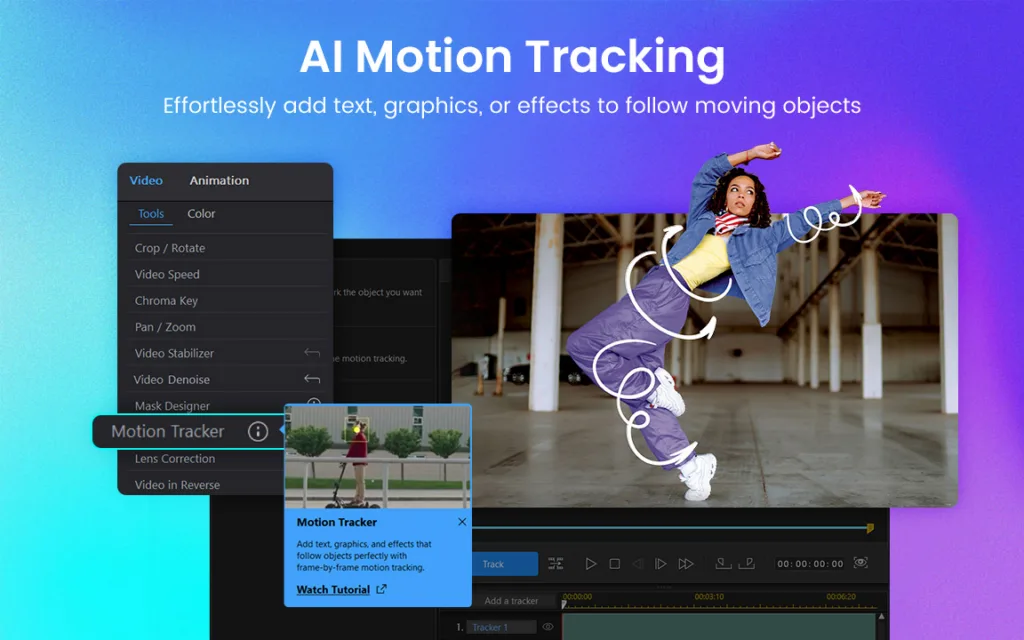
Players and users often discuss certain challenges in fine-tuning AI enhancements like the AI Voice Changer and AI Speech Enhancement, where overprocessing can sometimes reduce audio clarity; the best approach shared among advanced users is manual adjustment combined with real-time previews to maintain a natural sound balance. Another popular community tip involves leveraging the AI Smart Cutout and Body Effect with body tracking features to create sophisticated overlays or interactive videos without extensive manual masking. Utilizing the built-in stock library in combination with customizable templates allows creators to quickly assemble professional-grade projects with minimal asset hunting.
Key gameplay shortcuts include mastering keyframe controls for smooth animation transitions, especially for picture-in-picture effects, and exploiting green screen editing to open up limitless background customization options. For fast editing, users advise pre-selecting favorite templates and filters to reduce decision fatigue. Additionally, toggling between AI Speech-to-Text and manual caption edits improves subtitle accuracy for varied dialects and background noises.
Features:
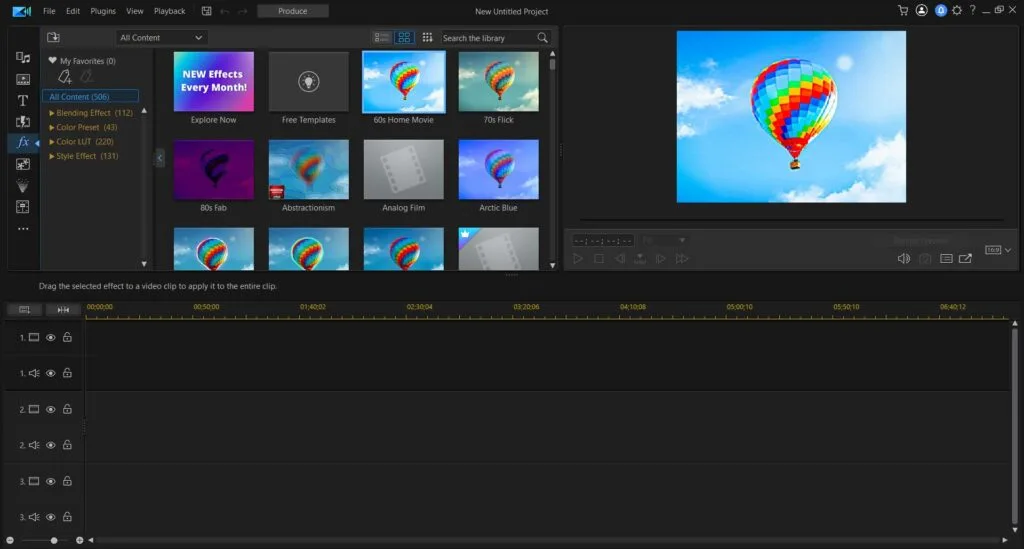
4K Editing and Export: Edit and export your videos in up to 4K resolution for ultra-high definition.
Wide Format Compatibility: It can work with various video formats, such as MOV, MP4, MTS, MPG, and M2TS.
Color Grading Tools: Advanced color grading tools to enhance the visual quality of 4K videos.
18,000+ Video Templates: 18,000+ customizable video templates for fast editing.
Stock Music & SFX: 1,500+ royalty-free background music & sound effects.
Titles, Overlays & Effects: Hundreds of title animations, stickers, overlays, filters, and effects.
AI-Powered Effects: AI-powered effects include face recognition, body tracking, etc.
Pros & Cons:
Pros
Lightweight and simple
User-friendly and intuitive
Allows the creation of video collages
Includes video stabilizer tool
Cons
Not compatible with some devices
FAQs:
What is PowerDirector?
PowerDirector is a mobile video editing app packed with professional grade tools like keyframe controls, slow motion, 4K export, and green screen editing.
Is PowerDirector free to use?
Yes, PowerDirector offers a free version with basic features, but the premium version unlocks advanced tools, effects, and royalty-free stock content.
Can I use PowerDirector for YouTube videos?
Absolutely. PowerDirector has export options and templates tailored for YouTube, plus it supports 4K video and direct uploads from the app.
Does PowerDirector support green screen editing?
Yes, it includes chroma key and smart cutout features that let you replace or remove backgrounds, even without a physical green screen.
Conclusion:
At the end of the day, PowerDirector does what most mobile editors promise, but actually delivers: legit control, aesthetic edits, and a workflow that lets creators focus on content, not complexity. Whether you're editing videos for fun, followers, or freelance gigs it gives you space to level up your output with way less effort.








