

Magisk Delta is an outstanding system administrator privileges tool that helps users easily grant root privileges, bringing you an enhanced device experience and allowing you to fully develop and utilize your phone's performance. The application presents a lightweight yet powerful root privileges management application to a wide user base, offering excellent features such as preventing boot loops, hiding the root directory, and module support. Users can experience core mode, initial mounting, and system installation assistance. The application is easy to use, providing excellent solutions to unleash your device's full potential, and active community support ensures your issues receive timely attention and resolution.
Click to load YouTube / 点击加载视频
YouTube ↗Wonderful Features of Magisk Delta
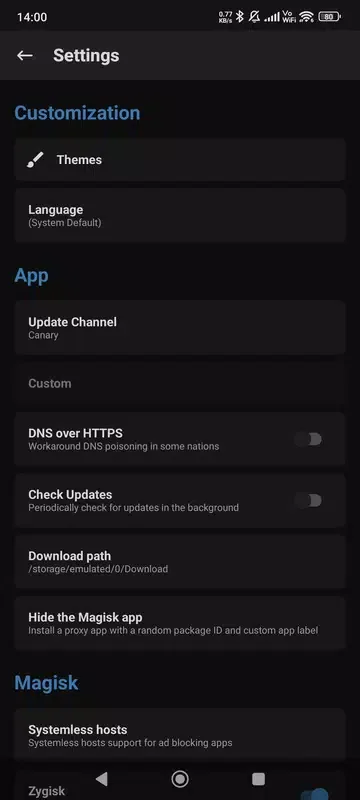
MagiskHide: MagiskHide is more than just a feature; it's your privacy shield. It hides your device's root state, ensuring you can use all applications without restrictions, without worrying about privacy issues.
Boot Loop Protector: With the boot loop protector, say goodbye to the annoyance of endless reboots. This feature acts like a security guard, ensuring your device's safety, even when trying new modules.
Core Mode: Core mode is designed to maximize stability. By disabling all modules, ensure smooth device operation and provide a reliable and stable user experience.
Pre-initialization Mount: The pre-initialization mount feature allows you to access the system in advance. This feature is designed for enthusiasts who enjoy tinkering with their system and want to mount files at the earliest stage of the boot process.
Custom init.rc: Customizing the init.rc file allows you to customize the device's boot order. Inject your personal style into custom scripts and truly personalize your device.
System Install: System Install is an emulator assistant that allows you to bypass the need to modify the boot image by rooting your virtual Android environment by installing Magisk to the /system partition.
Amazing Highlights of Magisk Delta
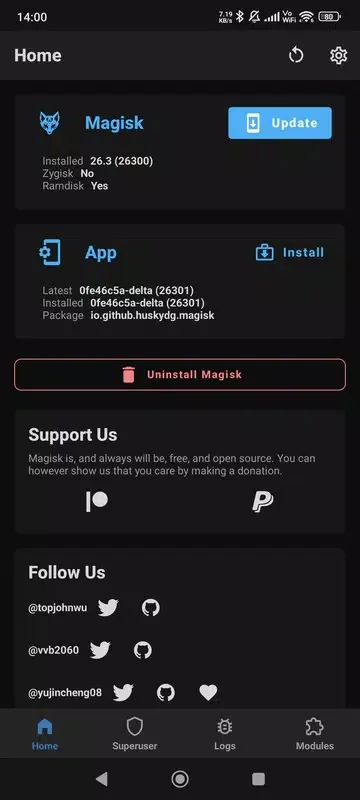
One advantage of Magisk Delta over Magisk is that it integrates a module to prevent troublesome reboot loops. These loops occur when you flash incorrect or incompatible files to an Android device. With this mechanism, you don't need to reinstall the ROM.
Magisk Delta adds a more aggressive element by implementing Zygisk and root hiding features, so if you encounter problems with Magisk, Magisk Delta might solve them without requiring additional modules.
Aside from these new mechanisms, Magisk Delta works exactly the same as Magisk. After flashing the ZIP file for this app, you will gain root access, which you can grant to your chosen apps. You can also add more features by flashing modules.
Fantastic Performance of Magisk Delta
Preventing Boot Loops
Magisk Delta integrates a security mechanism designed to address reboot loops that occur after flashing incorrect or incompatible files. This mechanism detects problems early and keeps the device bootable, helping you avoid a complete ROM reinstall. The actual effectiveness depends on the device and module selection, so proceed with caution.
Hiding the Root Directory Using Zygisk
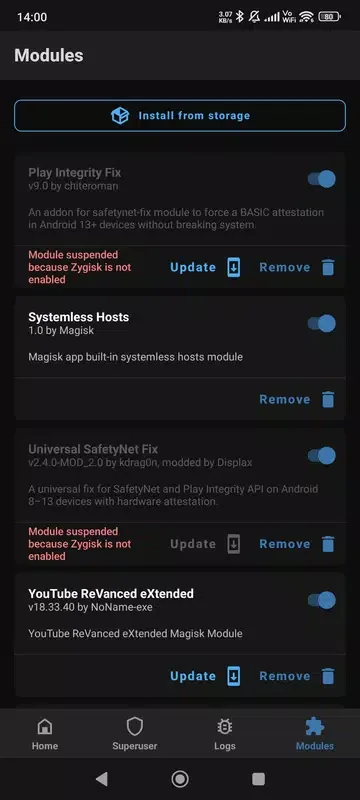
It implements Zygisk and root hiding mechanisms more thoroughly. This improves compatibility with apps that require root access, typically without requiring additional modules. Specific behavior may vary depending on the application and firmware, so please test the changes step by step and confirm that the required services still function correctly.
Root Access and Module Support
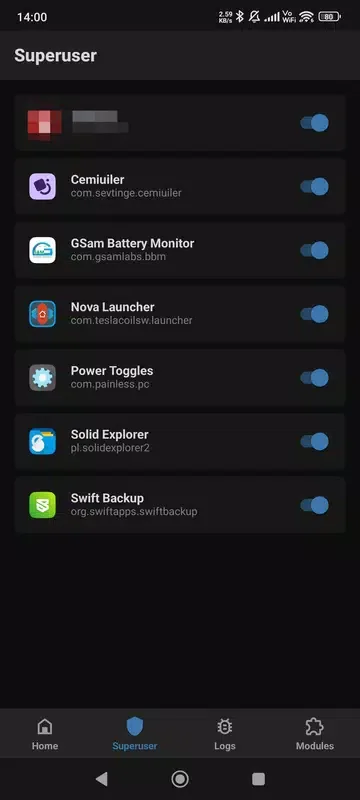
After flashing the ZIP file, Magisk Delta will grant superuser privileges, allowing you to configure permissions for each application individually. You can also extend system functionality by flashing modules. This maintains Magisk's consistent ease of use for users already familiar with module management.
Installation Path and Requirements
To install this firmware, your device's bootloader must be unlocked. If you already have root access, you can flash it directly through the application or use the restore ZIP file. Otherwise, please use the Android app to patch the boot partition and then use fastboot to flash the patched image to enable superuser privileges. The new changes may cause system instability, so please be sure to back up your data and check for compatibility.
Frequently Asked Questions of Magisk Delta
Is rooting an Android phone legal?
Rooting Android systems is now legal and safe worldwide. You can safely root your smartphone or tablet.
Why doesn't my phone support Magisk?
Magisk currently does not support Iz4 compressed boot images. If your phone uses a gzip-compressed boot.img file, it should work correctly.
Why does my phone randomly lose root privileges?
Some LineageOS ROMs may experience root privilege loss if BusyBox is enabled in settings. You can disable this feature by going to Settings > Enable BusyBox.
Final Verdict
To install Magisk Delta, you need to unlock your Android device's bootloader. If you already have root access, you can flash the ZIP file directly from the APK file or via Recovery mode. Otherwise, you need to obtain the ROM's boot partition and patch it using an Android app. Then, you need to flash the boot partition via Fastboot to gain superuser privileges.








