

With GHOST AURA, you'll find numerous practical features to help you achieve a better Free Fire gaming experience! Is your phone old, causing frame drops and lag? GHOST AURA can help you adjust device performance and optimize game operation, resulting in a smoother gaming experience and stable performance even in the most intense battles! In addition, it can monitor your personal gaming habits and optimize game settings in real time. No need for manual adjustments; it automatically adjusts the most suitable data, and even without rooting your device, it provides the most stable gaming experience!
Features
Real-time Adaptation for Enhanced Gaming Experience
GHOST AURA is designed to automatically adapt to the player's actions and interactions in the game. This intelligent real-time adaptive function ensures that every touch on the screen is instantly translated into a corresponding action in the game. When the player moves their character or aims a weapon, GHOST AURA fine-tunes device performance to reduce any potential control lag, thus providing a smooth gaming experience. This adaptive function is especially important in crucial moments, as its advantage is even more pronounced when instantaneous decisions are required.
Customizable Options for Diverse Gameplay Styles
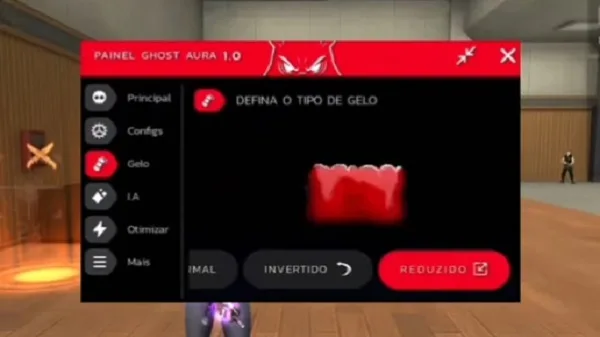
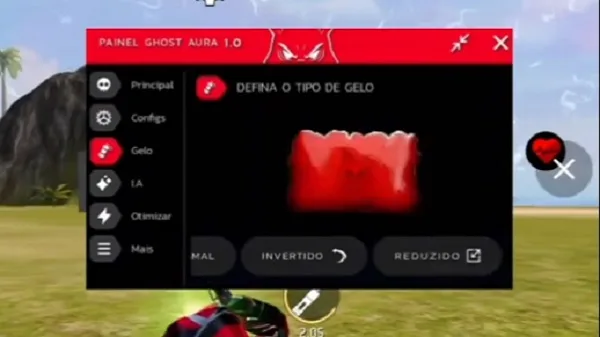
While the app's automatic optimization features are highly effective for most users, GHOST AURA also offers manual tuning to meet different individual needs. Players can modify various settings, such as dynamic rendering and display balance, to customize the app's performance enhancements to their unique gameplay style. Whether a player prefers an offensive tactic or a defensive strategy, GHOST AURA provides flexible performance tuning options to suit individual preferences. This makes it ideal for a wide range of players, as everyone can find the settings best suited to their strategy.
Security and Compatibility
A major highlight of GHOST AURA is its emphasis on security and compatibility. One of the biggest concerns for mobile gamers is the risk of compromised phone security or functionality. Fortunately, GHOST AURA does not require root access, minimizing the potential security vulnerabilities typically associated with rooted devices. This not only protects the user's device but also ensures the app remains compatible with every Free Fire update, allowing players to enjoy the performance improvements without worrying about software update conflicts.
Focus on Performance, Not Graphics
It's important to note that while GHOST AURA significantly improves game responsiveness, it doesn't improve visual quality or network connectivity. The app is designed primarily to optimize performance. GHOST AURA is especially valuable for gamers who prioritize stability and fast response times over stunning graphics. It eliminates stuttering and frame drops, allowing players to remain competitive in fast-paced, performance-critical games.
Ideal for Low-End and Older Smartphones
GHOST AURA is particularly beneficial for users of older or lower-end smartphones. Many mobile gamers face challenges due to hardware limitations, such as stuttering and latency. GHOST AURA solves these problems, ensuring a smooth gaming experience even on devices that struggle with newer games. This feature is revolutionary for gamers who want to compete efficiently without expensive or high-end devices. In addition to its powerful performance boosts, GHOST AURA also offers…
Advantages and Disadvantages
Advantages:
Improved visual clarity and game responsiveness
Customizable settings for different devices
Simple interface, suitable for beginners.
Enhance your overall user experience without complicated setup.
Disadvantages:
May conflict with official game policies.
Account misuse may result in account restrictions.
Performance may vary across different devices.
Use with caution and responsibility.
Download
Download APK file: Click the provided download button to download the Dark Aura APK file directly to your device.
Enable Unknown Sources: Before installing the APK file, go to your device's settings, find the security option, and enable the "Unknown Sources" option. This allows you to install apps from sources other than the Google Play Store.
Install APK file: Locate the downloaded APK file in your device's file manager and tap it to begin installation. Follow the on-screen instructions to complete the installation.
Launch App: After installation, open the Dark Aura APK to start customizing your Free Fire experience with its powerful features.
FAQs
What is Ghost Aura?
GHOST AURA is an Android optimization app designed specifically for Free Fire players, aiming to provide a faster, smoother, and more stable gaming experience.
How does Ghost AURA work?
It analyzes your gaming behavior and automatically adjusts system performance to reduce latency, frame drops, and input lag.
Is Ghost AURA safe to use?
Yes. It doesn't require rooting your device or modifying system files, making it safer than riskier performance modifications.
Does Ghost AURA improve graphics?
No, it focuses on improving responsiveness and stability, not graphics. It enhances the gaming experience, not image quality.
Who should use Ghost AURA?
This app is best suited for FreeFire players using mid-range or entry-level Android phones, as it provides a smooth and responsive control experience during gameplay.
Summary
Ghost AURA is suitable for players who value fast reactions and stable operation over flashy graphics. It's ideal for players who want to focus entirely on their skills rather than being bothered by lag or unstable controls.








