
Cx File Explorer is a practical tool designed for Android applications. It allows you to easily organize and manage your device's storage space, acting like a network manager, letting you manage everything on your phone without any technical skills. Not enough storage? No problem! Cx File Explorer can easily clean up your device's storage space and help you see where all the space is being used, keeping everything neatly organized. In addition, Cx File Explorer provides a visual storage processor, using colored icons to show your storage usage and allowing you to process old files with a single click!
Features
Analyze your smartphone's storage space.
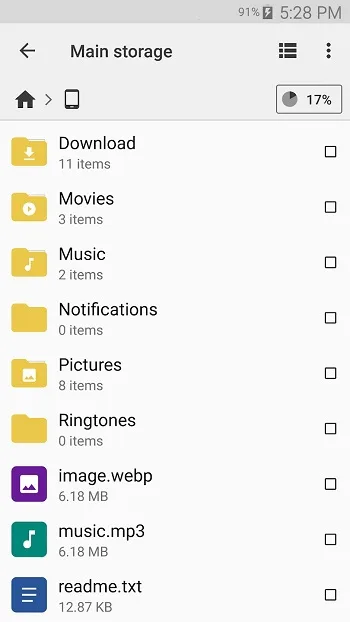
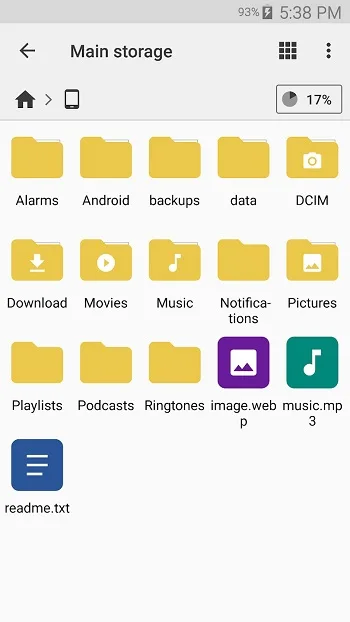
Browse files on your Android device.
Copy, move, rename, delete, share, or add any app or file to your home screen.
Calculate the checksum of any application or file.
Set your preferred app to open any file.
Record your new files.
Transfer files from your computer to your smartphone and vice versa.
View hidden files.
Track cached files.
Sync with your OneDrive, Box, Dropbox, or Google Drive cloud storage.
Unzip password-protected zip archives.
Highlights
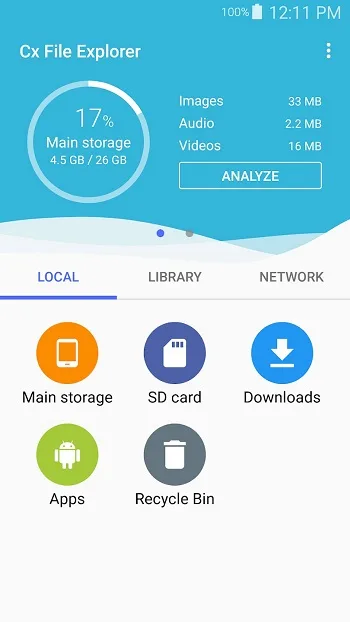
Access files in cloud storage: You can manage files in cloud storage.
Access files on NAS (Network Attached Storage): You can access files on remote or shared storage via FTP, FTPS, SFTP, SMB, WebDAV, and LAN. You can also use FTP (File Transfer Protocol) to access your mobile devices from your PC.
Manage your apps: You can manage apps installed on your mobile devices.
Analyze and manage your storage space: Cx File Explorer provides visual storage space analysis, allowing you to quickly scan and manage available space. The Recycle Bin also helps you easily manage storage space.
Quickly clean up storage space: Use the storage space cleaner to find and clean up junk files, duplicate files, and unused applications.
Advantages and Disadvantages
Advantages:
Organized and intuitive user interface.
Easily manage files and folders on mobile devices.
Easily access files in the cloud and on your NAS.
Completely Free, No Ads
Disadvantages:
No Dark Mode
FAQs
What is Cx File Explorer?
Cx File Explorer is an Android file manager app that lets you easily browse, clean, and organize files in local, cloud, and network storage.
Can Cx File Explorer access cloud storage?
Yes, it can connect to cloud services like Google Drive and Dropbox, so you can manage files stored in the cloud directly from your phone.
Does Cx File Explorer support network drives?
Absolutely. It supports protocols like FTP, SMB, and WebDAV, making it easy to access files on remote servers or NAS devices.
Is the Cx File Explorer APK free to use?
Yes, completely free and without any ads. You can enjoy all the features without paying or being bothered by pop-up ads.
Can I recover deleted files using Cx File Explorer?
Yes, it includes a recycle bin feature, so you can recover accidentally deleted files—just like on a desktop computer.
Summary
In short, Cx File Explorer lets you organize your files easily and efficiently, without any stress. It's ad-free, completely free to use, and powerful yet surprisingly lightweight. If you've ever been overwhelmed by files on your phone or frustrated by bloated storage apps, this app will definitely be a breath of fresh air. It's simple, clear, and truly practical.








