

Mi Music is a popular music app with a vast library of songs covering diverse genres including classical, jazz, and heavy metal. Users can download their favorite music to their devices for listening anytime, anywhere. Users can add songs to their favorites lists to create personalized playlists and share them with friends, earning likes and comments. The music library is constantly being updated, with more popular songs and albums waiting to be discovered and enjoyed. Stay tuned!
Click to load YouTube / 点击加载视频
YouTube ↗Features of Mi Music:
Mi Music stands out with its extensive library, which includes not only mainstream music but also lesser-known tracks from various artists. This diversity allows users to explore different musical styles and discover new artists. The app is updated regularly, ensuring that the latest hits and trending songs are always available for listening. Users can stay current with new releases and enjoy the freshest content from their favorite artists.
Another integral aspect of Mi Music is its focus on user engagement. The app encourages users to provide feedback, allowing the developers to enhance the app's features and functionality continually. This feedback loop helps ensure that users have a say in how the app evolves, making it more aligned with their preferences and listening habits.
For those who prefer a specific type of music, Mi Music offers curated playlists that cater to various tastes. Whether users are in the mood for upbeat tracks, soothing melodies, or energetic anthems, they can find playlists tailored to their preferences. This feature simplifies the process of discovering music, as users can explore different playlists without needing to search for individual songs.
The app's offline listening feature is particularly advantageous for users who may not always have access to the internet. By allowing users to download songs for offline playback, Mi Music ensures that users can enjoy their music without interruptions. This is especially useful for traveling or during times when the internet connection may be weak or unavailable.
Mi Music also supports various audio formats, including MP3, which allows for compatibility with different devices and music libraries. Users can easily play their own music files through the app, integrating their personal music collections with the app's extensive library. This feature promotes versatility and enhances the overall user experience, as individuals can enjoy both their curated playlists and personal tracks in one place.
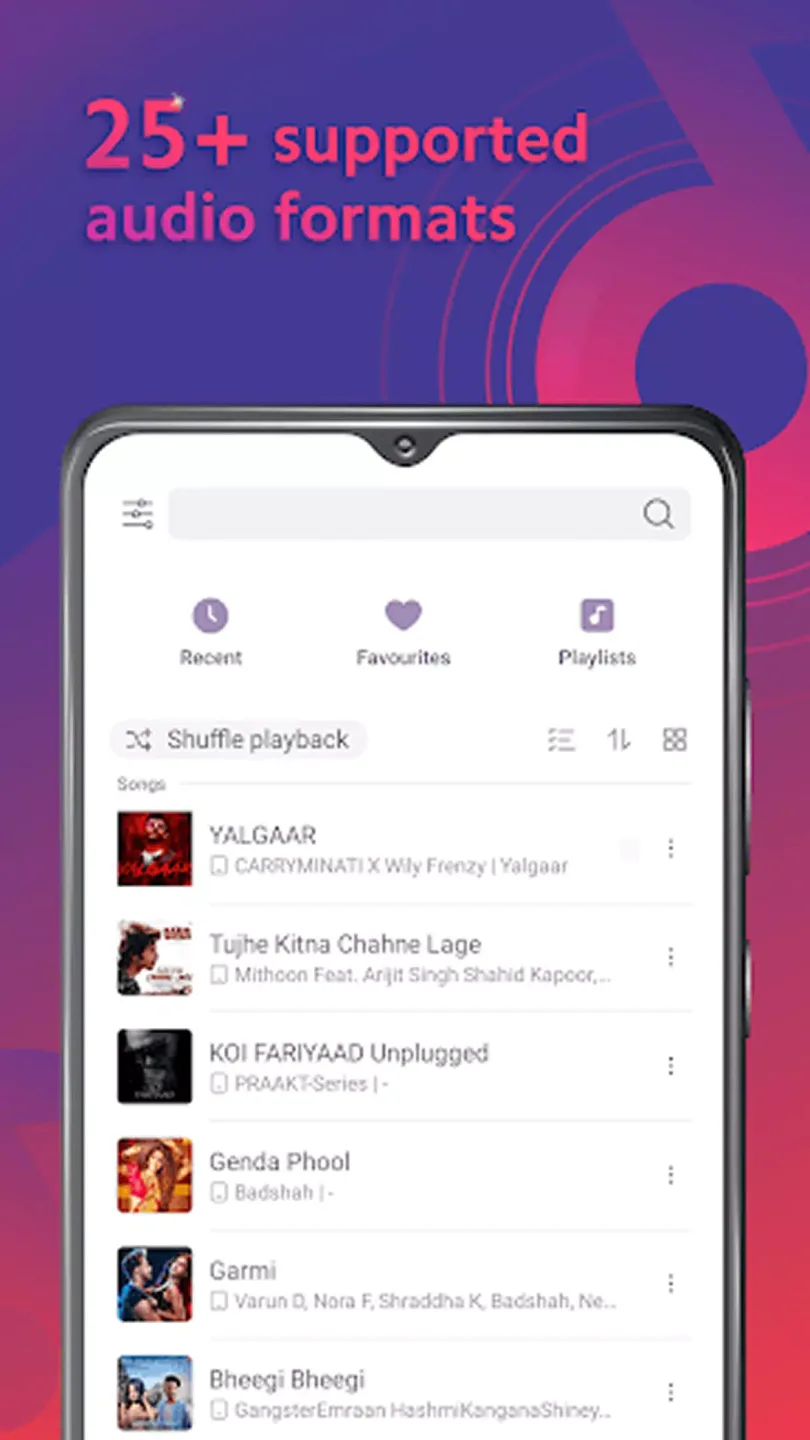
User Reviews of Mi Music:
Not many complaints so far, no ads while playing music, though some may pop up on your screen, works perfectly in the background and for free?! you can also download your own songs and it works great as a default music player.
As a default "music player" is decent, the only thing u gotta do is remove any online service (which is nice it has the option, great addition). Haven't seen or had any problems with it at any moment and I'am very happy with it. If any other, i would like the addition to remove any saved equalizer savefile since i accidentally made some without any name, or the addition to edit it as name or configure it. Never had tried the online service, my opinion on it its probably with the ads.
I actually love this app, but please, please put again the alphabet on the right side. I can't scroll my list of 650+ songs every time I want to listen to one at the bottom. edit: they out it back awhile ago, I completely forgot about this review lol and! about online services, I just turned them off because I don't need nor want them, and it's been working flawlessly ever since.
AI Music: Songs and Playlists is a game-changer for music lovers. Its smart algorithms create personalized playlists that match your mood and taste effortlessly. The interface is sleek and intuitive, making navigation a breeze. AI-generated song suggestions feel surprisingly human and diverse. Perfect for discovering new tracks or enjoying favorites. A few minor improvements could be made in song variety.
How To Get Started With Mi Music?
Getting started with this incredible music player is easy-peasy:
- Find a trustworthy website offering the latest version of the apk file (make sure it’s safe because no one wants nasty bugs).
- Download it onto your phone or tablet.
- Tap on that downloaded file and follow any instructions if needed (sometimes settings need tweaking).
- Once installed – open up and start exploring!
Remember, though, kids; only grown-ups should be doing downloads since sometimes tricky tech steps are involved.
Conclusion:
Get unlimited access to millions of music, curated playlists, and content from your favorite artists. This is the music app for you to listen to online and offline music. What's more? Hit music for free!!Popular music, New songs, Live music, Classic, Jazz, Heavy Metal, Kpop, and more, whatever you want to listen to are at Mi Music. Tons of songs are waiting for you to play!








