
Winlator is an outstanding Windows emulator utility that helps users easily run incompatible desktop software on their mobile devices, providing a smooth and convenient experience for running applications and games. The application presents a user-friendly and powerful desktop emulator program. Users can easily enable it through simple operation steps, try out rich customization features, experience excellent graphics conversion and input options, and select resolution, memory, drivers, audio settings, etc., bringing you a high-performance gaming experience.
Click to load YouTube / 点击加载视频
YouTube ↗Attractive Features of Winlator
Run Windows Software on Android Devices
Winlator Emulator uses Wine, as well as Box86 and Box64, allowing many x86 or x86_64 programs to run on ARM devices. You can open installers and executables within the application and test compatible tools and classic games.
Automatic Setup and Storage Mapping
Upon first launch, the required system files are automatically installed. The "Drives" window maps drive D to the phone's "Downloads" folder for easy access to installers. This maintains familiarity with file paths and simplifies the process of testing different versions or modifications.
Containers and Tuning for Each Application
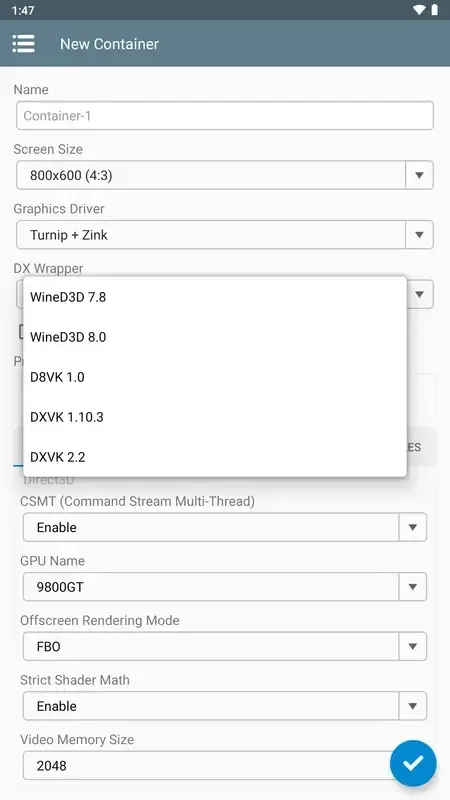
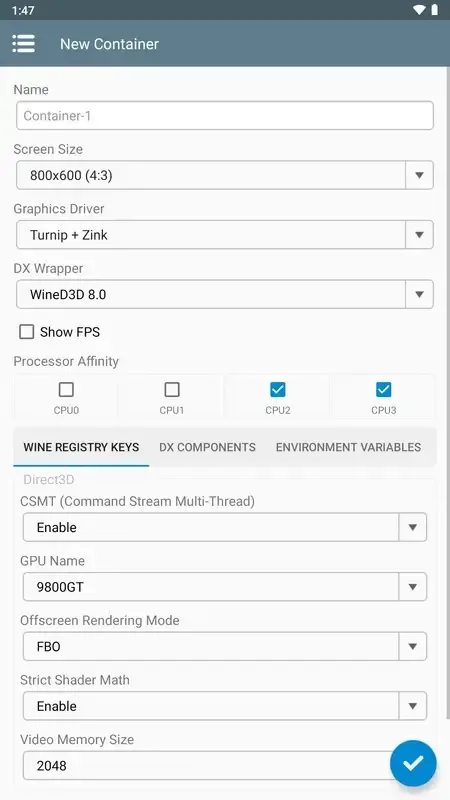
For finer control, containers separate settings for each application. You can adjust screen size, select graphics driver, and choose CPU or compatibility mode for each game. This is helpful for older games or launchers that prefer specific display modes or input methods.
Fantastic Performance of Winlator
An emulator for Android that allows you to run x86 and x64 Windows applications and programs, including PC games, by emulating them. Winlator uses Wine, Box86, and Box64 for emulation.
After installing the application, Winlator installs everything in the obb file included in the XAPK, so it may take a few seconds to get the application working. Afterward, you can create separate containers to run virtual desktops or run games on your Android device. To install these containers, you first need to copy them to your device's internal storage.
Winlator can run PC games such as Fallout 3, Deus Ex: Human Revolution, Mass Effect 2, and The Elder Scrolls IV: Oblivion, as well as many other games and programs. Game performance depends on your device; the more powerful your processor, the smoother the game will run.
Helpful Tips of Winlator
Check Compatibility: Not all Windows apps will run perfectly. It's best to check if the app you want to use is compatible with Winlator.
Please Be Patient: Some apps may run slowly or have minor issues. Remember, they are running on a completely new environment on your Android device.
Explore: Try different apps and games. You might discover some cool new features you've never used before on Android devices.
Frequently Asked Questions of Winlator
Does the Winlator APK support DirectX games?
Yes, Winlator supports DirectX 9-12 through Vulkan-based transformation layers such as DXVK and VKD3D.
Can the Winlator APK run office software?
Many Windows office tools will run normally, especially some older or lightweight applications.
Can the Winlator APK run without an internet connection?
Yes, Winlator can run completely offline after installation and configuration.
Is Winlator free to use?
Yes, Winlator is free and open source.
Final Verdict
The Winlator APK is an absolute game-changer for Android users who love Windows apps. It's like having a mini Windows computer installed on your Android device. Winlator can run a wide variety of Windows programs, opening up a whole new world for you.








