

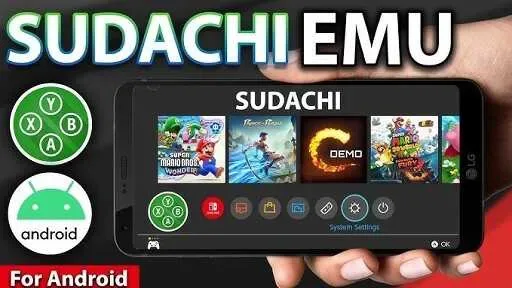
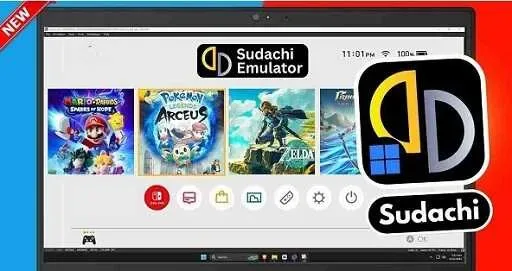
Sudachi is a Switch game emulator designed to let you experience classic Switch games on your mobile phone. It boasts extensive game compatibility, supporting thousands of games and maintaining frequent updates, with more games added every month. It's not just about the sheer number of games, but also about the quality of gameplay. Sudachi significantly enhances the visual effects of games, with various graphics enhancement options providing the best gaming experience. Furthermore, Sudachi allows you to freely adjust the game resolution to suit your phone for the best gaming experience.
Tips
Use Vulkan Renderer
Use Vulkan rendering technology for crisp graphics compatible with your device.
Enable Shader Caching
This reduces stuttering during gameplay and improves frame rate.
Allocate More Memory
Storing games on high-speed internal memory enables faster loading.
Use Cooling System
Use a phone with a cooling system or any external fan system.
Keep Emulator Updated
Always download the latest version for better compatibility.
Free Up Space
Close background applications to free up space.
Usage
First, install the APK file and open Sudachi. If the application requests file access permissions, allow it to read the game files.
Next, navigate to the folder containing the game files you legally own, and then select a game name to add to your library.
If you are using a controller, connect it. Pair via Bluetooth or connect via USB, and adjust the key mappings in the input settings.
After that, open the graphics settings. Use the default settings first; if the game runs slowly, you can lower the resolution or frame rate, or enable low resource mode.
Finally, launch the game. Use instant saves for quick checkpoints and retain in-game saves to permanently save your game progress; only enable this mode if the game supports multiplayer.

Features
Play Nintendo Switch games on non-console devices.
Works with many Nintendo Switch games.
Good graphics and smooth play.
Change settings for graphics and controls.
Save your game anytime and load it later.
Use different controllers, including Joy-Cons.
Use cheat codes in some games.
Add filters to improve game visuals.
Use touchscreen controls on compatible devices.
Works on lower-end PCs with low resource mode.
Backup and move your game data easily.
Highlights
Extensive Nintendo Switch game compatibility!
The core question of all emulators is: how many games can it actually run? The biggest advantage of the Sudachi APK is its compatibility with a vast number of Nintendo Switch games. From blockbusters like Mario Kart 8 Deluxe and Animal Crossing: New Horizons to niche indie gems, Sudachi covers a wide range of genres.
Supports thousands of games: This emulator is regularly tested by its community, meaning new game compatibility lists are added every month.
Frequent Updates: Developers push out patches to fix crashes and improve stability, so older games run even smoother over time.
A Balanced Approach: Sudachi doesn't just pursue quantity; it prioritizes stable frame rates to ensure playability.
This compatibility ensures you can enjoy classic games or newly released titles without worrying about launch issues or crashes.
Enhanced Graphics with Resolution Scaling and Anti-Aliasing!
Simply boosting performance isn't enough; modern gamers also demand visual fidelity. The Sudachi APK addresses this by offering a range of graphics enhancement options.
Resolution Scaling: Adjusts the in-game resolution to match your phone's hardware. On lower-end devices, lowering the resolution by 0.75x ensures smooth gameplay. On flagship models, increasing the resolution by 1.5x or higher delivers console-like visuals.
Anti-Aliasing and Texture Filtering: Smooths jagged edges and sharpens visuals for a clearer picture.
Asynchronous GPU Emulation: Reduces latency spikes and maintains frame rates, especially in action games.
When used with the Vulkan API, these features significantly reduce GPU latency. The result? Sharper visuals, smoother gameplay, and a gaming experience closer to the original Switch.
Motion Controls and Gyroscope Support on Android Devices!
Nintendo Switch games typically rely on motion input. Whether it's tilting the device to control direction in *Mario Kart* or using the gyroscope for aiming in *Splatoon 2*, these mechanics are an integral part of the gameplay. The Sudachi APK simulates these actions by utilizing your phone's built-in sensors.
This means:
Gyroscope aiming feels natural, just like holding a Joy-Con controller.
Tilt controls work perfectly in racing and puzzle games.
No additional hardware required—your phone does the job.
Sudachi preserves the unique essence of Switch gaming by providing realistic motion integration.
In summary
If you're a hardcore gamer, or simply want to experience your favorite games but can't afford a game console, Sudachi is the perfect choice. It's simple to use, runs smoothly and conveniently, and most importantly, it's completely free.








