
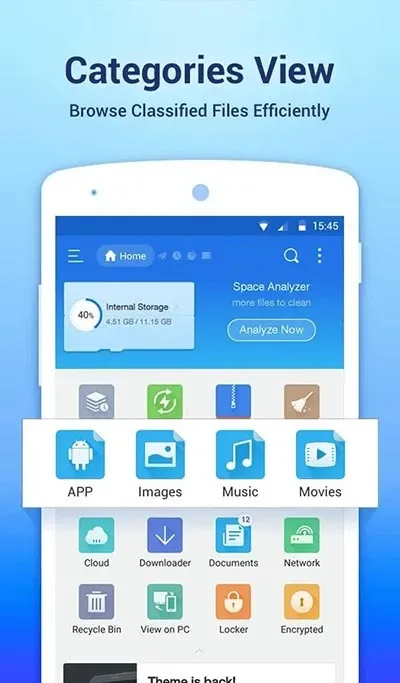
ES File Explorer is a browser focused on file management. Here, you can easily manage files, create multiple files, categorize all files, and quickly find what you need. ES File Explorer has no usage restrictions; you can quickly access stored files on your mobile phone. Besides file storage, it can also help download photos, watch movies, compress files, and access various content on your device via Wi-Fi.
Features
Resource Management
Unlike other tools, ES File Explorer allows users to easily manage resources. After logging in, users can upload files to the official homepage and create folders to store the files they need. There is no limit to the number of folders that can be created, so users can set up multiple different folders according to their work needs.
Easy Access on Any Device
ES File Explorer is no longer limited to computer access; users can easily access all devices, especially mobile phones. Not everyone carries a laptop, so this feature is very practical for users.
Download Photos, Watch Movies, and Connect to 3G Networks
With this tool, users will have excellent functions such as uploading pictures, watching movies, and establishing 3G connections. This auxiliary tool is fantastic, and everyone should consider downloading it now.
File Decompression
In addition, you can decompress ZIP and RAR files and access various content on your computer and mobile phone via Wi-Fi.
Direct Connection to Other Platforms
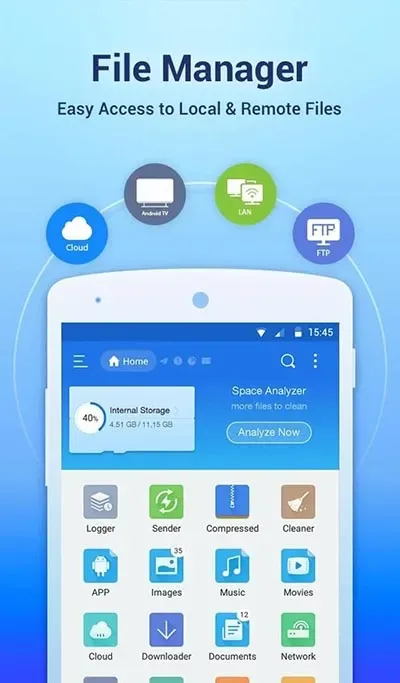
Unlike other applications, ES File Explorer allows you to connect directly to other services such as Google Drive, OneDrive, etc. This tool provides direct access to other file storage applications without spending too much time.
File Transfer via Wi-Fi
A major highlight of ES File Explorer is its ability to transfer files between devices at lightning speed. Users can also easily extract files using ES File Explorer.
Support for Multiple Accounts on the Same Tool
Most users often encounter difficulties when logging into multiple accounts simultaneously. However, because you can connect directly to other storage services such as Google Drive or OneDrive, you can log into multiple different accounts to manage and control your data.
Remote Access
ES File Explorer has updated its features to support remote access to services such as SMB, FTP, and WebDAV, allowing you to import PDF files for faster editing. Furthermore, the tool supports highlighting, underlining, and strikethrough operations on file content.
Supports Editing Formats
ES File Explorer supports editing up to 47 different file formats, such as JSON, JS, Log, Java, PHP, XML, and .NET. Furthermore, the tool supports code conversion, font adjustment, resizing, and encoding format changes. It also supports TXT and EPUB file formats and is continuously optimized. Therefore, it remains an extremely powerful and versatile tool to date.
With the increasing prevalence of confidential information leaks, users often feel confused and worried about their personal information management. However, with this app, you can rest assured, as its features have been meticulously crafted by the developers. In addition to supporting data uploads, this tool can also help users clean up spam emails.
Highlights
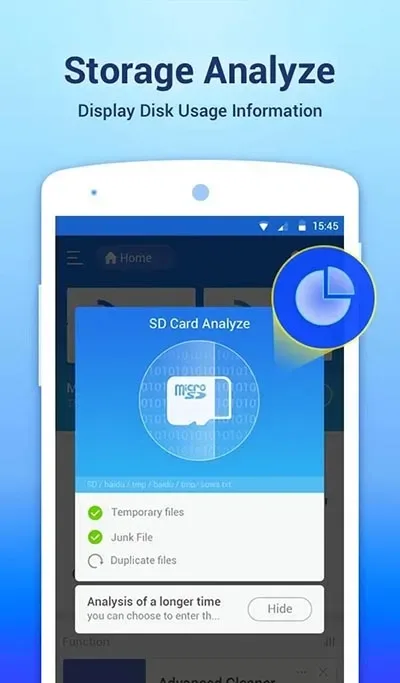
This app allows all Android users to easily manage all their resources, access any content on their mobile devices, and share it as needed. Uploading photos, watching movies, and managing 3G connections are now easier than ever.
When working with files, you can use the same classic options as on a desktop computer, such as copy, paste, cut, create, delete, and rename. Additionally, you can send files to anyone via email.
You can also unzip ZIP or RAR files, access document content across various file types, and even access content on your computer via Wi-Fi.
Advantages & Disadvantages
Advantages:
Easy-to-use user interface.
Supports cloud storage services such as Dropbox, Google Drive, and OneDrive.
Allows users to remotely access their files from any device with an internet connection.
Provides a built-in file manager for organizing files on your Android device's internal storage or SD card.
Supports multiple languages, including English, Spanish, French, and German.
Features advanced features such as Root Explorer, allowing complete control over system folders on rooted devices.
Disadvantages:
The learning curve is very steep for new users.
Cloud storage options are limited compared to other file managers.
The user interface is not intuitive and can be confusing at times.
The ads in the free app are annoying and can disrupt your workflow.
There have been reports of security issues with the app, such as data theft or malware infections resulting from downloading malicious files through the app.
FAQs
Which devices support ES File Explorer?
ES File Explorer is designed for Android devices and is compatible with most operating system versions.
Can I access cloud storage using ES File Explorer?
Yes, the app supports multiple cloud services, including Google Drive, Dropbox, and OneDrive.
Is ES File Explorer free to use?
The application offers a free version with basic features, but some advanced features may require an upgrade to the premium version.
Summary
ES File Explorer integrates a range of features including file management, media playback, cloud integration, and enhanced security, providing a comprehensive solution for users who want to organize their files efficiently. Download ES File Explorer to unlock various file organization methods to meet your personal and work needs.








