
TapScanner is a document scanning application that helps you easily process documents. Here you can scan any type of document, receipt, or business card, converting the content into digital versions. It automatically detects document boundaries and offers various image settings, including color, brightness, and even filters. While using it, you can organize all your documents by category and find documents when needed using the app's built-in search tool. In addition, TapScanner boasts excellent OCR text recognition technology, supporting over 100 languages.
Features
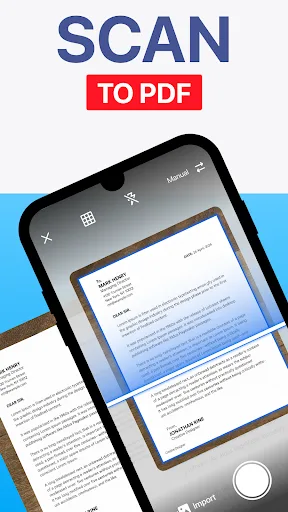
Scan various documents, receipts, or business cards.
Automatically detect document boundaries.
Different image settings: color, brightness, cropping, borders, filters…
Manage your documents and organize them into folders by category. Use the search tool to find the documents you need when required.
Convert them to high-quality PDF or PNG formats.
Supports OCR text recognition technology in over 110 languages.
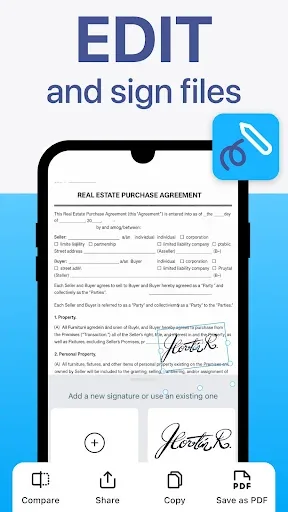
Sign documents and send them to others; others can add their digital signatures.
Highlights
Easy backup: Users store information in the app store's built-in cloud application, eliminating worries about data loss. They can restore data at any time by accessing the cloud and downloading it.
Access Anytime, Anywhere: Furthermore, users can access this data anytime, anywhere, as long as they have a device to log in.
Secure Storage: Many users say they are no longer as afraid of losing data and feel safer.
Built-in Reader: The developers have integrated the existing scanning and reading functions on the app, allowing users to scan QR codes using this feature.
Supports Multiple Formats: Moreover, this feature is not an add-on but a primary function of the app. This indicates that the developers are constantly updating it to support a wide variety of formats, from URLs to contact information.
Pros and Cons
Pros
User-friendly interface, quick setup.
Accurate automatic page detection.
Supports creating multi-page PDF files.
Editable text OCR recognition in multiple languages.
File cloud integration and password protection.
Cons
Limited main editing functions in the free version. Limited document enhancement options, unavailable to non-premium members.
Recurring upgrade prompts can be annoying.
Reviews
Here's the thing. The reviews are all very good. I downloaded a one-year subscription, and the price wasn't expensive. I held an 18-page document up to the light, ready to scan and turn the pages. And that was it! The whole process was incredibly intuitive, requiring absolutely no explanation. The scanned document was sent to my email, which I then uploaded to the relevant company. I love that the reviews and the actual purchase experience are completely consistent, with no downsides. Plus, the other extra features make it fantastic.
I tried the free trial version of this scanner because I needed to scan about a hundred pages of documents. Its clarity and sharpness far surpass the traditional flatbed scanner I've used for years (I'm 67 years old), and it's about 20 times faster. Converting to PDF and sending via email was effortless. It has many features I didn't need at the time, but for the functions I actually needed, it was excellent. Highly recommended—extremely intuitive and easy to use.
Summary
TapScanner is the best document scanning app for Android! You can use this app to scan all paper documents and convert them to PDF.








