

Url Video Player is a highly praised and practical video player tool that brings users excellent streaming media playback services, providing a convenient, smooth, high-definition, and secure movie and television media playback and viewing experience, allowing you to enjoy endless leisure and entertainment. The application presents a powerful yet lightweight video playback tool for a wide range of users. Users can easily customize playback settings, try user-friendly list management and playback controls, enjoy a stable and smooth playback experience, and add batch playback URLs, providing a good solution for offline viewing.
Click to load YouTube / 点击加载视频
YouTube ↗Attractive Features of Url Video Player
Directly Play Video Links
Url Video Player allows you to play valid video URLs without additional tools. After entering a link or selecting a link from the list, the built-in player will start playing immediately. If the website restricts access, the application will display an error message so you can try other sources or check the link. Afterwards, you can continue performing other tasks while the video plays.
Open Links from Android Share
You can use a browser or any app that supports sharing to send video links to Url Video Player via the Android share menu. The link will open immediately and start playing in the player. This simplifies your browsing process and avoids copying and pasting. Next, you can choose to save the link or watch it only once.
Save and organize your URL list
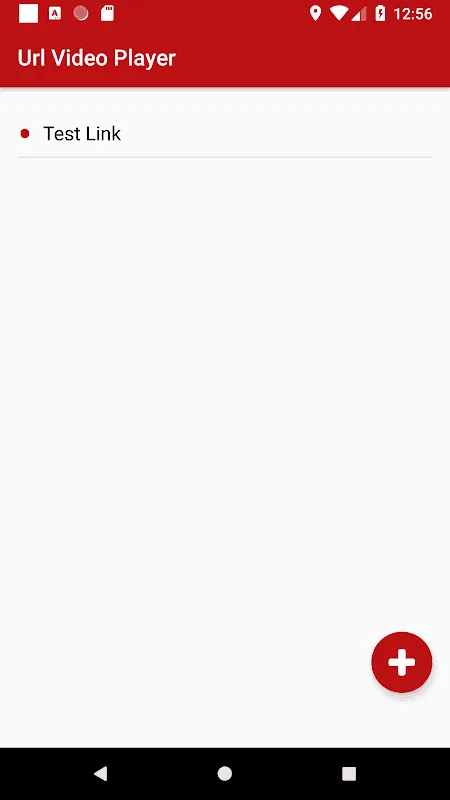
Url Video Player helps you create a personal list of video links for quick and easy access. You can save your favorite videos, edit titles, and reorder them to suit your viewing habits. Viewing history tracks your recently played videos, allowing you to resume watching from where you left off. With these settings, rewatching episodes or course recordings becomes easy and convenient.
You can adjust playback controls.
The player includes speed control, picture-in-picture, brightness adjustment, aspect ratio adjustment, and screen rotation. You can slow down or speed up playback as needed, and use the picture-in-picture feature to keep the video visible while doing other things. Brightness and aspect ratio help adapt the video to the screen, and the rotation function supports both portrait and landscape viewing modes. These controls work together to ensure comfortable video viewing in various situations.
Helpful Tips of Url Video Player
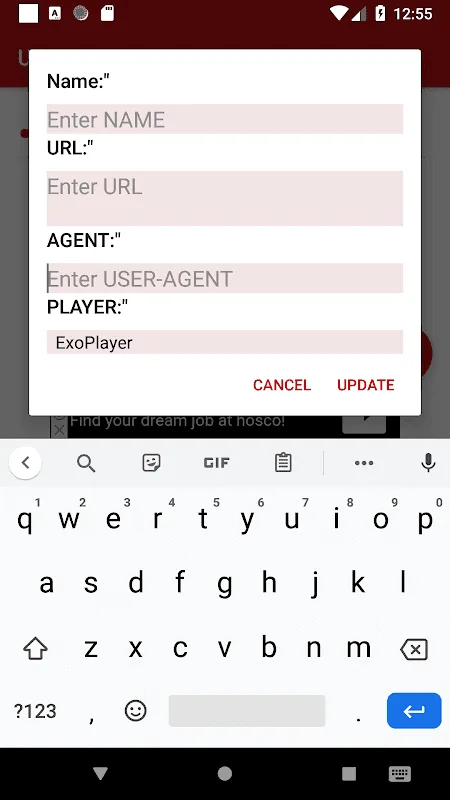
Open URL Video Player, then click Add Video URL or select "Open from Share".
In your browser or other application, click "Share", then select "URL Video Player" to send the link.
If prompted, please check the link and then start playback to confirm the video loaded correctly.
While watching, you can adjust the speed, brightness, picture-in-picture, aspect ratio, or rotation angle as needed.
Save the link to your playlist, or download it for offline viewing if resources support it.
Frequently Asked Questions of Url Video Player
Is Url Video Player free to use?
Yes, Url Video Player is completely free. Users can enjoy all its core features, including playing remote video files and managing playlists, without paying any subscription fees.
Can I save and manage a list of video URLs?
Absolutely. This app lets you easily save any video link you're playing to a personalized playlist. You can also edit this list, adding new links or deleting old ones to easily organize your content.
What types of video sources does this player support?
This player is designed to handle external video files from virtually any remote URL. This includes direct links to video files hosted on various web servers (such as .mp4, .mov), enabling highly flexible playback of a wide range of online content.
How does it enhance the viewing experience?
This tool offers convenient in-app controls for adjusting display brightness, aspect ratio, etc.
User's Comments of Url Video Player
I can't install it anymore. I don't know what happened. Please try to fix the issue as soon as possible because I waited more than a month and a half to install but there's no news about the app.
It's easy to use and an amazing app for watching any series, movies, or anything else.
Vlc and MX players couldn't play videos from HTTPS links without crashing, but this app did.
It won't play on Android TV anymore. Can you please tell me?
Great app, but please load the match faster next time!
So easy, but a lot of ads. Need to redeem this amount of ads.
Play your external video files from any remote URL and save it.
Conclusion
Download the URL Video Player APK for Android to watch any multimedia file from a URL for free, whether the file is stored locally or in the cloud. Centralize all links in one application, eliminating the hassle of using different players for each file format.








