PDF Reader Pro is a PDF processor. Offering cloud services, you can view documents, emails, or PDF files from any website anytime, anywhere. More than just viewing, you can easily add annotations, text, or drawings to all PDFs, and enjoy quick undo changes, making all editing tasks easy. PDFs are often seen as rigid, but with PDF Reader Pro, you can edit PDFs as easily as editing Word documents, adding pages, zooming text, marking pages, and merging multiple PDFs, giving you the best PDF viewing experience.
Features
View Documents Anytime, Anywhere
• Easily open PDF files from your favorite cloud service provider, email, or the website you are browsing.
• Search for the exact text you need in a document.
• Double-tap the screen to intelligently zoom and jump directly to the text you want to read.
• Choose from 12 beautiful themes to create your own personalized PDF viewer (*Pro version).
• Customize every detail of the application with our advanced PDF viewer settings (*Pro version).
Easy Annotation
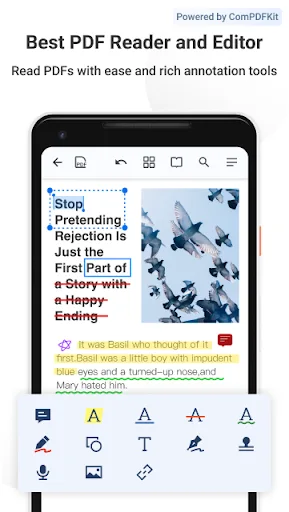
• Highlight and annotate text with your finger or stylus while reviewing documents.
• Add annotations, text, or drawings directly to PDFs to leave comments.
• Quickly undo changes and edit easily.
• Rotate stamps and text annotations for a more refined review experience (*Pro version).
• Annotate JPEG and PNG images and share editable images with collaborators (*Pro version).
Create and Edit PDFs
• Create new documents from existing documents by moving, rotating, deleting, or adding new pages.
• Mark important pages by bookmarking them in your documents.
• Merge multiple documents into a single PDF file (*Pro version).
Store, Organize, and Share
• Open documents from your device, browser, or any other app.
• Share documents by printing, emailing, or saving edits back to Google Drive, Dropbox, Box, OneDrive, or any other cloud service.
• Quickly view important document information or edit document metadata (*Pro version).
Trusted by Companies You Know
• PDF Viewer is built on and powered by PSPDFKit, an industry-leading PDF engine trusted by thousands of companies and developers worldwide.
Highlights
- Read PDF files with a fast browsing engine and smooth navigation.
- Add annotations to PDFs, including highlighting, underlining, signatures, stamps, audio, links, and more.
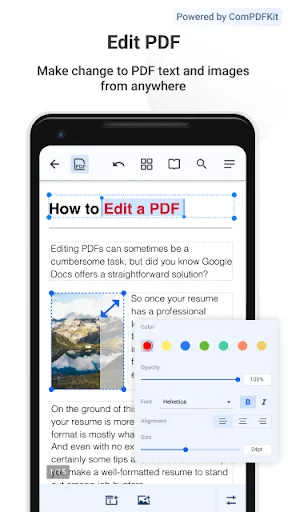
- Edit PDF text and images like you would a Word document. One-click spell correction without file conversion.
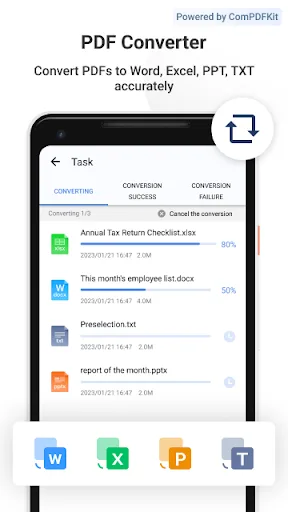
- Convert PDF files to Word, Excel, PPT, or TXT formats, preserving all fonts and formatting.
- Easily export PDFs as images or images as PDFs.
- Freely organize PDF pages, supporting merging, extracting, inserting, reordering, rotating, and deleting pages.
- Fill out and sign any PDF form containing interactive fields.
- Protect your PDF files with encryption or text/image watermarks.
- Organize files, edit folders, favorite folders, or PDF files.
- Scan images, receipts, and notes into PDF files using a mobile scanner.
- Transfer files from PC to Android via WiFi transfer
Advantages and Disadvantages
Advantages
Powerful PDF editing and conversion tools
Powerful collaboration and e-signature features
Practical AI-assisted document functions
Strong security and compliance options
Works smoothly across various devices and cloud workflows
Disadvantages
May require high system resources
Premium software may be expensive for some users.
The feature set may seem excessive for basic PDF needs.
FAQs
Can PDF Reader be downloaded for free?
PDF Reader is the most popular free PDF reading application that you can use to view, edit, and export PDF files for free.
Who developed this app?
PDF Office Lab is the developer of this excellent application; they also developed PDF Converter and Scanner Pro.
Summary
PDF Reader Pro is an excellent PDF document reader that offers much more than just reading PDF documents. It is a particularly useful tool for students or those who frequently work with documents. With PDF Reader Pro, learning and analyzing PDF text has never been easier.