

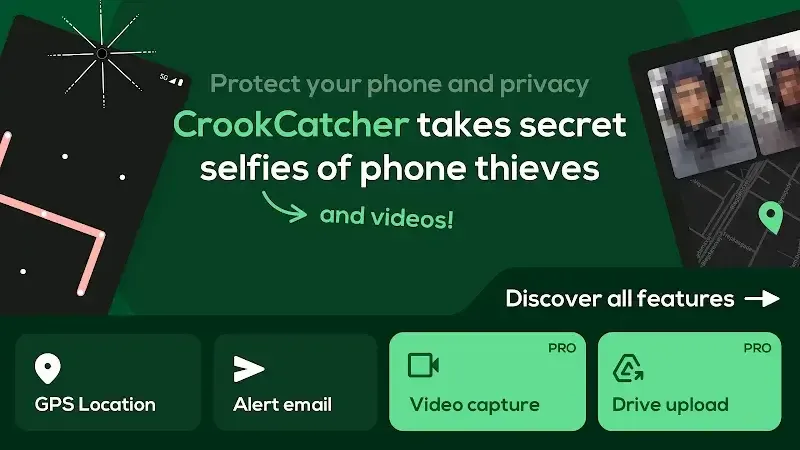
CrookCatcher is a mobile security application designed specifically for Android devices to prevent theft and spying. When someone attempts to unlock your phone with an incorrect password, pattern, or PIN, CrookCatcher automatically uses the front-facing camera to take a photo, recording the suspicious person's facial information. It also obtains the phone's real-time GPS location information and sends it to you via email, providing clues to the police and increasing the likelihood of device recovery. It effectively helps users prevent phone theft or unauthorized access.
Click to load YouTube / 点击加载视频
YouTube ↗Features:
Record Intruders in Detail
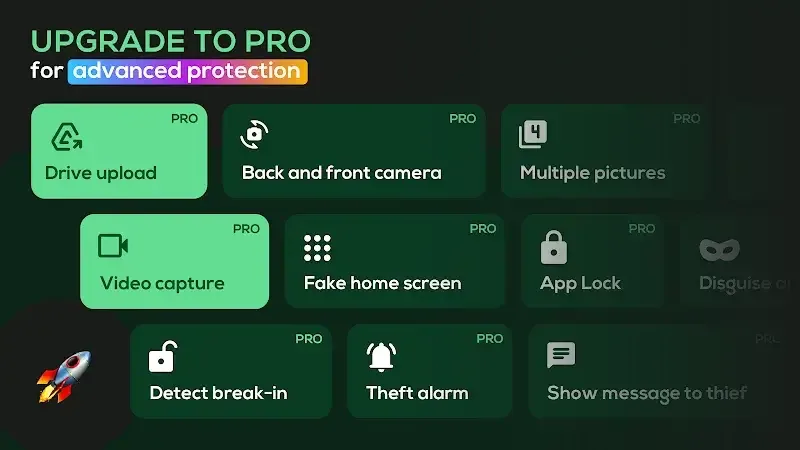
- Record VIDEO with sound for clear evidence
- Use the back camera to capture surroundings
- Auto-upload to Google Drive for remote access
Outsmart Snoops & Thieves
- Show a fake home screen to trick intruders
- Display a custom lock screen warning message
Advanced Protection
- Hide the app with a disguised icon and name
- Hide notifications and customize email alerts
- Lock CrookCatcher with a pattern
Works Even If They Get In
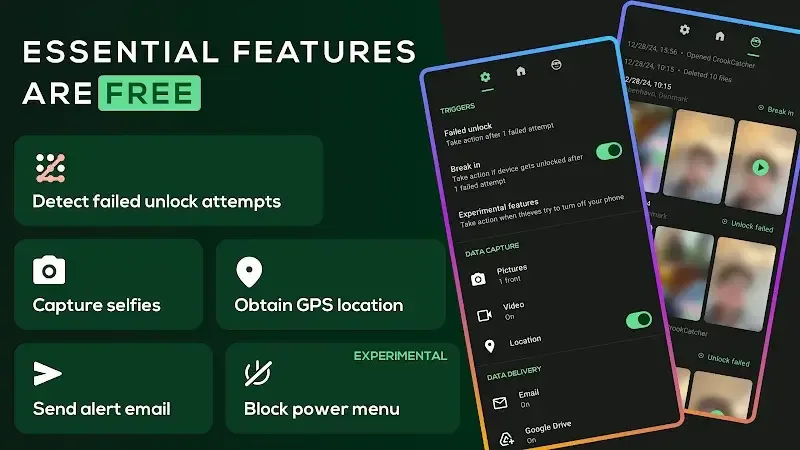
Takes a photo even if someone guesses your password after failed attempts.
Protection Against Shutdown
CrookCatcher can block the power menu, quick settings, and notification shade to capture evidence when someone tries to turn off your phone or enable airplane mode. This feature uses the Android Accessibility API to detect these system UI elements on the lock screen. Experimental feature — may not work on all devices.
Battery Friendly
Only activates on failed unlock attempts — minimal battery usage.
Pros and Cons:
Pros
Captures intruder photos after wrong PIN, password, or pattern attempts
Sends email alerts that include a picture, GPS coordinates, and estimated address
Free version provides the core protection features
Pro upgrade adds video with sound, rear-camera support, and Google Drive uploads
Includes decoy home screen, custom lock-screen message, and app-hiding options in Pro
Break-in detection and shutdown-attempt protection increase the chances of collecting evidence
Battery-conscious design, active only during unlock failures
Long-standing app with millions of downloads and an extensive history of captured intruder data
Cons
Reports of very low detection rate for wrong-unlock attempts on some devices
Experimental shutdown and quick-settings protection may not function consistently across phones
Does not react to fingerprint errors or work with pop-up selfie cameras
On Android 13 and newer, system camera-use notifications can alert intruders
User Experience:
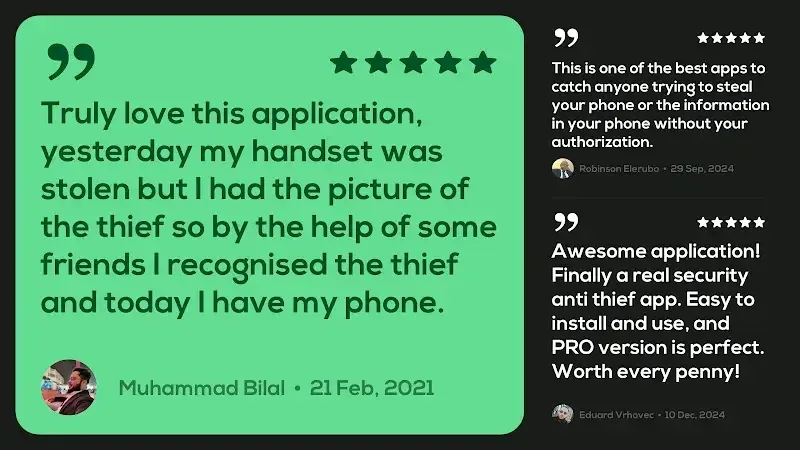
Your app is very useful and important for me Please Add a new feature in the app that allows a user to lock their phone remotely by sending a message from another device, even if the phone is currently unlocked. Also include a feature like a fake airplane mode and a fake power-off screen so that a thief thinks the phone has been switched off and becomes less cautious, while the user can continue tracking the device in the background.”
my favourite app I bought it for 30 rs before few year which now the price is raised and even this price is worth and I am happy I got it at very least price I have one problem with this it will be very better if this also work with app lock because it is only work with home screen developers please make it for AppLock also
This is so far the best app for Android to protect our phones from theft. I think the team had made best efforts to design the app with a bunch of security options. I would definitely recommend this app to my friends.
FAQs:
Why is the CrookCatcher • Anti-Theft app not supported on my device?
The reason could be an outdated version of Android, incompatible technical requirements, for example, if you have a device with ARM7 architecture and are trying to install an app with ARM8 or x86 architecture
Why does the CrookCatcher • Anti-Theft app crash or not respond?
This could be due to an outdated version of the CrookCatcher • Anti-Theft app, a full cache, lack of RAM, or a system conflict. Try updating the app, clearing the cache, or restarting the device
How much space does the CrookCatcher • Anti-Theft app take up?
CrookCatcher • Anti-Theft takes up about 27.15 MB (28,464,655 bytes) of memory
Conclusion:
CrookCatcher • Anti-Theft is a focused anti-theft tool that turns your phone into a simple but effective security recorder. It captures intruder images and location data, sends alerts, and offers extra protections like fake screens and cloud backup to help you identify and recover from theft or snooping.For everyday users who want an easy, battery-friendly way to detect unauthorized access, it offers practical features in both free and PRO tiers to cater to basic and advanced security needs.








