

Clean Master is a very practical application. It boasts powerful features that keep your Android device clean and running smoothly. It can clear cache and thoroughly clean your phone's history. With Clean Master, you can remove all unwanted files, clean up junk files, and optimize your device's memory, making your phone run smoother and faster. Additionally, this application has antivirus capabilities, protecting your device's security and privacy. You won't need to worry about malware and Trojans invading your phone.
Features:
Junk and cache cleaner
Clean Master scans for residual files, temporary cache, and social app leftovers that occupy space. You can review scan results and remove selected items to reclaim storage and help reduce slowdowns. It focuses on common file types that build up over time, so routine use can keep storage in better shape.
Antivirus scanning and removal
The app includes a free antivirus that scans installed and preinstalled apps for malware and trojans. It uses an engine certified by AV-TEST to detect and remove known threats. You can run quick checks on demand, then follow prompts to quarantine or uninstall flagged items. This adds a basic layer of protection during regular phone use.
Single tap phone boost and speed test
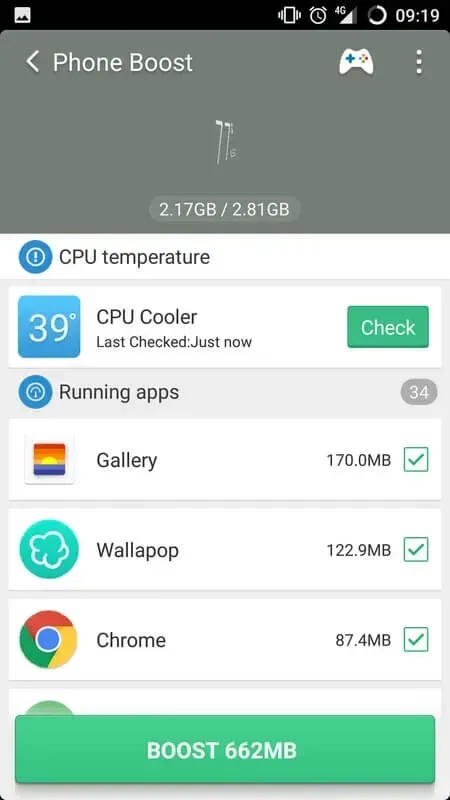
You can free memory with one tap to close background tasks that are not needed. After boosting, a built-in speed test helps you see the difference in performance. This is useful before gaming or when apps feel sluggish, and it can be repeated whenever the phone starts to slow.
Battery saver and app hibernation
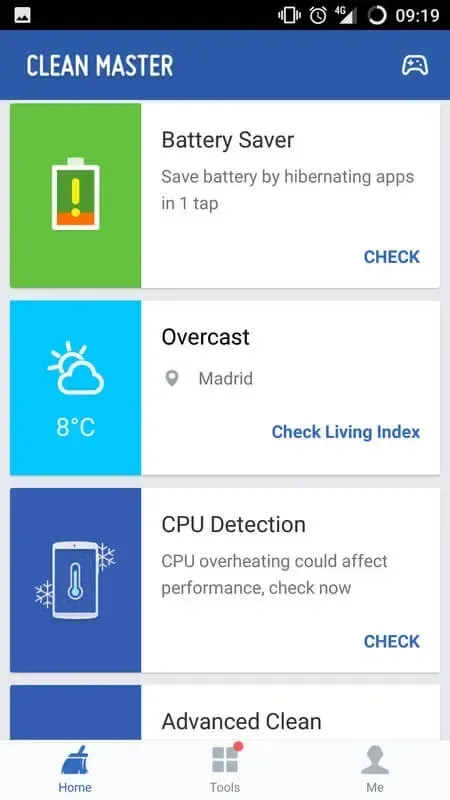
Clean Master identifies apps that keep running in the background and drain power. You can hibernate selected apps to reduce activity and extend battery time between charges. The app explains what will be paused, so you decide what stays active and what can wait until you open it again.
WiFi security checks
The WiFi security tool looks for fake hotspots and unknown devices using your network. When a risk is detected, you get clear guidance on the next step, such as disconnecting or checking your router. This is helpful when connecting in public places or shared spaces at home.
Privacy tools and Game Master
Privacy options include AppLock to control access to selected apps with a passcode or pattern. Media tools help find large files, compress photos, and hide selected photos or videos inside a private space. The Game Master section lets you organize titles and can speed up game loading by reducing background activity when you launch a game.
Tips for Users:
Regularly run the cache cleaner to keep storage space optimized.
Use the junk cleaner periodically to maintain phone performance.
Check the storage cleaner to identify and remove unused apps and files.
Let the CPU cooler work its magic when your device feels warm.
Activate the battery saver mode when you need to conserve power.
Take advantage of the free VPN service for secure browsing.
Pros & Cons:
Pros
Scans and removes unwanted junk files
Prominent features are free to use
Comes with a Privacy Clean option
The interface is user-friendly
Cons
Professional version has a lot more features
Changelog:
- Added App Boost Box function in App Manager to boost your apps by 32%
- Added a Recycle Bin, to help prevent accidental photo deletion
- Optimized browsing history detection in Antivirus to better protect your privacy
Conclusion:
Clean Master is the ultimate solution for optimizing your phone or tablet's performance, enhancing speed, and extending battery life. With its powerful features such as memory optimization, app management, and antivirus protection, you can trust Clean Master to keep your device running smoothly and securely. Download Clean Master today and experience the benefits of a clean and efficient device.








