
PGT: GFX, Launcher & Optimizer is a tool for game optimization. The app allows you to change game icons and graphics settings for improved performance. It also provides a simple shader that can quickly boost graphics quality without affecting gameplay. PGT also offers XDAPortal functionality, allowing you to customize various graphics settings for a personalized gaming experience. Furthermore, it's compatible with almost all major Android versions, making it easy to change game settings.
Usage
First, open the application and grant the necessary permissions, such as storage and background app control.
Next, select your game and choose the correct region version from the list, such as Global, CN, or LITE.
Then, choose a preset to start with, such as the slower "Potato Quality" or the visually balanced "Simple Shader," and adjust the frame rate, resolution, shadows, and anti-aliasing as needed.
Afterward, tap the app and launch the game from within the app for the changes to take effect.
Finally, on Android 11 and higher, save your PGT settings using the built-in backup option, then copy the backup to a new device and restore it within the app to retain your configuration.
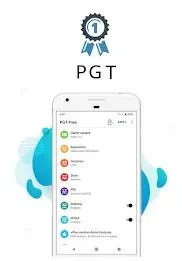
Features
- Potatographics: PGT allows you to change graphics settings and optimize FPS for enhanced game performance.
- Simpleshaders: The app provides simple shaders to further improve graphics quality.
- XDAPortal: You can customize basic, miscellaneous, advanced, and experimental graphics settings through the XDAPortal feature.
- Supports all major Android OS versions: PGT is compatible with Android OS versions -3 to 13+.
- Customizable game visuals: You can fully customize your game visuals for beautiful graphics and a smooth gaming experience.
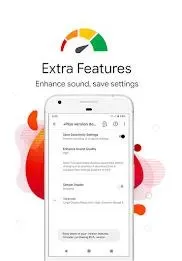
Permissions
Storage for applying and backing up graphics settings.
Allow loading settings from our servers over the internet.
Close background apps to improve memory usage.
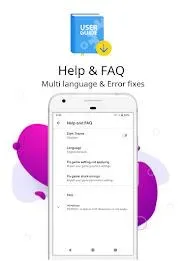
Advantages and Disadvantages
Advantages
Adjustable graphics settings for improved responsiveness and visual effects.
Clear interface layout, divided into four categories: Basic, Other, Advanced, and Experimental.
Dark theme for greater comfort during extended use.
Disadvantages
Performance improvements depend on device and game support.
HDR and FPS adjustments may not work in all games.
Only compatible mobile devices; results vary by hardware.
Summary
One of the most frustrating things for gamers is lag during gameplay. This affects the gaming experience and prevents you from achieving your desired results. PGT effectively solves this problem, allowing you to say goodbye to network latency and enjoy a smoother, faster gaming experience. It also offers various game modes and device power-saving features. This app boasts numerous practical functions, allowing users to customize settings and quickly connect. Join the game and enjoy your favorite games!








