

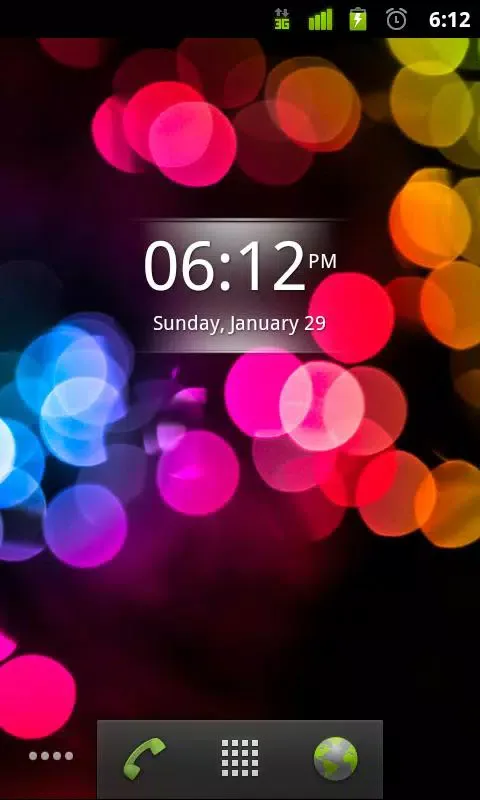
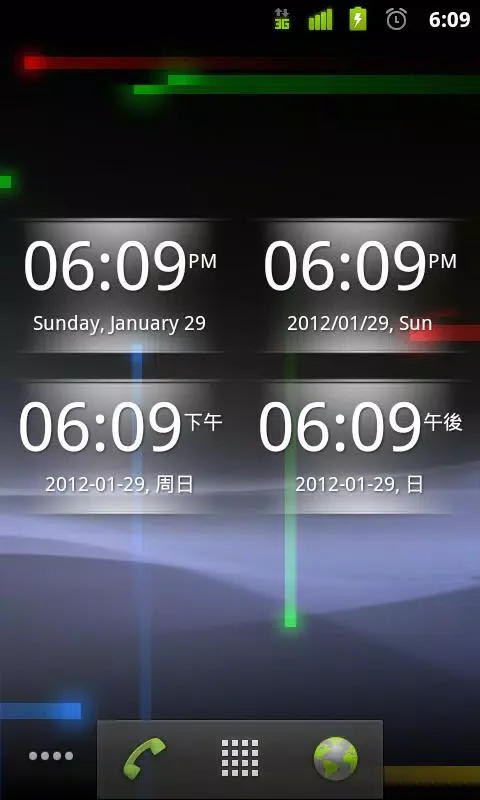
vClock is a timer widget tool. The app is inspired by the "Digital Clock" program inside Sony Ericsson Android phones. With it, you can set multiple date formats for your alarm and use multiple clock languages, giving you a more personalized clock experience. It's also very easy to use: simply tap the widget to load the alarm settings interface, easily set the desired alarm time, and tap again to restore the clock if it was turned off—convenient and quick!
Features
- Adapts to most background colors
- Click the widget to load the alarm clock settings page
- Supports multiple date formats
- Supports multiple clock languages
- Click the widget to restore the clock (if the clock is off)
- No ads
Updates
v1.4 Update Content: vClock 1.4 (2013-06-15):,----------,+ Added 4x2 size widget,! Bug fixes, vClock 1.3 (2013-06-12):,----------,! Bug fixes,+ Added upgrade prompt to the new version vzClock, vClock 1.2 (2012-02-11):,----------,! Fixed the issue of some Samsung and Sony Android phones being unable to open the alarm clock settings page,! Fixed a potential crash issue when the alarm clock settings page could not be found
FAQs
How much storage space is required to install vClock?
Please reserve at least 112.3 KB of space. After installation, for smooth updates and cache management, please reserve an additional 100-500 MB of space.
What are the system requirements for vClock?
Your device should be running Android 2.1 or later (first released around January 2010). If your phone does not meet the requirements, you can download an older version of the application.
How long will the download take?
The vClock package size is 112.3 KB. Download time may vary depending on your network connection. Typical speeds are as follows: - 4G: 30-100 MB/s - 5G: 170-400 MB/s - Wi-Fi: 50-500 MB/s
Why can't I download or install it?
Common reasons for download or installation failures include: 1. Insufficient device storage space; 2. Device incompatibility; 3. Poor network connection.
Conclusion
If you're tired of the boring and rigid built-in alarm clock on your phone, then you might want to check out vClock; it might bring you many surprises!








