

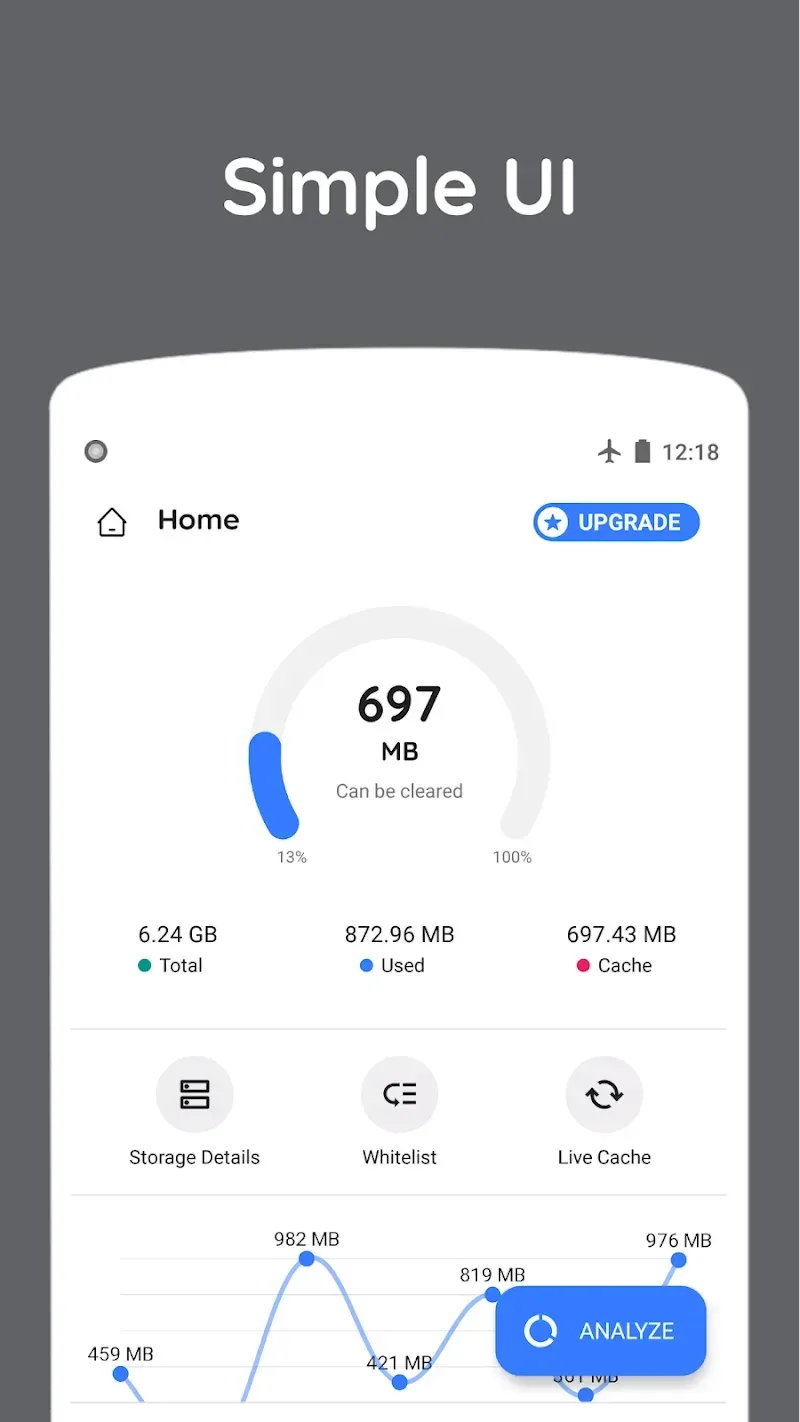
Zero Cleaner is a cleaning software designed for mobile devices. It automatically analyzes software cache and clears it automatically or manually based on user needs, saving users time searching and filtering and improving device performance. Each cache clearing operation leaves a history record. These records provide users with a complete understanding of the software's operation. Software security is also paramount; it does not collect any browsing history or data, ensuring safe use. The software will continue to be updated and optimized, releasing more new features—stay tuned!
Click to load YouTube / 点击加载视频
YouTube ↗Features of Zero Cleaner:
Clear Cache Easily: This removal is often done in many ways, depending on your needs. Therefore, it can operate manually or automatically to save time.
Floating Dock Access: Over time, the feature becomes indispensable for many reasons. You will be able to remember it by seeing the shortcut on the screen and tapping on it to start the cache-clearing process.
Comprehensive History Logs: The application will allow you to access detailed records of cleaning activity. From there, you will know how often the application operates or the last time you performed it.
Privacy-Focused Design: Any operation does not require too many permissions on the smartphone. This completely makes everyone feel secure when the application does not collect or share your data.
Streamlined Performance: If your device is not too powerful, it can still use the application. The features will recognize the operation and provide some solutions to ensure the main operations are guaranteed.
Highlights of Zero Cleaner:
Automatic Cleaning: If you are not into manual cache cleaning, then you can enable the automatic cleaning, and the app will do it at scheduled times every day. This is a recommended feature as it’s a one-time setup, and you will always have the best smartphone performance with background cache cleaning.
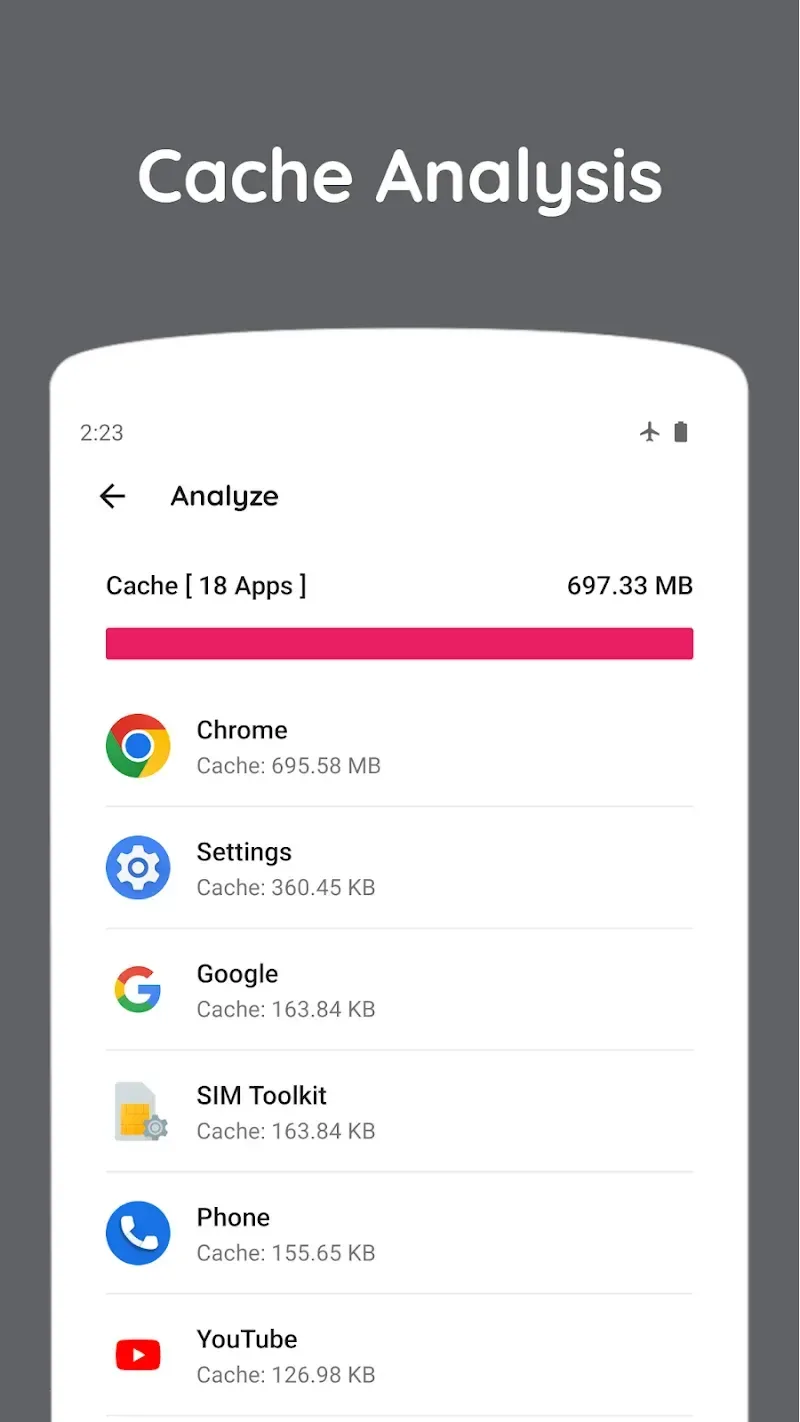
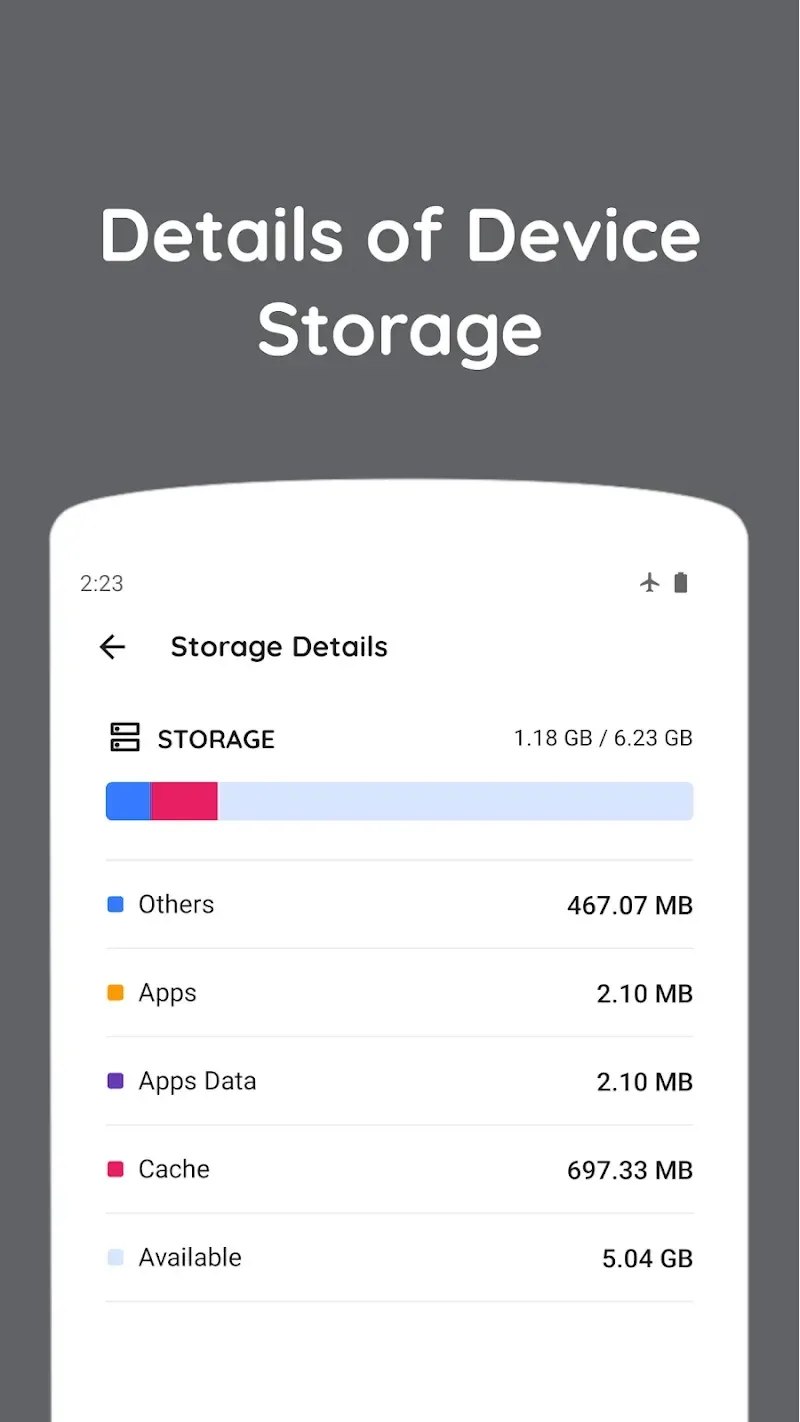
Cache Analysis: This app focuses on cleaning the cache. But before cleaning, you must know which apps are using the cache files and how much storage they are consuming. With the clean interface, you can know the details about the storage of each app and take appropriate actions if you want.
Cleaning History: Cleaning the cache every day is not recommended, as it may hamper the quick functioning of the apps. That’s why it’s imperative to understand the history of the cache-cleaning process. You can see the history of the last test details, including the date, time, and size of the cache. With this, you will be able to run the cache cleaning at the right time.
Floating Deck: If you want a convenient option to access the app, then you can enable the floating deck option. With the floating deck, you can access all the features from any app or the home screen without opening the app. If you feel the phone is slow, then you can access the cleaning features to quickly speed up the phone’s performance.
User Reviews of Zero Cleaner:
I've actually had this app for a few years now, admittedly not using it on this device for a while. I started using it again and decided to check the apps after running it. I was pleasantly surprised when I found the majority at zero cache, with some having no more than maybe 30 or so KB of residual cache still there, which is obviously nothing. In the 20+ years of having smartphones, I can honestly say that I've not yet seen a cleaning app perform this effectively. Good job, Developer!
Excellent App for junk cleaning & reliability. But why such apps are required to provide whole android permissions & due to personal privacy of each individual's personal mobile phone is his or her right, but if not granted will not work. Anyways, we have millions of financial records, credit or debit cards inside a wallet, so no care, except family and friends images and videos. Given 5 stars. Just this apps working and properties. Thank You team Zero Cleaner.
Great! We've tried the Zero Cleaner app and it's great for cleaning up junk files (the ones with the broom icon). It helps protect the phone system and prevents freezing, scrolling, and unresponsive touch screens on older phones (5-6 years old). Zero Cleaner is excellent. It's not yet in our beta program, but we hope it continues to improve. We're using the Zero Cleaner app gradually. Thank you!
Zero cleaner is a very good app. It is a very potential app and I liked it very much. It would have been good if Zero Cleaner had other features like app lock and removal of paid apps. It would have been nice to have a free card, sir, I have given it 5 stars so that even if there is a paid option, these free cards and the option of app lock can also be included so that it becomes very easy for us Android phone users.
Conclusion:
Many mobile devices can be full of information and files or have performance issues when accessing. Zero Cleaner: clear cache will help users remove threats related to full memory or smooth operation of the device. Users can choose to clear automatically or manually depending on their usage needs.








