

FlexClip video editor is a video editing application. Here, you can get the best creative ideas for all your video creations and gain more attention. The video creation process is also very simple. The application provides numerous video templates, allowing you to avoid creating videos from scratch and create the highest quality video creation workflow. The application also provides many practical functions, so no matter what your video needs are, you can easily complete them and output high-quality videos.
Features
App Publishing Videos
To increase app downloads, you need a professional program to showcase your app's features. FlexClip is easy to use and can easily accomplish this without any professional help. Built-in templates provide the best creative ideas for your app publishing, helping you take it to the next level.
App Demo Videos
Whether your app is technical or non-technical, you need a great demo to attract users. FlexClip is the best choice for publishing app demo videos. This program is easy to use and helps you smoothly complete the entire process, making your app demo video a success.
App Promotional Videos
To attract users, app promotion is definitely an effective strategy. With FlexClip, you can easily create eye-catching app promotional videos that grab users' attention with just drag and drop. FlexClip's integrated features are incredibly powerful, providing all the necessary tools to help your projects succeed.
App Tutorial Videos
Your app tutorial videos should be engaging from every angle. Leverage FlexClip's powerful features to create tutorial videos that will win over users. Create professional and clear tutorial videos with just a few clicks.
App Review List
FlexClip's powerful features free you from tedious editing techniques. With FlexClip, you can browse app lists, showcase the most popular apps, and compare prices to provide users with the best choices.
Highlights
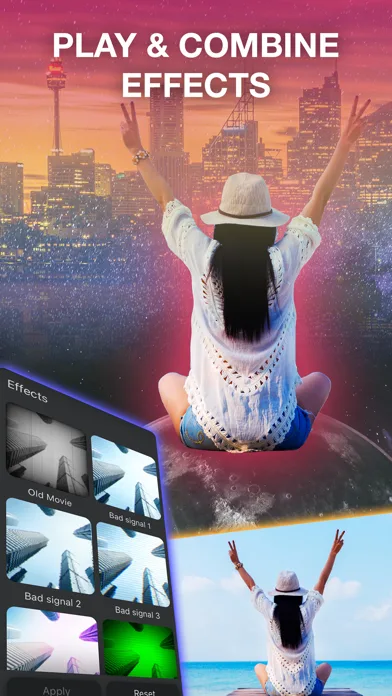
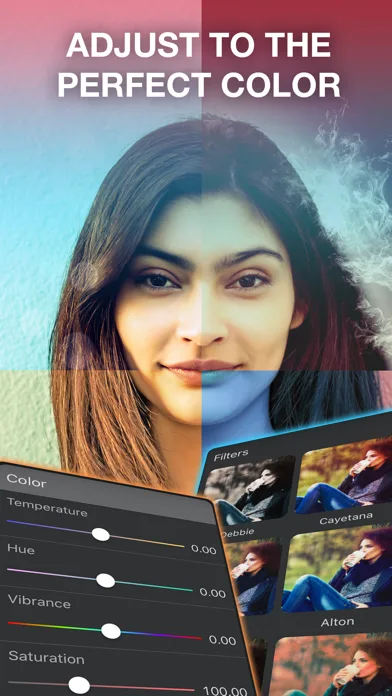
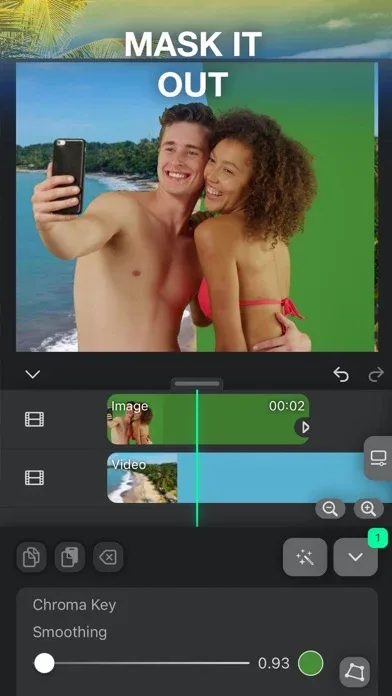
Easily edit/merge videos and images; Adjust video speed to create creative, unique, and fun videos; Millions of professional video, image, and music templates; Zoom and rotate videos (or slideshow photos); Add transitions, intros/outros, logos, video watermarks, and more; Record screen activity as a storyboard; High-quality video output—choose from 480p, 720p, and 1080p resolutions.
Reviews
My clients love the work I produce using FlexClip, and my friends and family adore the personalized projects I create for them. Client videos not only elicit "Wow!" from clients and their customers but also bring in a large number of new clients.
FlexClip made me realize how much its rich AI tools and convenient video editing tools can help in teaching. I highly recommend FlexClip because it's simple to use and students can quickly get started. It also offers a substantial amount of AI tools.
FlexClip's flexibility helps me create videos quickly and provides numerous professional effects. I can confidently say that FlexClip has enabled me to create many types of videos and generate engagement on social media platforms like Facebook, Twitter, and YouTube.
In my new role as the owner of Mayflower Media, creating book trailers for authors, I was deeply impressed by FlexClip's simple learning curve, especially considering its multitude of features. Furthermore, the excellent media resources available within FlexClip itself, rather than searching for royalty-free images, videos, and music on other websites, truly make it a convenient and one-stop platform for creators.
FAQs
What are the main features of the FlexClip APK?
The main features of the FlexClip APK include uploading and editing videos, adding text captions, searching for shapes and emojis, adjusting video speed, scaling, rotating, and applying transitions. The app also supports screen recording and offers multiple video output resolution options.
Is FlexClip APK suitable for beginners?
Yes, the FlexClip APK is designed to be very user-friendly, making it easy for both video editing beginners and experienced users to get started. The app provides intuitive editing tools and convenient navigation to help you create videos quickly.
Can I use FlexClip APK without an internet connection?
FlexClip APK offers basic offline editing features. However, features that require access to the media library or cloud resources may require an internet connection.
How can I improve video quality using FlexClip APK?
FlexClip APK allows you to adjust video resolution settings, enhance your footage with transitions and effects, and add personalized elements such as text, captions, and logos to create a beautiful final product.
Conclusion
FlexClip is a simple yet powerful video creation and editing tool suitable for everyone. We help users easily create engaging video content for personal or commercial use without any learning curve.








