
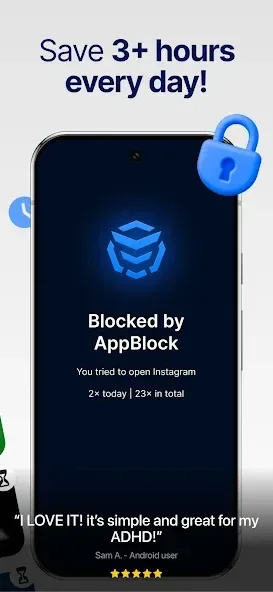
AppBlock is a tool that helps you lock applications. It offers various features to help users balance work and leisure time, providing a unique user experience. With AppBlock, you can select the applications to block, set blocking periods, customize the lock time, monitor usage, and set reminders. You can also effectively limit leisure time by setting a timer to reasonably restrict usage, while still using the blocking function to do what you've been wanting to do. In addition to blocking applications, this app can also block internet access, notifications, and even Wi-Fi connections, minimizing distractions.

Highlights:
App Blocker: From blocking social media to games, to blocking distracted apps and websites.
Screen Time Management: Monitor and limit app screen time usage.
Website Blocker: Use Block Site feature to restrict access to time-wasting websites.
Customizable Blocking Schedules: Automatically enforce focus during work or study hours based on time, location, or Wi-Fi networks.
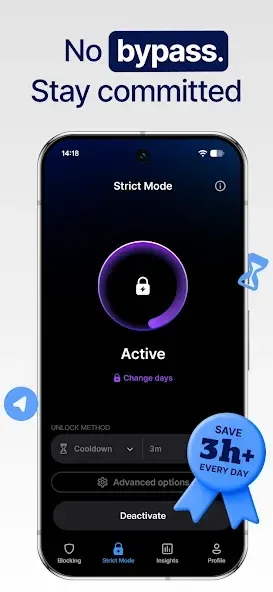
Strict Mode: Prevent bypassing set restrictions, reinforcing your commitment to focused work.
Features:
Block apps and websites
AppBlock lets you block specific apps, websites, and whole categories such as social media. You can start blocking instantly when you need to concentrate. This helps you remove common distractions during study, work, or downtime.
Smart schedules
AppBlock automates your limits with schedules based on time, location, Wi Fi network, or daily usage caps. You can create different profiles for weekdays, weekends, or specific places. This keeps your routine consistent without manual toggling.
Strict Mode
AppBlock includes a stricter control that is harder to bypass, which prevents quick workarounds when focus matters most. You choose how strict the rules are and when they apply. This is useful when you do not want to edit or disable a limit in the moment.
Screen time control
AppBlock shows your usage patterns so you can set clear goals and track progress. You can review time spent and adjust limits to support a digital detox or focused work blocks. This turns attention management into a manageable daily habit.
Cross platform coverage
AppBlock runs on Android and iOS, and it also offers extensions for Chrome, Edge, and Brave. This allows you to block sites on desktop while your phone limits apps. As a result, your focus rules can follow you across devices.
Guided modes for study, work, and family
AppBlock provides guidance tailored to common needs such as Students, Work, Parents, ADHD, Mental Health, and general Well Being. You can pick a starting template and refine it to match your day. This makes setup faster for first time users.
Tips for Users:
Prioritize Your Apps: Choose the most distracting apps to block first, such as social media or games, to ensure maximum focus during work or study sessions.
Set Time Limits: Estimate reasonable times for app blocking based on your workload, and stick to them to increase productivity and maintain a healthy work-life balance.
Use the Timer System: Create a list of apps to block and set timers for them, so you can easily enable or disable app blocking at scheduled times without any hassle.
Changelog:
Brand New Widgets
Introducing completely new widgets for Android! Now you can access AppBlock features right from your home screen for even quicker and more convenient use.
Adult content blocking
Secure your online experience with our new adult content blocking feature. Keep your browsing safe and suitable for all ages.
Conclusion:
AppBlock also offers users a variety of other unique features, such as an accurate geographical map powered by a modern GPS locator. Furthermore, users can create multiple profiles for different blocking applications. It will allow you to configure what to block when working, what to block when going out, and much more. Next, with support mode to easily change the application profile in just a few steps, you have a smart application blocking system right away. Furthermore, this application has a time limit function as well as a strict mode that is both interesting and useful.








