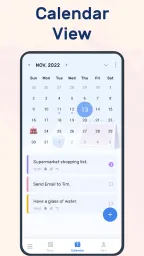
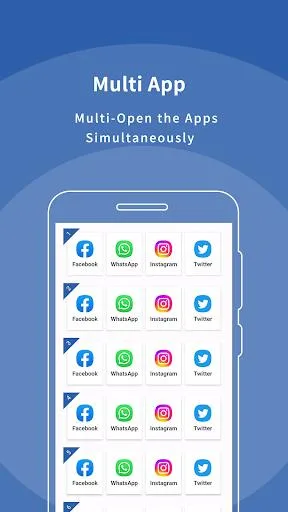
Multi App: Dual Space is a practical tool focusing on multi-account management and app cloning. It helps users clone various mainstream apps on the same device, allowing multiple accounts to run simultaneously without repeatedly switching accounts, easily separating work and personal life. It also supports custom themes and icons for different accounts, enhancing differentiation. Furthermore, the software includes biometric recognition and password lock functions to effectively protect your privacy and security.
Click to load YouTube / 点击加载视频
YouTube ↗How to use:
This short guide explains how to clone apps and manage separate accounts with Multi App: Dual Space. Follow the steps to set up a second space for social apps or games. If you plan to download Multi App: Dual Space for the first time, read through each step before signing in.
Open Multi App: Dual Space and grant the requested permissions when prompted, so the clone can run properly.
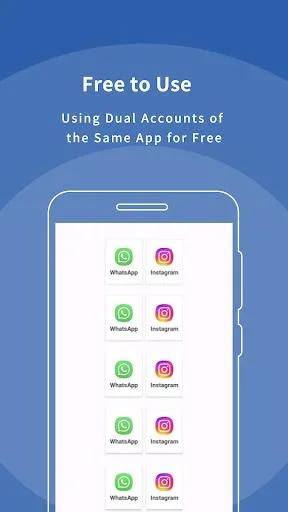
Tap the add button and choose an app to clone, for example WhatsApp, Messenger, Instagram, or a game like Mobile Legends.
Wait while the clone is created, then open it and sign in with your other account to keep activity separate from the original.
Use the switcher inside Multi App: Dual Space to move between spaces, and avoid logging out unless you need to change credentials.
Optionally set privacy controls by locking the space, hiding the app, or editing its icon and label for quick recognition.
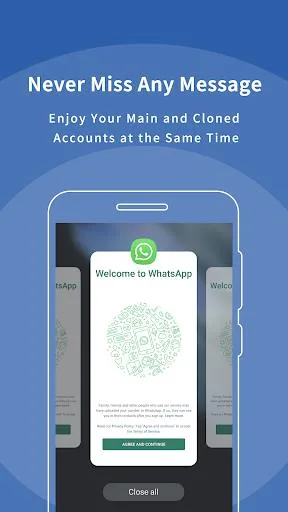
Features:
- Clone Apps Easily: Duplicate any app on your phone and log in with different accounts. Switch between accounts seamlessly without logging out.
- Multiple Account Management: Run multiple accounts for social media, messaging apps, and games simultaneously. Perfect for professionals and gamers alike.
- Secure & Private: Dual Space protects your cloned apps with password lock, ensuring your accounts stay safe and private.
- Lightweight & Optimized: Minimal battery and storage usage while running multiple apps at once. Experience smooth performance without slowing down your phone.
- Gaminge: Play multiple game accounts at the same time, track progress separately, and manage in-game resources efficiently.
- Social Media Support: Log into two WhatsApp, Instagram, Facebook, TikTok, or Twitter accounts simultaneously. Perfect for influencers or social media managers.
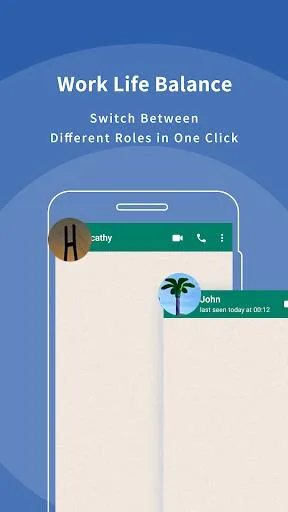
- Easy Switching: Switch between your cloned apps in seconds. No need to log out and log back in repeatedly.
- Notifications for Each Account: Receive notifications from all your cloned apps separately, so you never miss messages, updates, or game events.
- Custom App Themes: Personalize your cloned apps with unique icons and themes for easy identification.
Pros and Cons:
Pros
Free app cloner for running multiple accounts on one device
Supports dual spaces to separate work and personal apps
Account data and notifications stay isolated with no overlap
Compatible with Android 8–15 and many popular social, messaging, and gaming apps
Includes privacy features such as hidden apps, secure lock, and secret zone
Customizable icons and labels help distinguish different accounts
Simple, beginner-friendly interface with quick app startup
Can clone multiple instances of supported apps without a fixed limit
Cons
Reports of recent versions failing to open cloned apps and crashing frequently
Ongoing “Network Error” issues for some users, even on stable connections
Intrusive pop-up advertising that disrupts usage
Key bugs appear to remain unresolved for some time, which affects trust and reliability
FAQs:
What is Multi App: Dual Space?
Multi App: Dual Space, an Android utility app that clones apps so you can run separate accounts on one phone.
What is Multi App: Dual Space used for?
It is mainly used to keep two or more app accounts apart, such as personal and work logins, social media profiles, or extra game accounts.
Which apps can Multi App: Dual Space handle?
It commonly supports social and messaging apps like WhatsApp, Facebook, Instagram, Telegram, Messenger, Line, and WeChat, plus some mobile games.
Does Multi App: Dual Space keep cloned accounts separate?
Yes. The app is built around an isolated space for each clone, so account data, notifications, and settings stay separated inside each instance.
Conclusion:
Multi App: Dual Space is a very useful application for users who want to run multiple accounts simultaneously on one device. With its comprehensive features and support for various key applications, users can easily maintain a balance between their personal and professional lives. The application also offers stability, security, and efficiency for users. Therefore, for those who need dual access to their accounts, Multi App: Dual Space is the right choice.