CapCut - Video Editor is a professional video editor designed specifically for mobile devices. This powerful application combines numerous editors with a variety of effects, filters, and themes, and comes equipped with a wealth of tools. With CapCut - Video Editor, you can perform various basic editing and splitting operations through its rich features to create unique video works. At the same time, this application offers strong performance and stability, providing smooth real-time preview on modern mid-range phones, and even at high resolutions, the final rendering speed is quite fast.
Click to load YouTube / 点击加载视频
YouTube ↗Highlights:
One of CapCut’s most popular options is its text-to-speech function with nearly 93 languages. Adding to this useful and popular function are the voice changer and video translator functions powered by fully AI components, helping you develop content that reaches worldwide while altering your audio the way you want. Additionally, it guarantees a secure editing environment for users, as it protects data uploads through powerful data encryption.
There’s more, as this editing app features quality image and text generation from user prompts as well as instant short videos from long videos with just a click while keeping efficiency and speed in completing tasks. While the app is overall great for users, a major drawback is its 15-minute cap on edited videos, denying longer form content. Furthermore, it limits free users to 1GB of videos you can upload.
Moreover, this video editing platform recently released CapCut Video Studio wherein it redefines video creation with a timeline-free, canvas-based workspace that integrates AI across the entire production pipeline. Powered by Dreamina Seedance 2.0, it enables seamless ideation, storyboarding, scene generation, and editing in one environment. The built-in AI agent and robust toolkit make it suitable for everything from short films to ads, offering both flexibility and creative control for creators at any skill level.
Features:
Timeline control and speed ramping
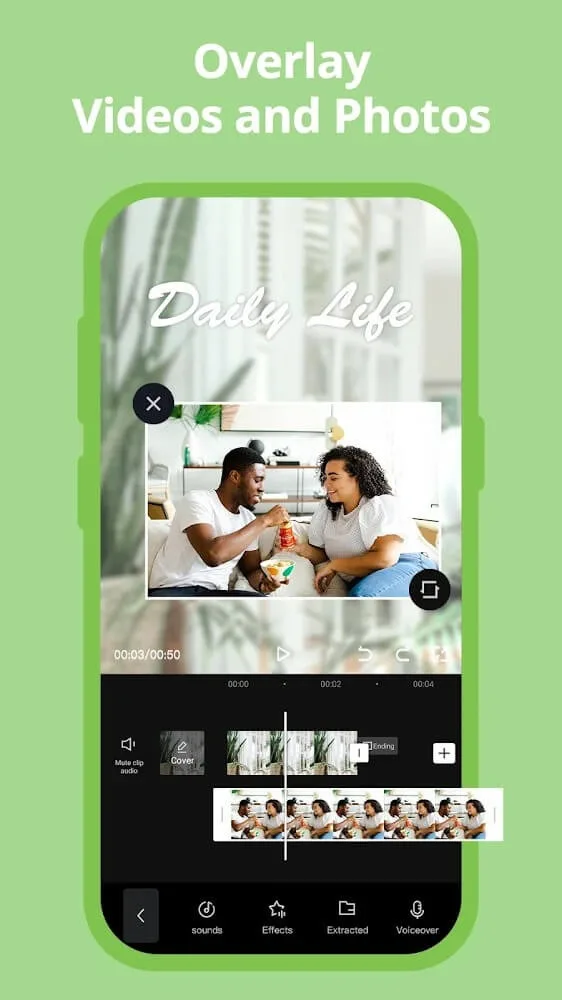
CapCut offers precise editing on a multi track timeline, so you can trim, split, and merge clips with accuracy. You can freeze a moment for emphasis, then continue the motion smoothly. Speed controls range from 0.1x to 100x, and speed curves let you ramp up or slow down parts of a clip for more dynamic pacing.
Keyframes, slow motion, and background cleanup
When a cut needs movement, keyframes let you animate position, scale, and other properties from point to point. For slow motion shots, optical flow helps create smoother frames that avoid choppy playback. You can remove or replace backgrounds using chroma key or a one tap removal tool, and stabilization helps reduce shake on handheld footage.
AI captions, text to speech, and voice tools
CapCut can generate auto captions in multiple languages based on the dialogue in your video. If you prefer narration, text to speech renders on screen text as a voice track with natural pacing. Voice enhancement and noise reduction features help clean up audio so speech remains clear under music or ambient noise.
Templates, filters, and trending assets
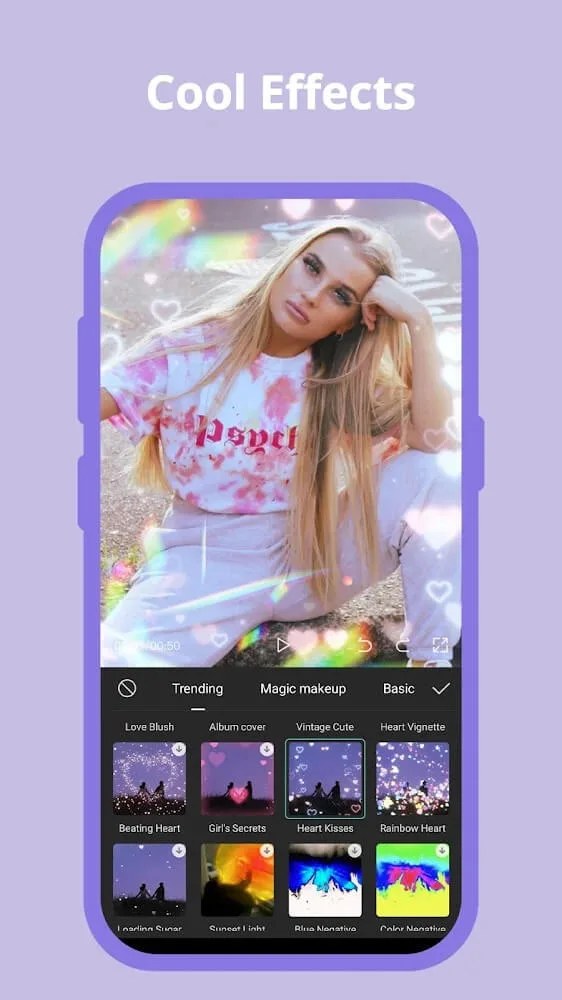
For quick starts, CapCut includes a large library of templates organized by style and use case. Effects and filters such as Glitch, Blur, and 3D are refreshed frequently so your edits can match current trends. You can add stickers and in app fonts to fit platform styles for Reels, Shorts, and TikTok without hunting for assets elsewhere.
Audio choices and high quality export
CapCut provides access to many music tracks and sound effects that can be synced to key moments. You can also extract audio from a video or import your own recordings to keep a consistent sound across clips. When the edit is ready, export in custom formats and resolutions up to 4K at 60 fps with Smart HDR where supported, then share directly to your social accounts.
Tips for Users:
Multi‑track timeline with trim, split, merge, reorder, Freeze, and transitions
Speed control from 0.1x–100x, Speed Curve, and Optical Flow slow‑motion
AI tools including auto captions, text‑to‑speech, background removal, motion tracking
Hundreds of effects, weekly filters, templates, text/stickers, importable fonts
Music library, SFX, audio extraction, voiceovers, and export up to 4K 60fps
Pros & Cons:
Pros
Versatile toolkit covering basic and advanced editing
AI helpers like Auto Captions and background remover speed up workflow
4K 60 fps export without extra hardware
Large library of templates, effects, and royalty-free music
Cloud sync and online editor for cross-device projects
Cons
Growing number of key effects locked behind Pro subscription
Reported crashes when adding media on some devices
Resource-heavy features may lag on older phones
Conclusion:
CapCut - Video Editor is one of Android's most powerful and versatile video-editing tools. If you want to try editing on Windows or Mac, on the other hand, there are desktop versions of CapCut, too. The vast majority of videos on TikTok, Instagram, and other social media platforms are produced either partially or entirely with this app, and the reason for that is simple— it's easy to use, offers amazing results, and has a large and active community. Without a doubt, this is a must-have app for content creators who want to create eye-catching videos on their Android devices.