

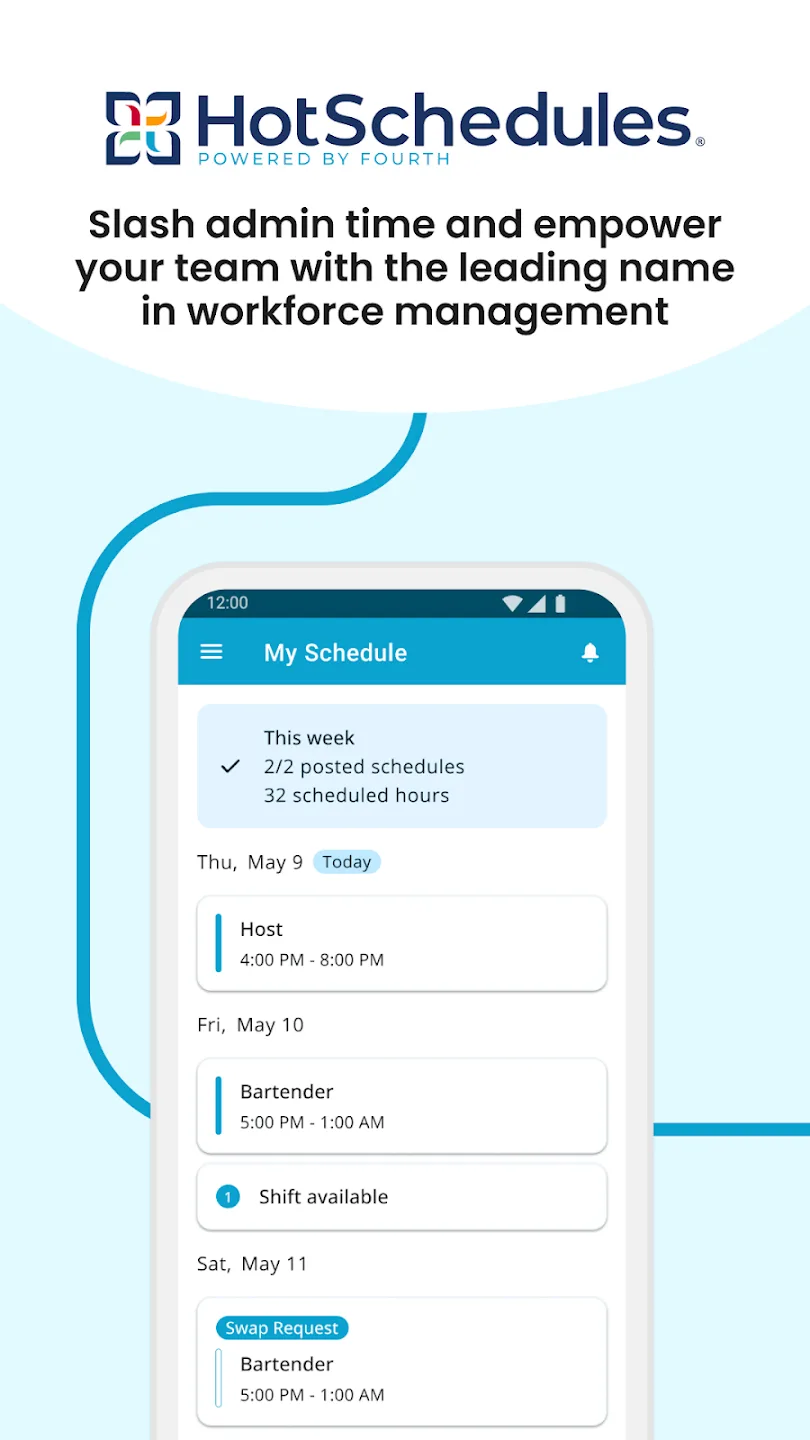
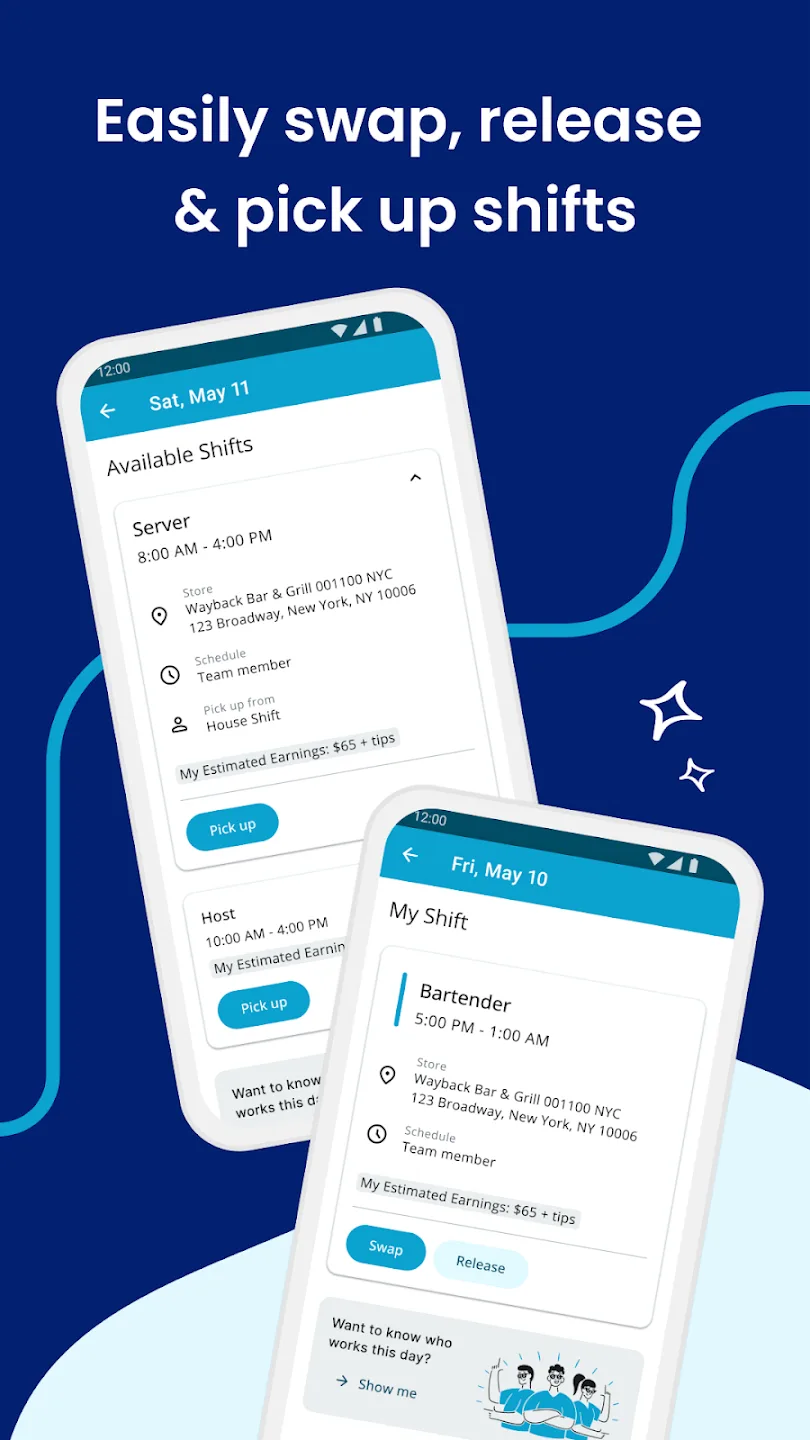
HotSchedules aims to improve employee productivity by streamlining work schedules and simplifying team communication. Users can view their current schedules in real time and easily send requests for schedule swaps, canceling shifts, or adding shifts. Users can also apply for leave directly through the software when they need to take time off, saving them time. Any changes to your schedule or work tasks will be notified immediately, facilitating communication and appeals. For managers, shift changes can be approved with a single click, and group chats or one-on-one communication can be created for easier collaboration. The software also features a built-in real-time online customer service team to help users resolve any issues, providing a comfortable user experience.
Click to load YouTube / 点击加载视频
YouTube ↗Features of HotSchedules:
Schedule: This is the feature that made the brand of this application and has attracted a lot of customers. When starting the application, the user will see that there are many categories, each of which will be a day, each of which will be divided into main time, AM and PM. In each AM and PM will include it a lot of different times in which the user can choose what time and at what hours will do the job. Users can organize all the things that they will do during the day into those categories, and when the time comes, the application will automatically notify the user. This will make you never have to be late again. Not only does it allow users to schedule daily tasks, but the app also allows users to program the missions for a whole week and even for the next several weeks. The app helps users manage their schedules clearly and minimize any risks.
Group Work Management: Imagine if you were the manager of a large business with a large number of employees. Then every time there is a notification, you will not be able to go to notify each employee directly. This will make you a lot of effort to be able to complete your work. These things will become a lot easier with the help of this application, and users will not need to effort as before. Users only need to create an account and add employees to the task so that users can notify the news to an entire team. Users can create an assignment that can assign tasks to each person and manage their work. These will make the company’s productivity much higher than before.
Monitoring of Business Activities: Besides the features mentioned above, there is also a feature that gives users a lot of benefits, which is monitoring the company’s business activities and revenue. By observing the work of all employees, the application will statistics the parameters of the company’s productivity. Through that, users can also know the revenue of their entire company so that they can make the most reasonable plans.
Highlights of HotSchedules:
Manager support: Often, managers will spend a lot of time building work schedules and approving shift changes for their employees. With HotSchedules, everything becomes simpler than ever, helping them save up to 75% of their time. Besides, financial reports, business performance will also be informed through snapshots, which will help you to grasp the information accurately. This allows managers to control work from anywhere without having to be physically present in the office.
Bringing people closer together: And most importantly, the connection, streaming, 1-to-1 messaging will help the whole team feel comfortable and work much more efficiently than the usual way. Accordingly, HotSchedules makes it possible for users to create a list of people in the same group for more convenient communication. This is one of the most useful features, making this application stand out from other competitors on the market today.
Sync across multiple devices: You may not know, to use the HotSchedules application, you need a valid HotSchedules account through the manager. This means that the user’s data will be synchronized across many different devices via the internet. You only need to log in to your correct account to be able to sync multiple calendars, send notifications about events and meetings of the day and week. Thereby, important information will be notified and completed immediately without delaying the schedule.
User interface optimization: A friendly interface is one of the prerequisites to keep users coming back to the application again and again. Understanding this problem, HotSchedules has carefully invested in the interface, everything is simplified but still ensures full features. The main features display visually on the screen, so you can control and find the feature you want to use. In addition, the layout of the workspace is also optimal and convenient for each user object.
FAQs of HotSchedules:
How does HotSchedules calculate my monthly bill?
HotSchedules calculates your bill on a monthly basis, based on the number of unique, active employees listed in your Staff List. In other words, you are billed for only the employees who have an active status. Billing period will start the day your trial ends or you enter your credit card information. For more information check the Product Specific Terms page. If you need assistance on updating the status for your employees, check this ARTICLE.
Will I lose any of my free trial if I upgrade before the trial expires?
No. If you upgrade to a paid plan before your free trial expires, you will not be charged for using HotSchedules during the remainder of your trial. When the trial ends, your credit card will be charged at the end of the next billing period.
How does the Promotion code work?
The code is embedded in your sign up link. You will need to enter your credit card information to activate the code. Your billing statement will show $0 until the promotional period is over.
What happens if I cancel my account in the middle of the billing cycle?
If you cancel HotSchedules between billing dates, your HotSchedules account will set as inactive on the day of the cancellation and billing will stop and you will see your Final Bill at the moment of your cancellation. To learn how to cancel follow this page.
Does my monthly billing invoice include state taxes?
Yes. Your taxes will be calculated according to the state or local tax law for the physical address on your HotSchedules account.
Conclusion:
HotSchedules is ideal for shift-based teams—like restaurants, bars, retail stores, and healthcare units—where flexibility and communication are key. If you juggle changing shifts or manage a dynamic team, this app can cut your admin stress and give your team more control over their time.








