
Google Pay is a smart payment software designed specifically for mobile devices. After registration and linking a bank card, users can automatically fill in various payment information while ensuring user privacy and security, enabling fast and secure transfers and payments. The software creates a one-stop payment system for users, automatically using various membership cards, gift cards, and discounts during payments, providing users with a cost-effective shopping experience. Of course, security is paramount; the software protects user identity information and transaction records in real time and issues alerts for potential fraud, ensuring the security of user accounts.
Click to load YouTube / 点击加载视频
YouTube ↗Features of Google Pay:
Google Pay supports debit and credit card payments for transactions at both online retailers and physical merchant locations. The application integrates with several major platforms including Zomato for food delivery, redBus for transportation bookings, and MakeMyTrip for travel reservations. Stored card information enables faster checkout across these services without re-entering payment details.
Mobile phone service recharge is available without additional processing fees. The application displays recharge plans available from the user's cellular carrier, and a repeat recharge feature automatically applies previously selected denominations on subsequent renewals.
Beyond mobile services, Google Pay enables payment of utility bills and other recurring payables. The application sends automatic reminders as bill due dates approach, helping users avoid missed payments without separate banking portal logins. Users can manually initiate payments whenever preferred.
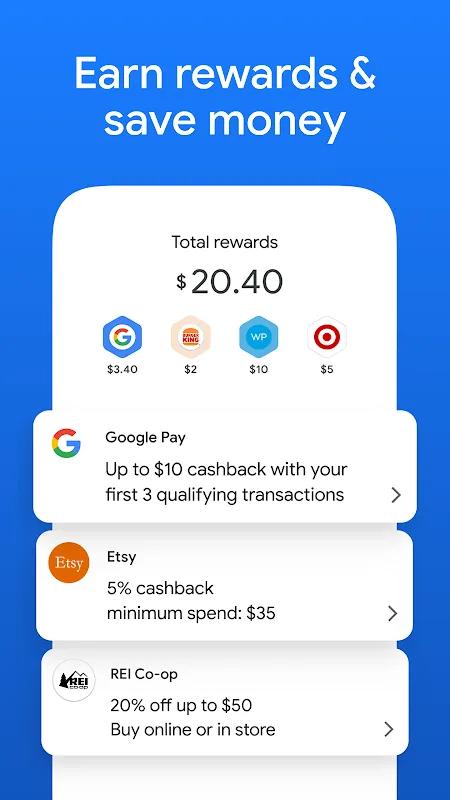
Bank account balance is accessible directly within Google Pay without logging into separate banking applications. The app includes a referral program that provides cash rewards to users who invite others to adopt it, with rewards depositing directly to their bank account.
The application also includes gold trading functionality. Google Pay partners with MMTC-PAMP, a government-backed precious metals organization, to facilitate gold purchases at current market rates. Users can arrange storage in a dedicated Gold Locker system or request home delivery of physical gold coins.
Highlights of Google Pay:
Fast Autofill and One‑Click Checkout: Saved cards appear automatically at checkout on Android and in Chrome thanks to encrypted autofill. When a site or app shows the "Buy with Google Pay" button, payment can be confirmed with a single tap. Google Pay: Save and Pay keeps the flow consistent, so users spend less time typing card numbers and more time finishing purchases.In everyday use, autofill helps complete purchases quickly in shopping apps and browsers. Shipping and contact details often carry over, which reduces errors on mobile. Availability depends on participating merchants and card issuers; if a checkout page doesn’t support this button, payment can still be completed using the site’s standard method.
Tap to Pay with Phone or Watch: Contactless payments work by adding cards to Google Wallet and tapping your phone or Wear OS watch at terminals that display the contactless or Google Pay symbols. With Google Pay: Save and Pay, the default in‑store card appears when you unlock and hold your device near the reader, making quick stops at grocery stores or cafes feel effortless.Acceptance is broad where contactless is supported, but there are regional differences. In the U.S., the standalone Google Pay app is discontinued; tap‑to‑pay requires Google Wallet, while online checkout remains available. Some terminals or banks may not support certain cards, and devices must be unlocked to pay. If a watch runs low on battery, using the phone or the physical card is a practical backup.
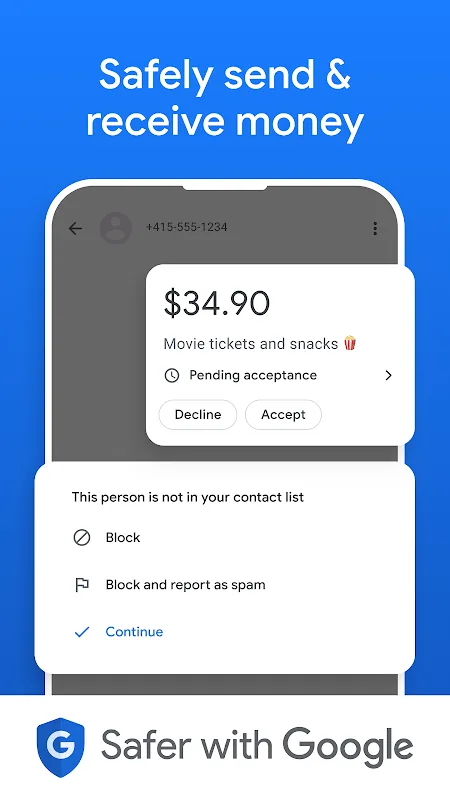
Security and Privacy Built In: Authentication, transaction encryption, and proactive fraud alerts protect payments behind the scenes. Google Pay: Save and Pay uses tokenization to avoid sharing your actual card number with merchants, and users can adjust privacy controls to fit comfort levels. Google states it does not sell personal information or transaction history.Alerts help you spot unusual activity quickly, and settings are straightforward enough for most users to manage without fuss. Some protections rely on your bank and region, so features like advanced alerts can vary. Using a strong screen lock and keeping your device software updated adds another layer of assurance.
FAQs of Google Pay:
Which devices are compatible with Google Pay?
Google Pay works with most NFC capable Android devices.
How do I know if my device is NFC enabled?
You can see if your device is NFC enabled by checking this in your phone settings.
If the card account has an Authorised User, where will the one-time passcode be sent?
The one-time passcode will always be sent to the primary cardholder or, for Business Debit Cards, the account owner.
Do I need a mobile data or Wi-Fi connection to use Google Pay?
You may require a mobile data or Wi-Fi connection to make Google Pay transactions In-Store. You will need a mobile data or Wi-Fi connection to add a card to Google Pay, to replenish security settings and after a device restart. You will need mobile data or Wi-Fi connection to receive the transaction notification.
Is Google Pay safe to use?
Yes. When you shop at a merchant, Google Pay doesn't send your actual credit or debit card number with your payment. Instead a virtual account number is used to represent your account information - so your card details stay safe.
How do I choose which card I want to make a payment with?
The first card you add to Google Pay becomes your default payment card and will remain so unless you change it.To change your default card, or to make a payment using another card, simply select the preferred card within the Google Pay app settings and tap 'Set as default card'.
Summary:
Google Pay is the perfect way to securely make payments in India. This app makes it quick and easy to complete bank transactions or send money to friends. Without a doubt, it's one of the best ways for Indian residents to make payments from their smartphones.