

APK Editor is a user-friendly file editor that offers users a wealth of customization options. You can change software and game names, remove ads, change background wallpapers, unlock previously restricted features, and more, resulting in a superior user experience. The software also supports app cloning, allowing users to log in to two different accounts simultaneously on the same device, thus improving efficiency. Xiaodu includes a built-in FAQ function to help users resolve potential minor issues, ensuring a smooth user experience.
Click to load YouTube / 点击加载视频
YouTube ↗Features of APK Editor:
Two editing modes: Apk editorvides Simple Edit for quick resource swaps and Full Edit for deeper changes that recompile the APK. Simple Edit suits fast string updates or image replacements with minimal steps. Full Edit opens the full package structure for advanced edits and is better for users who understand how resources and code are organized.
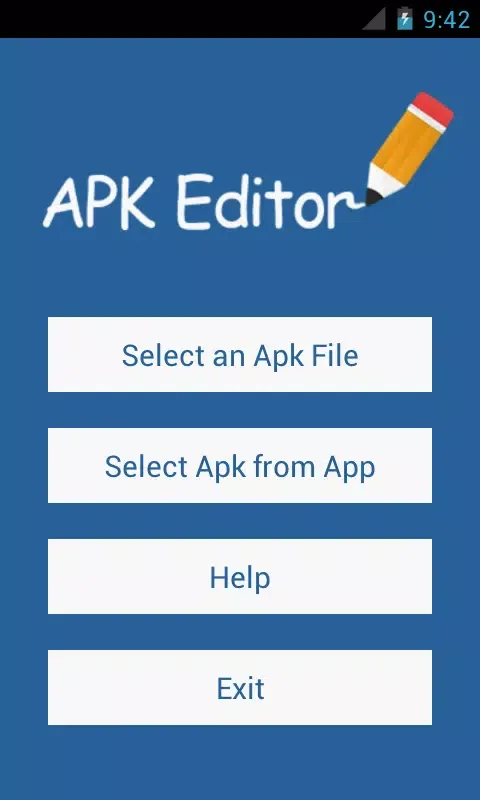
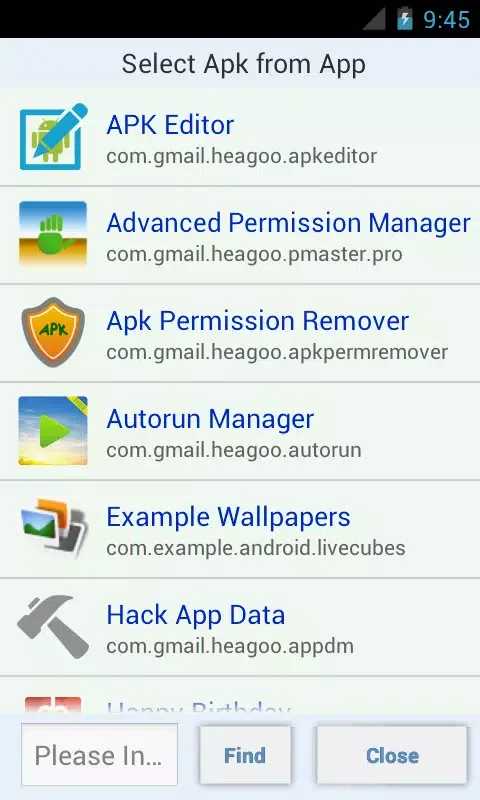
Flexible import options: You can open an APK from local storage or extract the APK from an installed app with one tap. This flexibility helps when the file is already on your device, or when you want to analyze an app you have installed. After import, the app organizes files into a clear layout so you can move directly into the editing mode that fits the task.
Resource editing for localization and visuals: APK Editor lets you localize strings, adjust the app label, and replace images or icons. You can also review layouts to align visuals or spacing. Helpful in-app hints make common changes like text updates or icon swaps more approachable, so you spend less time searching for the right file.
Permissions and component review: You can review requested permissions to see what the app asks for at install time. With caution, you can remove unwanted or ads related resources and components. Because these changes can affect how an app runs, it is recommended to make small edits and validate them step by step.
Highlights of APK Editor:
Support for Different APK Formats: APK Editor supports both APK and XAPK formats, allowing users to work with a broader range of applications.
Backup and Restore: Ensure that your original applications remain untouched with the built-in backup feature. Users can always restore the original APK should they wish to revert back to it.
Ad Removal: One of the standout features of APK Editor is the ability to remove advertisements from applications, providing users with a smoother, ad-free experience.
Multi-language Support: With a diverse user base, APK Editor offers multi-language support, allowing users from various regions to navigate the application effortlessly.
Speed and Stability: Built with performance in mind, APK Editor ensures swift editing and packaging processes without compromising the stability of the applications.
Editing Permissions: Modify application permissions to enhance functionality or increase privacy. Users can enable or disable specific permissions to tailor the app's capabilities precisely to their needs.
Installation instructions of APK Editor:
Locate a Trusted Source: Apk editor can be downloaded in two steps: firstly, one should select a reputable and safe site. This app might not necessarily be found in the official app stores; consequently, people do turn to third-party sources. During the search process, Apk editor download, download Apk editor, Apk editor apk download, Apk editor free download, or baixar Apk editor are the common ones; one should not visit untrustworthy or unfamiliar sites that could lead to the download of malicious files.
Check File Specs Pre-Download: It is best to go through the file details before downloading. This involves viewing the file size, version, and compatibility with your device. Also, ensure that you get the latest version so that you do not experience bugs or performance problems. Reviews or ratings of the user on the passing of the website can also be read to determine whether the file is safe.
Android: Unknown Sources on: With the file being external to the official store, you must make sure that you have turned on unknown sources when it comes to installing it. To do this: Go to Settings. Open Privacy or Security. Enable Unknown Sources. The feature enables your phone to install APKs without any limitations.
Install the APK File: After these are confirmed, download the file; wait till it has been saved to your device. Ensure that you are connected with a stable internet connection so that you are not disrupted in the downloading process.
Install the Application: Once downloaded, find the APK in the storage of your mobile or tablet and then tap the install button to install the APK in a secure manner. After the instructions on the screen, the app can be successfully installed in a couple of seconds.
Launch and Setup: After installation, start the app and enable the necessary permissions. These privileges are required to access files and to do editing tasks. Once it is established, the app is available.
Summary:
At the end of the day, whether you're someone who just likes to tweak around or you're a developer for the Android platform, APK Editor is a handy tool to have around if you need to make quick changes to applications on the fly. It offers a decent amount of options and even has two editing modes to cater to different types of users.








