

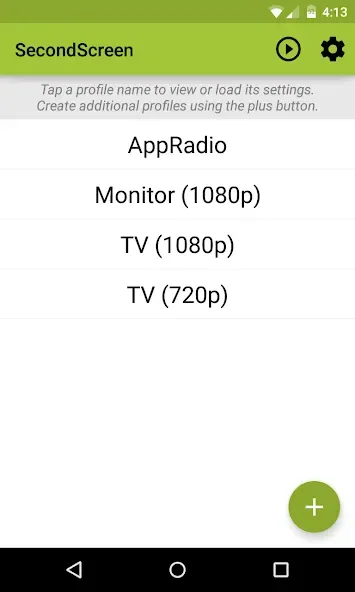
SecondScreen is a powerful utility application that allows users to use their Android phone as a second screen, multitasking and handling various tasks simultaneously, enabling them to use their devices in entirely new ways. With SecondScreen, users can create profiles for specific applications and content, providing seamless interoperability and an optimal viewing experience. It works by allowing you to customize the display resolution and DPI to better suit the specific TV or monitor you connect to. In addition, quick actions and home screen shortcuts allow you to launch profiles with just one tap, which is very convenient.
Many configurable options:
Automatically enable Bluetooth and Wi-Fi - quickly connect a keyboard, mouse, and/or game controller
Automatically enable Daydreams
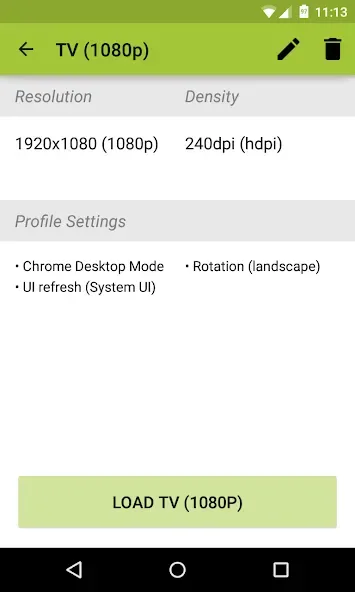
Show desktop sites in Chrome by default - browse the real Web, on your TV!
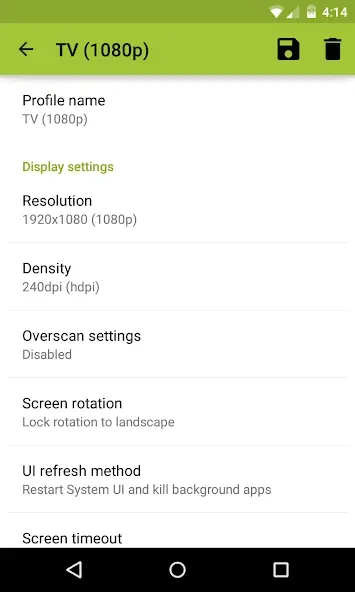
Lock screen orientation to landscape
Overscan support for older TVs (Android 4.3+)
System-wide immersive mode (Android 5.0+)
Disable device backlight and/or vibration - save battery while your device is connected (not compatible with all devices)
Features:
Easily change resolution and density (DPI) - take full advantage of the resolution of your external display, and show the Android tablet interface if you're using a phone
Simple profile-based interface - easy to enable/disable different profiles for different types of displays
Full integration with Tasker
Load profiles automatically when a display is connected
Quick Actions - quickly and easily run SecondScreen features without creating or editing profiles
Homescreen shortcuts - launch a profile with one tap, without entering the app
Pros & Cons:
Pros
Intuitive to use
Works with different mirroring apps
Plenty of handy extra features and options
Cons
Requires special permissions
Changelog:
• Maintenance release targeting the latest versions of Android
• Fix issue where orientation would stay locked after turning off profile
Conclusion:
To facilitate interaction, a Bluetooth keyboard and mouse are strongly recommended, as using the touchscreen might present challenges due to smaller UI elements. For enhancing productivity and entertainment when connecting an Android device to an external display, this app stands as the perfect choice.








