
Nova Launcher Prime is a theme and icon customization software. It allows you to customize desktop icons to create your preferred effects. It can synchronize dark mode and other features, integrates a search function for frequently used applications, performs calculations and unit conversions, and includes backup and restore functions. It can also be expanded with numerous widgets for desktop adjustments. With its powerful features, it brings greater convenience to users.
Function
Custom icons
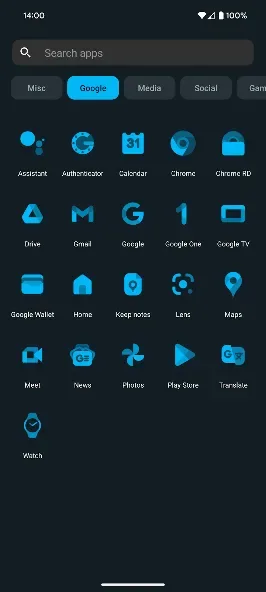
Nova supports thousands of icon themes available in the Play Store. Plus, reshape all icons to a shape of your choice for a uniform and consistent look.
An extensive color system
Use Material You colors from your system, or choose your own colors for a personalised feel that's unique to you.
Custom light and dark themes
Sync dark mode with your system, the sunrise and sunset, or keep it on permanently. The choice is yours.
A powerful search system
Nova allows you to search for content in your apps, your contacts, and other services with integrations for your favorite platforms. Additionally, get instant Micro Results for calculations, unit conversions, package tracking, and more.
Customizable home screen, app drawer, and folders
Icon size, label colors, vertical or horizontal scroll and search bar positioning just scratch the surface of customization for your home screen setup. The app drawer also adds innovative customizable cards to give you the information you need, right when you need it.
Subgrid positioning
With the ability to snap icons and widgets in between grid cells, it’s easy to get a precise feel and layout with Nova in a way that’s impossible with most other launchers.
Backup and restore
Moving from phone to phone or trying new home screen setups is a snap thanks to Nova’s backup and restore feature. Backups can be stored locally or saved to the cloud for easy transfers.
Highlights
Change every aspect of your home screen
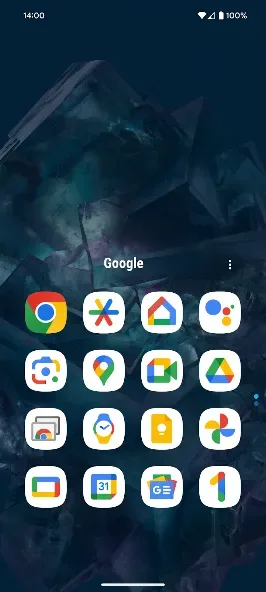
Thanks to Nova Launcher, you can change everything about your home screen. Choose from a variety of themes and even icon packs to find one that suits your style. You can also create folders and adjust the size of the grid to accommodate more icons and widgets. The dock at the bottom is also customizable, allowing for up to 7 icons.
Launch apps from the app drawer
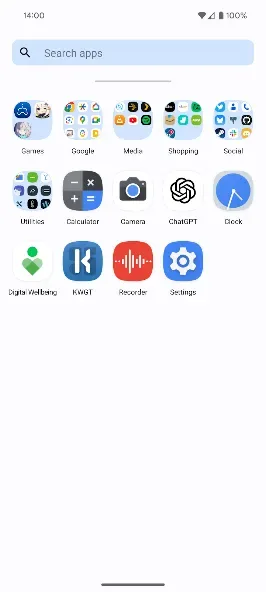
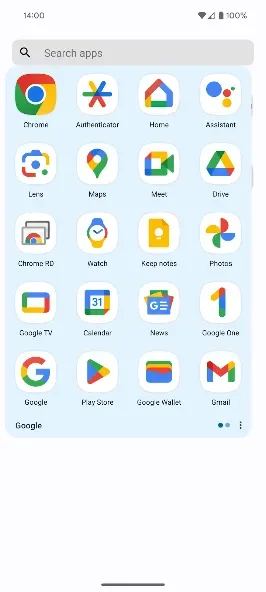
Unlike some launchers that have removed the app drawer, Nova Launcher keeps it available for users. This means you can have the icons of your most essential apps on the home screen and access the app drawer to find all the apps installed on your device. In this drawer, you can place shortcuts to your most used, recently installed or recently opened apps.
Configure smart gestures to speed things up
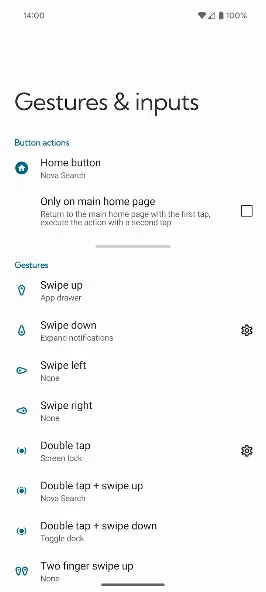
Nova Launcher also supports custom gestures. You can configure specific gestures for each action, such as swiping up to open the app drawer or double-tapping to lock the screen. Some gesture functions are available exclusively for the paid Prime version of the app.
Advantages and disadvantages
Pros
Extensive customization for home screens and app drawers
Advanced gesture controls for streamlined navigation
Support for themes, icon packs, and widgets
Effective app hiding and drawer organization tools
Fast, responsive performance on most devices
Reliable backup and restore capabilities
Cons
Slightly longer start-up time compared to some default launchers
Rich feature set may require an initial learning curve for new users
User comments
It's quite user-friendly. Starting with the Sony Xperia 5, after Android system updates, the home screen layout changed. I also dislike having all apps spread out on the home screen. I chose this app based on recommendations from other users, and it's been excellent for two or three years. The home screen uses an app library at the bottom, with frequently used apps on the home screen. There are five tabs: home screen, monthly calendar, weekly calendar, to-do list, and music player. The app library can also be categorized, and I really like the personalized layout. However, I would appreciate support for manually editing the app library folder order. The current default mode requires users to adapt, which is quite user-unfriendly.
Everything is very good, the interface can be customized, icon size, color, shape can be humane, and there are many useful gesture settings, although I have no interest, even if the money to buy prime is ok, but, even Just like a Michelin chef doesn't know how to cook fried rice...??
Summarize
Nova Launcher is one of the most popular free launchers for Android. This launcher allows you to completely transform your home screen's appearance and functionality, offering a wealth of customization options to adapt everything to your preferences. You can set shortcuts to apps and actions, add widgets and much more.








