

WiFiKill is a Wi-Fi utility that helps users quickly view devices connected to a Wi-Fi network. It can capture data transmission rates and monitor the activity of all network devices on the network. The app is completely free to download and use. It collects device information—including device names—and supports UDP protocol interception, allowing users to intercept any UDP traffic streams. With a simple interface, it is easy for users to get started, making it a suitable choice for users with limited network resources.
Features
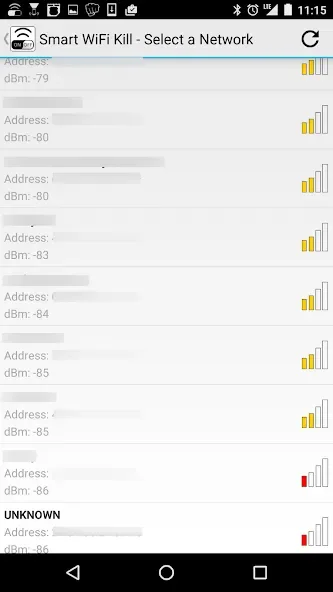
You can see all who is connected (list of devices) on the wifi network that you are using.
WiFiKill can show the data transfer rate (download, upload) of grabbed devices.
You can monitor the network activity of any device using WiFi.
Names of the devices connected to the network are displayed.
Most importantly, you can cut off the net connection of any device which is connected ? to the same WiFi network as yours.
It works on tablets too.
Function
Complete freeware app: WifiKill is a free app that can be downloaded and used without any cost.
Wi-Fi control: With WifiKill, you can control your Wi-Fi network by monitoring and selectively blocking or limiting internet access for connected devices.
Information gathering: The app can gather information about connected devices on your network, including their NetBIOS name.
Bandwidth control: You can use WifiKill to reduce bandwidth leeching done by other users on your network and control the usage of your Wi-Fi data.
UDP Protocol Blocking: The app has a blocking system named "UDP Protocol Blocking" that allows you to block any UDP protocol.
URL listing and browsing: WifiKill can create a URL listing of connected devices, which can be sorted in various ways. You can also browse any URL showing from the other device by long pressing on the URL.
Improved grab/kill effectiveness: The app's grab/kill effectiveness has been improved in the latest version.
Bug fixes: Bugs from previous versions have been fixed in WifiKill, making it more stable and reliable.
How to use
Alright. You have got your version of the app installed on your mobile device, and now it is time to become the master of it.
First Step
First, of course, you should run the app. It will not require you to be connected to the internet. However, it will execute the scanning process, in the search for other devices connected to the same network, once you hit the “play” button.
Second Step
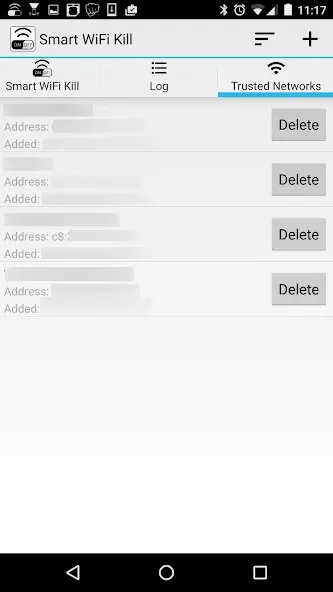
Once the scan finishes, this great app will show you a list of all current users of the same network or your screen.
Third Step
You will also be able to see the names, data usages, and which websites they are on within the same list.
Fourth Step
Now, you would want to grab a device or two before you kick them out. Choose your first target carefully, and then select it, and drag it to the “grab” option that you can see on your screen.
Fifth Step
Repeat this as often, and as with many devices that you like, because, once they are on the grab list, it is quite simple to kick them out and disable their internet connection.
FAQS
Q: Will this app work on non-rooted devices?
A: Unfortunately not. This great app requires your mobile device to be rooted before you use it.
Q: It states “Installation blocked”. What do I do?
A: This was a standard issue in situations when one forgot to enable “Unknown sources” before the installation. Please, check the box located by or under it and try again.
Q: I don’t want to shut a particular device out, how do I do it?
A: Just do not drag it to the grab list. If the device is not on the list, it will not be kicked out.
Summarize
WifiKill is an Android application that allows users to monitor and control their WiFi network. It enables users to view a list of devices connected to their network and selectively block or limit their internet access.
This can be useful in situations where network resources are limited, or when users want to prioritize certain devices or applications over others.








