

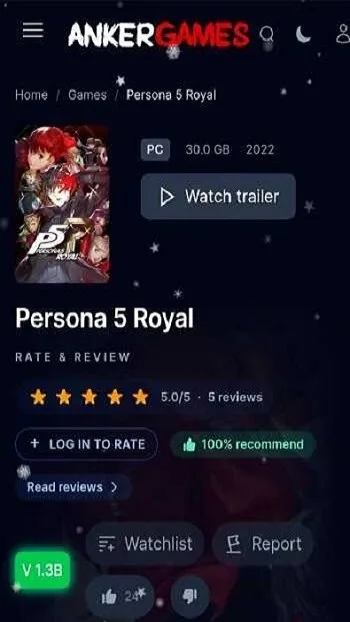
AnkerGames is a fun and engaging Android utility application. It provides a streamlined game library, allowing users to browse and download pre-installed PC game files on their phones. Designed for users familiar with game folders, compressed files, and manual installation, AnkerGames offers powerful search capabilities. Users can directly search for game names, view file details, and easily download them. You have complete control over file selection, choosing storage locations and transferring files to other custom environments on your computer using your preferred methods.
Highlights:
Browsing within AnkerGames APK is designed around data rather than promotion. Instead of editorial recommendations or algorithmic highlights, you are given direct tools to locate specific games quickly and accurately.
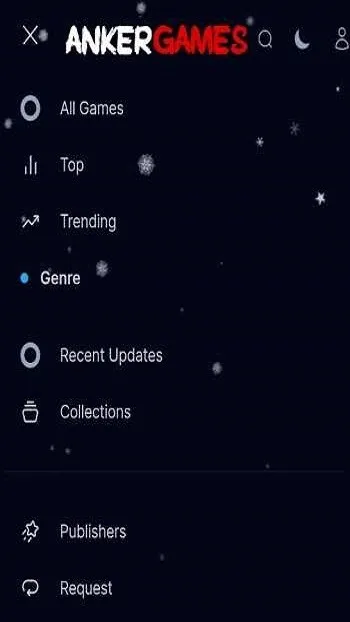
The search system supports game titles and reference identifiers, making it easier to find exact releases without scrolling through irrelevant results. This is particularly useful when you already know what you are looking for and want to avoid unnecessary browsing.
Filtering options further refine the experience. You can narrow results by file size, genre, and release period, which helps when managing limited storage or targeting a specific type of game. For users with structured libraries, these filters save time and reduce guesswork.
Trending and all-time download lists reflect real user activity rather than sponsored placement. This data-driven approach provides insight into what others are actively downloading, without pushing you toward any particular choice. The platform lets you observe patterns without forcing decisions.
For experienced users, browsing becomes a precision task rather than a discovery gamble. AnkerGames APK respects that behavior by minimizing distractions and keeping the interface focused on clarity and function.
Features:
File Size Transparency and Version Awareness
Before downloading, you can clearly see file sizes and version information. This transparency helps prevent wasted bandwidth and storage issues, especially with large titles that require careful planning.
Knowing the exact size of a game and whether additional content is included allows you to make informed decisions. For users managing multiple downloads or limited space, this clarity is not optional — it is essential.
Why This Download Model Saves Time and Reduces Errors
Every additional step in a process introduces potential failure points. Installers can fail due to missing components, interrupted downloads, or system conflicts. The download-and-extract model removes many of these risks.
By focusing on delivering finished files rather than guiding users through complex installation procedures, AnkerGames APK streamlines the experience. This efficiency is particularly valuable if you test multiple games or build and maintain an organized library.
When Direct Downloads Make the Most Sense
Direct downloads work best when you already know what you want, understand file structures, and have sufficient storage available. They are ideal for quick testing, archiving, or building a personal collection over time.
They are less suitable for beginners unfamiliar with PC game directories or users with limited storage capacity. Understanding when this model fits your situation helps you avoid frustration and make better use of the platform.
Common Mistakes Users Make When Downloading Large PC Games
The most frequent issues come from underestimating storage requirements, extracting files to incorrect locations, or assuming downloads can be played directly on Android. Large PC games require planning, and skipping that step often leads to unnecessary problems.
Recognizing these pitfalls early ensures a smoother experience and reinforces the importance of following the intended workflow.
FAQs:
What is AnkerGames APK used for?
AnkerGames APK is used to browse, check, and download preinstalled PC game files through an Android app with simple search and file details.
Can I play games directly inside AnkerGames APK?
AnkerGames APK mainly handles browsing and downloading, so users usually need a separate PC or another setup to run the downloaded files.
What features does AnkerGames APK offer?
It offers a lightweight interface, game search, filters, version info, file size details, and direct access to downloadable PC game packages.
Who should use AnkerGames APK?
It suits PC gamers, collectors, and users who are comfortable managing large files, extracted folders, and manual game setup steps.
Conclusion:
AnkerGames APK is a utility, not an entertainment app. It does not try to replace existing platforms or simplify every decision for you. Instead, it focuses on delivering direct access and stepping aside. If you value transparency, efficiency, and control, this approach makes sense. If you prefer guided experiences or instant results, it may not.








