

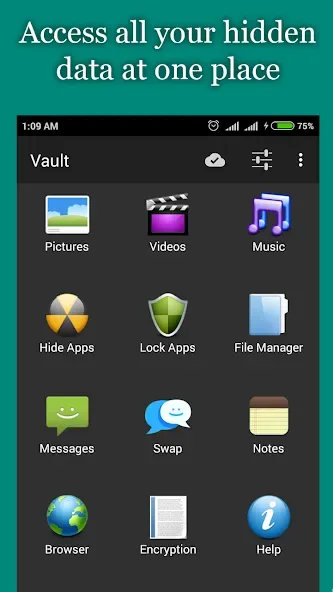
Audio Manager is a security tool designed for mobile devices that allows users to hide important photos, videos, messages, and apps, protecting them behind a password. Users can disguise these sensitive items to make them appear as an Audio Manager app; only by performing the correct sequence of actions and entering the right password can the disguise be lifted. Furthermore, your important data is backed up to the cloud, providing an additional layer of robust protection. Users can also easily share these files with friends or post them to social media platforms, catering to a variety of needs.
Click to load YouTube / 点击加载视频
YouTube ↗Features of Audio Manager:
App disguised behind a fully functional Audio Manager (Other disguises like Calculator etc. are available)
Categorize media into hidden folders of your choice
Free Cloud backup of your files
App Disappears from recent apps list, can't be tracked
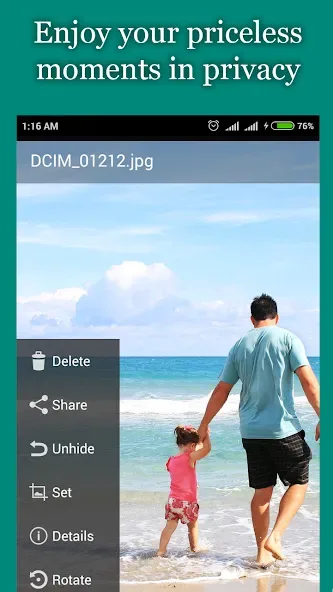
Gallery with integrated Slideshow and sharing to WhatsApp, WeChat, Facebook etc.
Integrated Video player with support for VLC player, MPlayerX etc.
Multiple lock screen options - Pin, Password, Pattern
Escape pin/password for times when you get caught
Built in encryption tool to secure your most important files
User Reviews of Audio Manager:
You have to be a complete retard to not know how to use this app and it's the best app of its class I've ever used.. Don't pay attention to any of the non five star comments, I've practically been using this app since it was released and I've never had an issue.
There are those times, when, yes, even you might not want someone accidentally looking into your phone and discovering something a bit compromising. As with anything worth having, a little learning curve is required. The Pro apps has not adds, and worth purchasing if you find the free app worth your time. Customer Support does respond which is an added plus.
Well just like everyone, last month I woke up to an update, and all my files went missing. Today I followed the recommendation in the app (ONCE IN THE APP, clicked the setting gear, advance setting, find missing files) and waited a few seconds, it recovered all my missing pictures. Needless to say, I am back to loving this app! So I can guarantee you, your files aren't erased, they're just still hiding in the phone.
Sir, I had hidden many photos and videos in this app, but I uninstalled this app and then I installed this app again. Now I can't see what I had hidden before. How can I get those photos and videos back? Please help.
FAQs of Audio Manager:
Is Audio Manager free to use?
Yes, Audio Manager is free to download and use, but it may offer in-app purchases for additional features.
What types of files can I hide with Audio Manager?
You can hide photos, videos, audio files, and even documents using the app.
Does Audio Manager offer cloud storage options?
No, Audio Manager does not currently offer built-in cloud storage. It keeps your files stored locally on your device.
Can I recover deleted files from Audio Manager?
No, once files are deleted from the app, they cannot be recovered.
Is there a limit to how many files I can hide?
There is no specific limit on the number of files you can hide, but storage capacity will depend on your device's memory.
Final Thoughts:
Its simple yet powerful user-interface makes it very easy for anyone to use while providing plenty of options for customizing how they manage their audio files. Additionally, its ability to stream music from popular services such as Spotify and SoundCloud make it ideal for listening to favorite tunes whenever one desires!








