

Virtual is an app-cloning tool designed for mobile devices. It supports all popular apps and games currently on the market—even those with large file sizes—allowing users to log into multiple accounts for the same application on a single device. Users can switch between accounts with just a simple tap, boosting efficiency for both work and gaming. Each cloned instance is assigned its own dedicated virtual GPU, ensuring that accounts remain independent and run smoothly, providing users with a seamless and comfortable experience.
Features of Virtual:
Full-Fledged Virtual System: Get a whole new Android experience tucked away inside your existing phone. Run another copy of Android right next to your main system, so it’s basically like having two phones in your pocket.
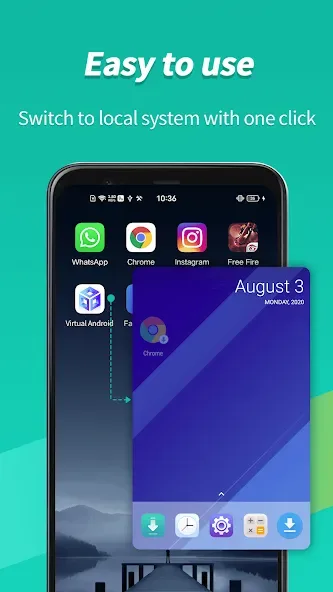
Quick Account Switching: No more logging out and in. Jump between your main and virtual spaces—or between different accounts in the same app—with a single tap.
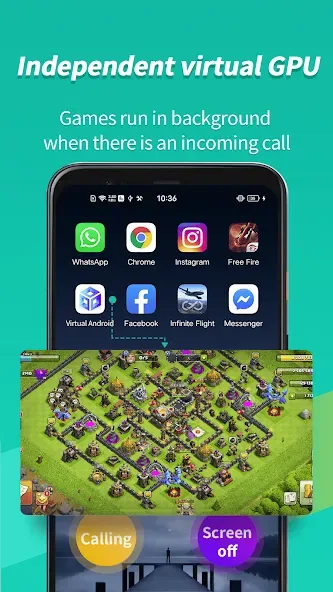
Independent Virtual GPU Support: Each Virtual system gets its own virtual graphics processor. This means smoother gaming and less lag if you’re running demanding apps in the background—play or work while hopping between apps without missing a beat.
True Multitasking: Keep your cloned apps running even when you switch back to your main environment. Everything stays up and running, so your games can keep going and chat messages keep coming through.
Cloud-Like Functionality, but Local: It’s almost like having a cloud phone, except it all happens right on your device. No need to worry about slow connections or privacy issues with outside servers.
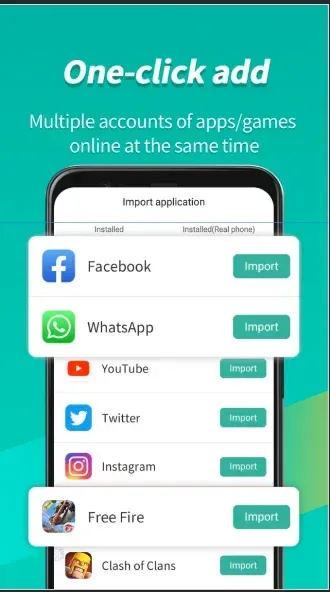
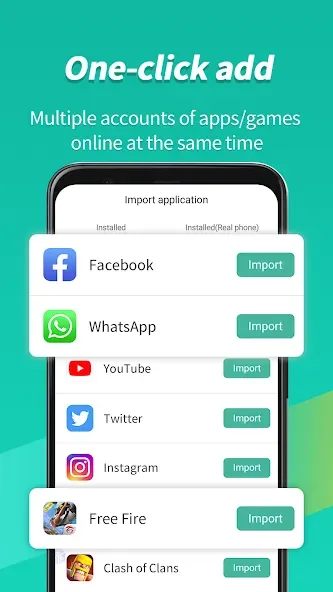
Easy App and Game Cloning: Want to use two WhatsApp accounts, play the same game on separate logins, or keep work and personal apps apart? Just import your apps and games, and you can use multiple copies at once.
Highlights of Virtual:
Virtual also supports a vast library of applications. Users can access popular apps across various categories, including communication, social networking, and gaming. This broad compatibility means that individuals can easily enjoy their favorite apps without restrictions, making it a versatile tool for enhancing productivity and entertainment.
Security is another significant aspect of Virtual. The app allows users to maintain privacy by enabling them to use different accounts for various services without revealing personal information across platforms. This feature is particularly appealing to users who wish to separate their professional and personal lives while maintaining a degree of anonymity online.
For those who encounter issues during the download process, Virtual provides straightforward solutions to help users troubleshoot and resolve any problems. The support system is designed to assist users in maximizing their experience with the app, ensuring they can enjoy all its features without unnecessary delays.
Switching between accounts is made effortless with this application. Users can receive notifications and messages from all their signed-in accounts simultaneously, allowing for real-time communication without the need to constantly switch between different app interfaces. This feature is ideal for users who manage multiple social media accounts or engage in online gaming with friends on different profiles.
User Reviews of Virtual:
It's a really cool app! It's an android virtual machine inside of android. It even works on 32-bit phones which is really nice because that's all I have. You can use it for basically anything you can usually do on ur actual phone but it separate so if you have a kid they can use this instead of using your actual phone. Works amazing too! I recommend you not have any apps running in the background so this has full capability. No problem whatsoever. I don't understand why it's rated so terribly!!!
It was working very well in MIUI 12 (Android 11). Almost instant boot time and stable and all my intended apps worked fine. But ever since my device got updated to MIUI 13 (Android 12), I see a lot of hanging. Every 40 to 60 secs, it hangs and I had to restart the app. Literally unusable. Edit: Changing the rating to 5* as the developer released an update after long time. Wish the support for Android 13 is released soon.
With the low rating I didn't expect much but it works great. Only complaint is that you have to quit to desktop to use your navigation menu at the bottom of your screen if an an app. Thats probably not fixable with android running android though.
ITS LITERALLY THE BEST ANDROID VIRTUAL MACHINE EVER. Ive always got a bug where the 2nd download couldn't started, so I got the solution by redownloading I hope the dev fixed this big, it has a great UI, easy to use, friendly for beginners :D I recommended this for my friends that want to save private files or for school works and most of them like 90% loved this!
FAQs of Virtual:
How much disk space does Virtual require?
Virtual runs on a brand new Android 7 system. It requires approximately 600MB of ROM data to be downloaded and 2.5GB of disk space to function optimally. Additional disk space may be required for app installations or upgrades.
Can Virtual be installed in a multi-user environment?
Some apps may not be supported if Virtual is not installed in the device owner or administrator account.
What should I do if there are issues with downloading?
We depend on Google's AAB server to distribute ROM data. If you encounter any download issues, please try restarting the system. If the problem persists, ensure that the Google Mobile Services components on your host machine are up to date and then proceed to reinstall Virtual with sufficient disk space.
What should I do if Virtual fails to boot?
In most cases, a system file may be damaged. Please ensure that you have enough disk space and attempt a system reboot. If this does not resolve the issue, consider reinstalling Virtual. In the event that reinstallation fails or is not desired, we recommend waiting for a new release.
What should I do if there are network issues in Virtual?
If you experience network issues, try changing the DNS to an available address, such as 8.8.8.8, within the Advanced Setting. This adjustment can help resolve certain network-related problems.
Conclusion:
Virtual has a stronger premise than a simple app cloner, and the virtual GPU gives gamers a genuine reason to consider it. For account-heavy users with ample storage and tolerance for occasional troubleshooting, it can be highly useful. Those with limited space or little patience for freezing and startup problems should choose a lighter dual-app tool instead.








