

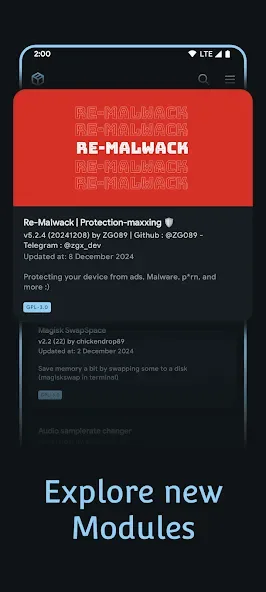
Magisk Module Manager is a module management tool designed specifically for Android devices. This application offers powerful features, is built with the latest design language, and provides users with a smooth, fast, and stable user experience, complementing your rooted device perfectly. With Magisk Module Manager, users can seamlessly browse, install, and manage modules from multiple sources, including any custom repositories they add themselves. Thanks to its intuitive and clean user interface, you can easily download modules and take advantage of advanced management features.
Highlights:
Rooting with Magisk Manager
To root your device, you'll need the boot.img file from the exact ROM version you have installed. After moving it to your phone's internal storage, you can patch it through Magisk Manager. Once patched, flash it using ADB on your computer or a custom recovery you've already installed. After flashing, your boot partition will be rooted, and you'll be able to grant apps superuser permissions as needed.
Add-on modules to enhance root use
Magisk Manager lets you install optional modules that improve how root works on your device. One key example is the SafetyNet Fix module, which hides your root status from apps that might stop working if they detect an unlocked bootloader. This is especially useful for banking apps, mobile payments, and games that limit features on rooted devices. With this option, you can continue to use these apps without limitations or blocking.
Install Magisk with Zygisk support
Through the Magisk Manager's settings, you can install Magisk with Zygisk support, allowing developers to preload essential resources directly into system memory. This boosts performance and helps processes run faster and more efficiently.
Features:
Universal Compatibility: Full support for your favorite root solutions: Magisk, KernelSU, and APatch.
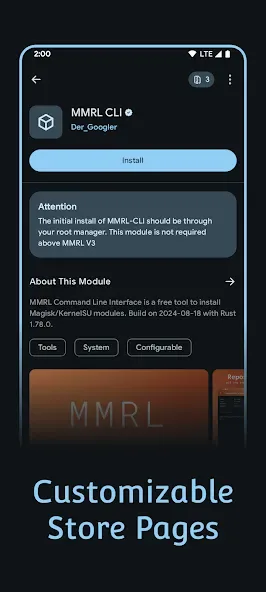
Decentralized Repo Management: Add and manage custom module repositories alongside pre-loaded official sources.
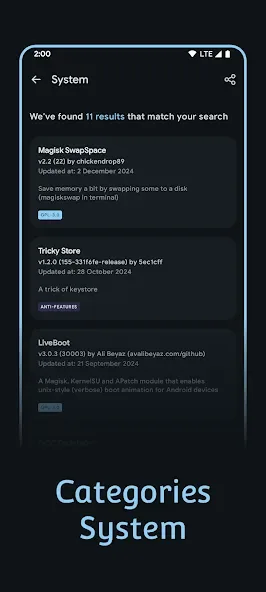
Intuitive Interface: Browse categories, search, filter, and discover modules with a smooth, modern UI.
Bulk Install: Select and install multiple modules simultaneously.
Local Installer: Easily install modules stored on your device.
Direct Download: Download module zips for manual flashing.
Advanced Management: Enable, disable, or uninstall modules directly from the app.
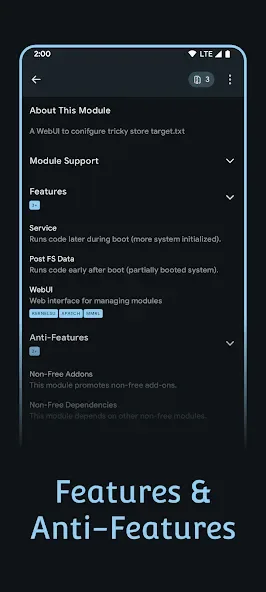
Safety & Transparency: View detailed module information, check dependencies, and access changelogs before installing.
Open Source: Built by the community, for the community. Contributions and transparency are at the core of MMRL.
Tips for Users:
Comprehensive Root Manager Support
Full compatibility with Magisk, KernelSU (Next), APatch and SukiSU Ultra for diverse root management options. Learn more about how modules work.
Powerful WebUI X Framework
MMRL brings you WebUI X, one of the most powerful WebUI frameworks ever built. It offers developers and end-users advanced tools and a true edge-to-edge experience that feels completely native. Check out our setup guide.
Bulk Installation Support
Seamlessly install multiple Magisk modules at once, whether sourced online from repositories or from local storage. The bulk installation feature streamlines the process for power users and developers, reducing manual steps and saving time.
Final Words:
Magisk Module Manager uses a systemless root approach that avoids modifying the system partition. This method is safer and less intrusive than traditional rooting while still giving you full control over your device. Download the Magisk Module Manager APK and easily manage your root permissions on Android.








