

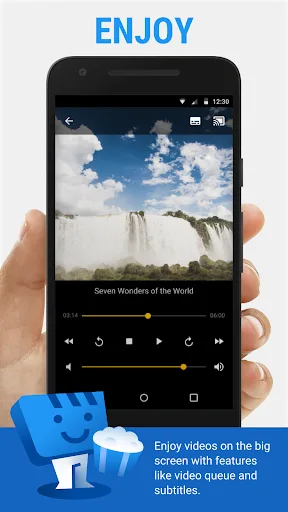
Web Video Cast is a delightful app for streaming videos and music. This app offers a wealth of content, bringing together various entertainment programs, including movies, news, and sports events, providing users with excellent picture and sound quality for a high-quality viewing experience. With Web Video Cast, you can watch your favorite shows and videos right on your mobile device, ensuring that dull evenings become a thing of the past as you dive into endless entertainment. The app also includes a subtitle feature, which you can enable to better follow and understand the content you’re watching.
Highlights:
Cast web videos and HLS live streams to compatible television devices.
Play local videos, photos, music, and other audio files.
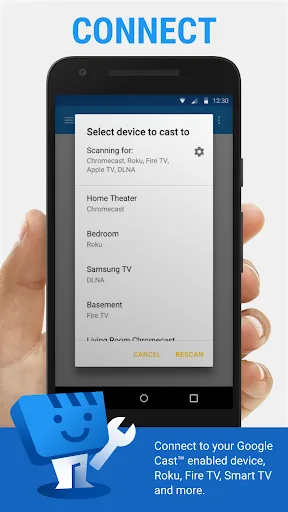
Connect with Chromecast, Roku, Fire TV, DLNA, and smart TVs.
Find webpage subtitles or load external subtitle files.
Use Premium for ad removal, queues, bookmarks, and history.
Features:
Local Media Playback
Beyond web content, this versatile solution also acts as a comprehensive media player for files stored directly on your Android device. Whether it’s cherished family videos, a gallery of holiday photos, or your favorite music tracks, the platform ensures these personal moments and sounds can be shared and enjoyed on a bigger screen. This feature adds significant value, making it a central hub for all your digital media.
Wide Device Compatibility
The strength of Web Video Caster lies in its extensive support for popular streaming devices. It is engineered to work with a broad range of smart TVs and media streamers, ensuring that most users can connect their phones to their existing home entertainment systems without needing additional hardware. This broad compatibility makes the experience accessible to a vast audience, regardless of their specific TV setup.
Advanced Subtitle Support
Understanding the importance of accessibility and global content, the tool offers sophisticated subtitle capabilities. It automatically detects subtitles embedded within web pages, providing a convenient viewing experience. Furthermore, users have the flexibility to load their own custom subtitle files or utilize the integrated search function powered by OpenSubtitles.org, ensuring that language barriers never hinder enjoyment.
Tips and Tricks:
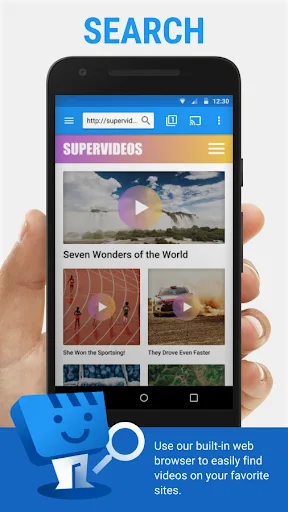
Search and Select: Easily search for your favorite shows and start watching with just a few clicks.
Enjoy a Variety of Genres: Explore different genres, including action, psychology, animation, and more.
Connect and Stream: Connect to your device and play live videos with the best sound and image quality.
Discover New Videos: Explore new videos with characters you admire and find exclusive content.
Changelog:
Improved Chromecast connection reliability.
Improved playback compatibility with some websites and live streams.
Added select all/deselect all and improved search in Bookmarks.
Fixed issues when overwriting backup files.
Improved Premium account error handling.
Fixed local media thumbnail loading issues.
Final Words:
Web Video Cast allows you to create bookmarks, shortcuts and frequent links. As a result, you can quickly navigate to your habitual sources without having to search for them every time, optimizing your time and improving the overall browsing and playback experience within the app. If you want to send all kinds of videos to your TV from a simple and convenient app, download the Web Video Cast APK for free and enjoy your favorite content on a bigger screen.








