
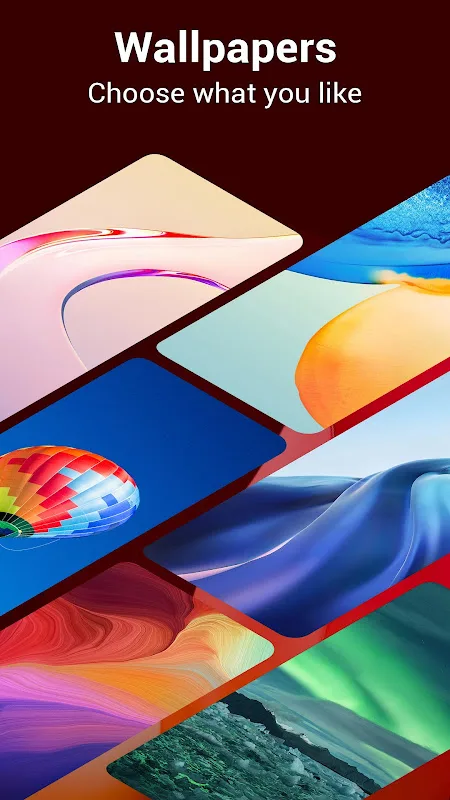
P Launcher is a theme app with extensive resources. This app allows you to customize your device, including features like personalizing the home screen, changing icons, modifying fonts, and adding a variety of widgets. Users can customize their device's appearance to their liking, making it even more stunning. The app's core feature is its rich selection of wallpapers, including popular HD landscapes, anime, cartoons, art, and celebrities. Download P Launcher now to make your device even more stylish and stylish!
Click to load YouTube / 点击加载视频
YouTube ↗Overview:
P Launcher is inspired by the official Android P and Android 12 R launchers, but it has additional powerful features that enhance the user experience. Developed by the Super Launcher Serie team, this app aims to provide a modern and customizable interface for Android users.
While it mimics the look and feel of the latest Android versions, it is not an official product of Google. The launcher includes various customization options, allowing users to personalize their home screen with multiple themes and icon packs.
It also incorporates handy features like app hiding, app locking, and gesture support, making it a versatile tool for those looking to enhance their Android device’s functionality.
Features:
Latest Android features: The application will bring you the latest Android features to your phone so you can experience. You don’t need to spend a lot of money to buy a new phone anymore, but with this application you can experience all these new features.
Vertical app drawer: The application will also allow you to create a list of your favorite applications, with this feature you can quickly access the applications you love and frequently use quickly and conveniently.
Gesture support: In addition, you can use your phone more easily with finger gestures. You can pinch your fingers to close the application, flick your fingers up – down or left and right to control your phone when your hands are busy.
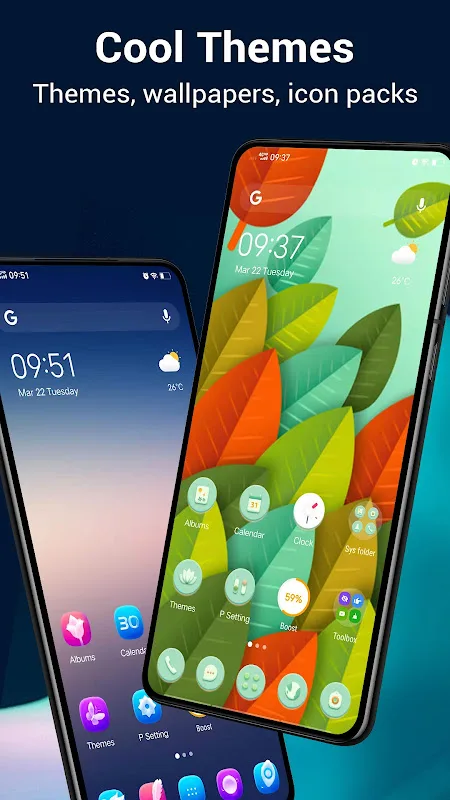
Multiple theme choices: The application has many unique and diverse themes with different styles, from gentle to personality, from modern to classic. You will be free to choose and find the style you love the most to use.
Grid and icons: The grid and icon system of the application is also very unique, you will experience different styles. Each style brings you the most interesting and new experiences.
App privacy lock: In addition, the application also brings you an extremely useful feature. That is the application lock, with this feature you can set a password for all the applications you want to ensure your privacy.
Highlights:
Android 10/11 launcher theme built-in
Support 1000+ beautiful themes
Support almost all third-party launcher icon packs in Play Store
Android 10/11 launcher's vertical drawer, with favorite apps section
Support Android 10/11 gesture feature: swipe up from desktop to open drawer, swipe down from drawer to go back to desktop
A-Z quick scroll bar in launcher drawer help your find app quickly
Launcher Drawer mode: Vertical or Horizontal drawer, Black/White drawer background color option
Gestures in launcher desktop: swipe up/down, pinch in/out, double tap, two fingers gesture
Widgets drawer: launcher widgets classified by apps
Huge options: launcher desktop/drawer grid size, icon size, label color, label size, etc.
Hide apps, even lock them to protect privacy
Edit launcher screens easily, changing wallpaper, widget, setting
Launcher wallpaper scrolling or not option
Lock launcher desktop to avoid being messed up by kids or others
Unread counts for missed call, unread SMS, get notified just from launcher desktop icons
Drawer entering animation: Slide up, Circle
Support the larger aspect ratio of Galaxy S8/S9/S10 and other new Android flagship devices
Android 10/11 search bar style on desktop
Dock background configuration
Many online wallpapers
Conclusion:
My experience since discovering this app has been nothing short of fantastic! I’m truly thankful for the joy it has provided me, especially now that it integrates exceptionally well with Android via Google. There’s a remarkable degree of freedom in utilizing this app, ideal for leisurely periods. Its high playability makes it highly recommended for purchase. The gameplay experience is notable as well; many users have found happiness and formed friendships through it. As someone who considers myself a long-term Player, my connection to this app runs deep! Here’s hoping for even further enhancements in future updates!








