

SuperSU is a superuser privilege management tool for Android devices. With this tool, you can manage all permissions for all installed apps. SuperSU is a powerful, yet discreet utility that allows you to easily determine which apps have advanced system permissions, preventing malware and protecting your device. Download SuperSU now! This powerful free app can save you a lot of hassle.
Click to load YouTube / 点击加载视频
YouTube ↗Features:
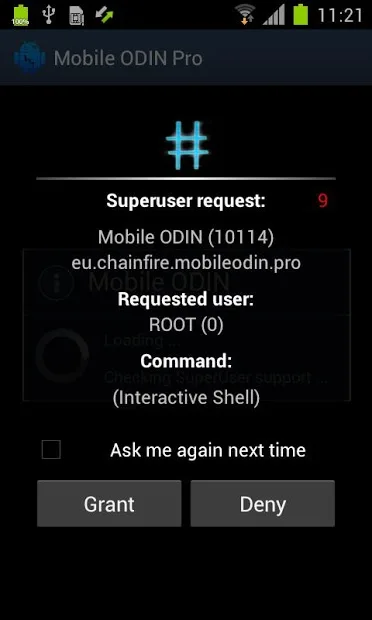
Access Notifications: SuperSU notifies you when an app requests root access, so you can grant or deny permission on the spot.
Temporary Unroot: Want to use an app that doesn’t work on rooted devices? SuperSU allows you to temporarily unroot your device to use those apps.
Deep Process Detection: Some apps try to access the root without permission. SuperSU detects these sneaky apps and lets you decide what to do with them.
Works in Recovery: Even if your device isn’t fully booted, SuperSU can still function in recovery mode.
Works When Android Isn’t Properly Booted: SuperSU can work even if Android isn’t properly booted. So, you can access root functions in almost any situation.
Ghost Mode: SuperSU can run in stealth mode, hiding from the list of applications.
Complete Unroot: If you decide rooting isn’t for you, SuperSU can completely unroot your device.
Steps:
How to Install SuperSU APK
Click on the download link and download the APK. Make sure to save the file in a location you can easily access.
Before installation, allow your device to install apps from unknown sources. Go to your device’s “Settings,” then “Security,” and toggle on “Unknown Sources.”
Navigate to the location where you saved the APK file. Tap on the file to begin the installation process.
Then tap on Install to start the installation.
Once installed, you can Open the App and start using it.
You can try other similar games like Root Uninstaller and MT Manager.
Using SuperSU
After installing SuperSU, it will ask for root permissions. Grant the permissions, and you’re all set to manage your device’s root access with SuperSU.
When an app requests root access, SuperSU will pop up a prompt asking for your permission.
You can choose to grant or deny the request.
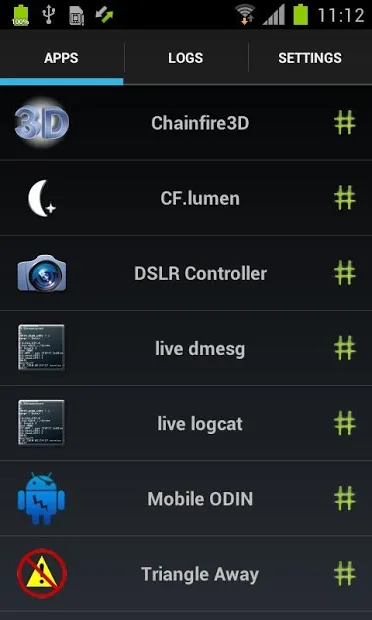
You can also go into SuperSU’s app settings to manage permissions for all your apps in one place.
Conclusion:
SuperSU is a must-have for anyone with a rooted Android device. It adds a layer of security, making sure only trusted apps get root access. With so many powerful features, SuperSU makes managing root permissions simple and safe.
Rooting can void your warranty and may bring security risks. Always be sure you know what you’re getting into before you root your device. If you’re ready to go ahead, SuperSU helps you stay in control with ease. Keep visiting Techylist for more Apps and Games for your mobile device.








